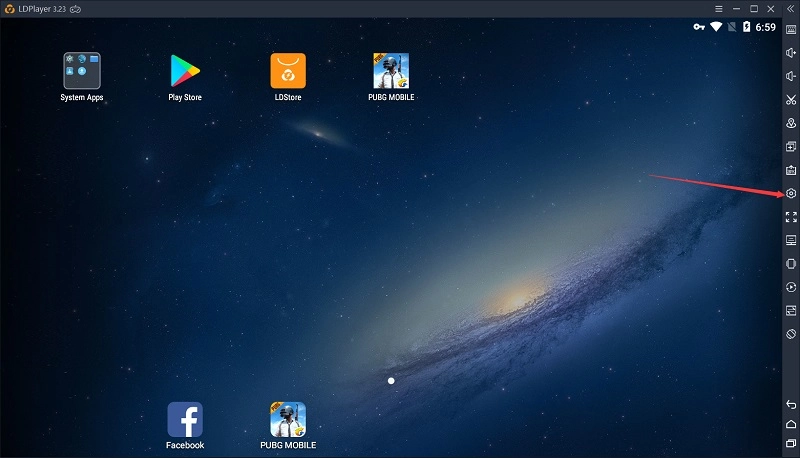
1. Click Settings on the right toolbar.
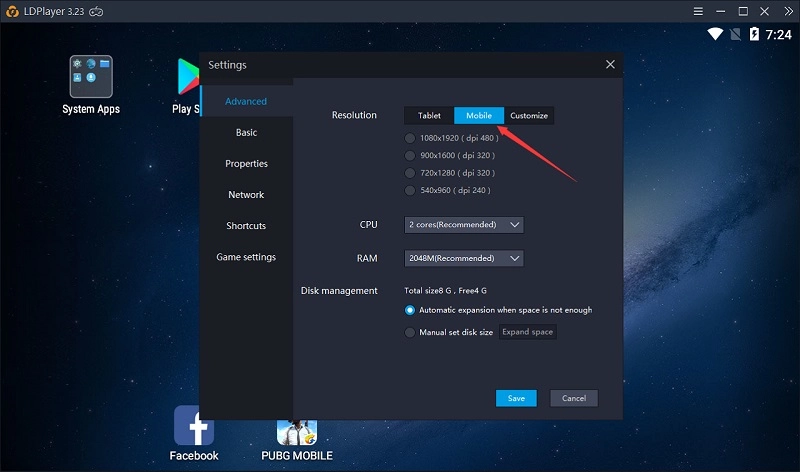
2. Click Mobile.
3. Select the resolution you want to use and then click the button Save.
4. Restart LDPLayer for these setting changes to take effect.
Function Instruction
1. Click Settings on the right toolbar.
2. Click Mobile.
3. Select the resolution you want to use and then click the button Save.
4. Restart LDPLayer for these setting changes to take effect.