
Game Installation
How to Install APK File with OBB Data on LDPlayer
2021-06-11
While using Android emulator on PC, not all users download their apps from Google Play Store inside the emulator. If you download the apk with extra obb file on your PC outside of emulator, and want to install them in LDPlayer, this guide will acquaint you with all the steps you need to know.
Usually, an obb file is an expansion file used by some Android apps and it contains data not stored in the application's main package (APK file), such as graphics, media files, and other large program assets. You need to install the APK file first in LDPlayer and move the obb file next to the right folder of your emulator storage. We will show you two methods to install APK with obb data file on LDPlayer.
Quick Navigation
Method 1 with Operations in LDPlayer
1. Directly drag the APK file into LDPlayer instance to finish the basic installation of the app. (Don't start the app after installation)
2. On the home screen of LDPlayer, click System Apps > File Manager > Android > obb >︙(in the top right corner) > New folder
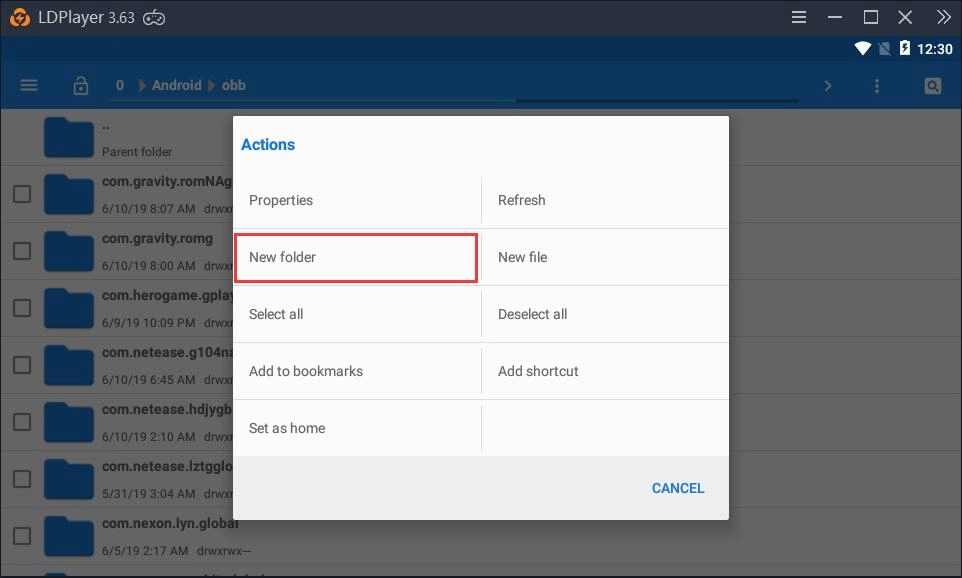
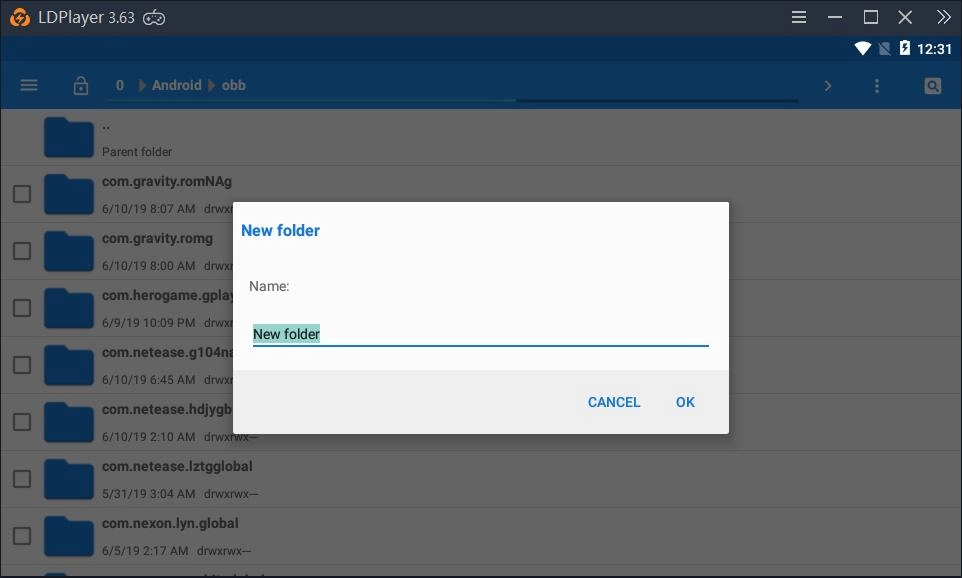
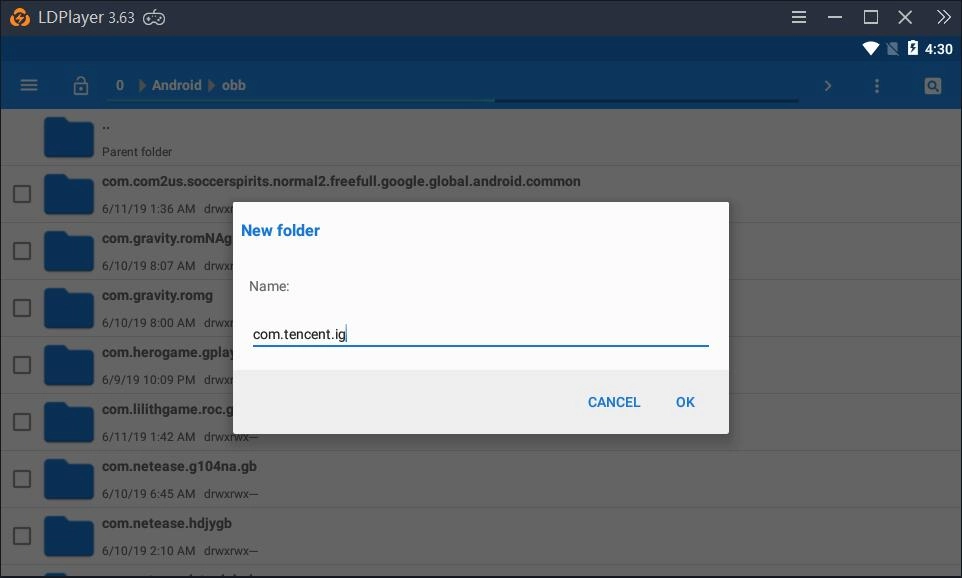
3. Change the name New folder to the package name of this game. (If you don't know what its package name is, install an app named Package Name Viewer on LDPlayer to get its package name)
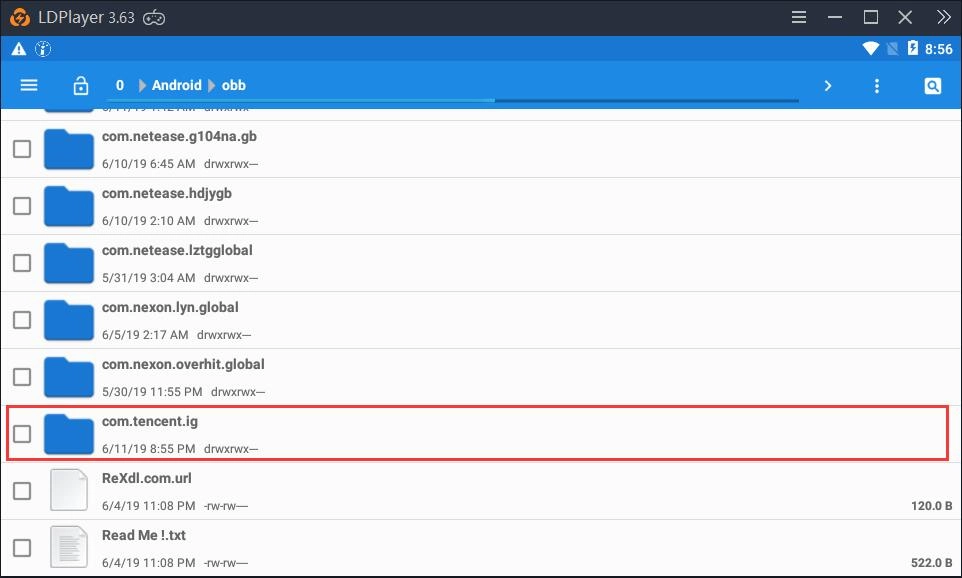
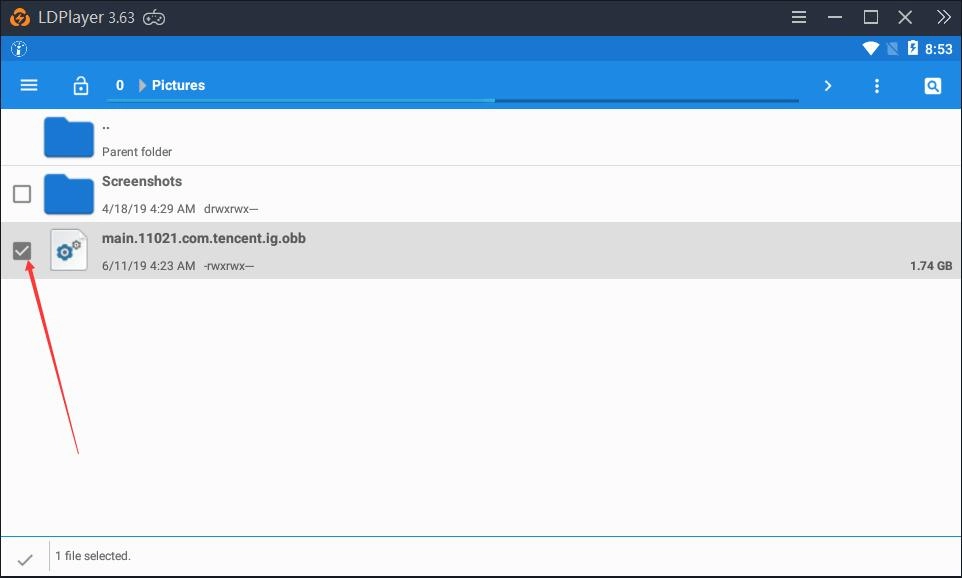
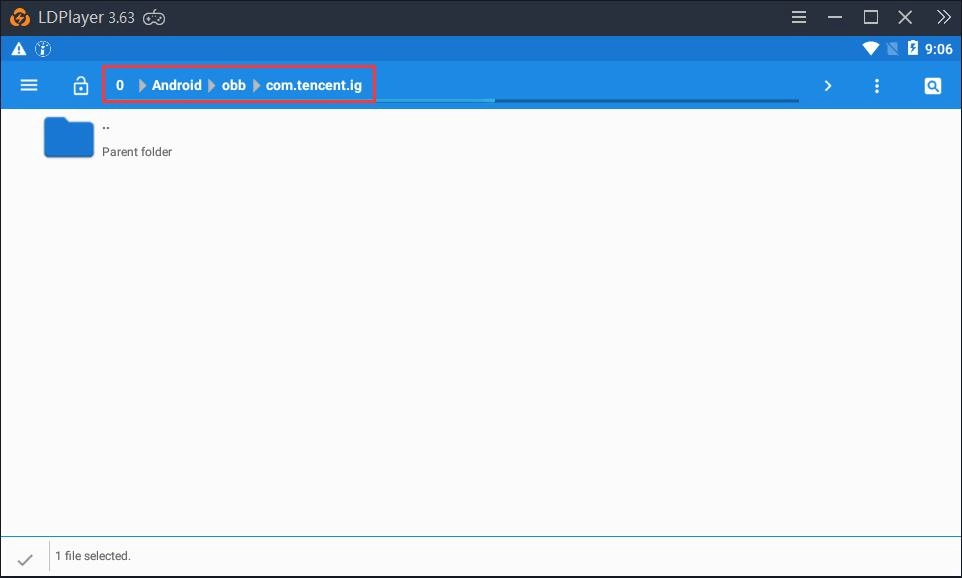
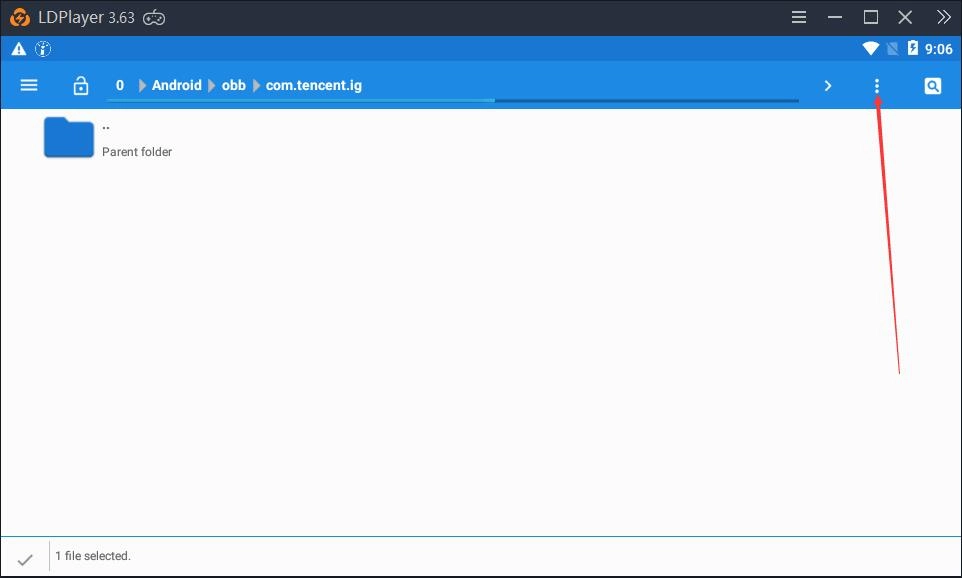
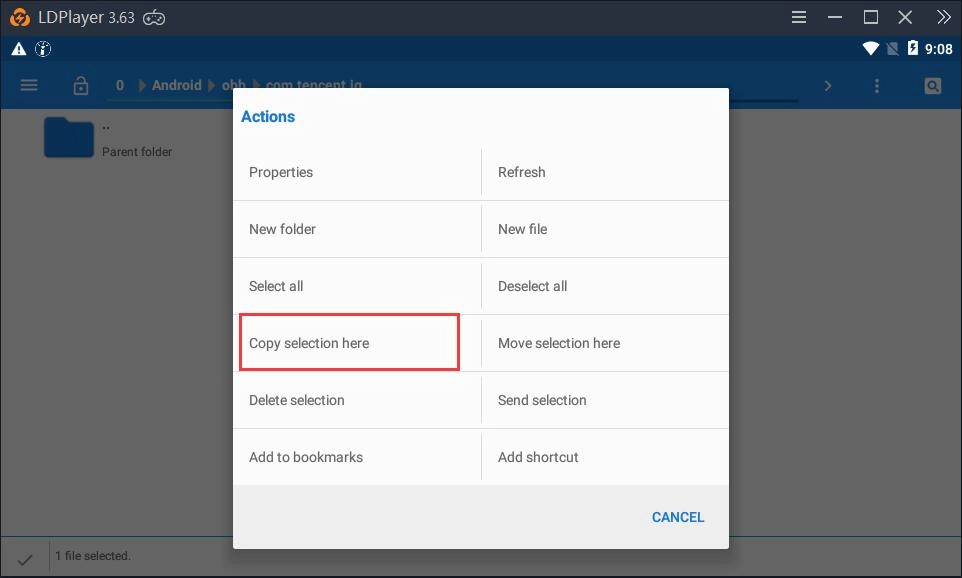
4. Copy the downloaded OBB file (an OBB file or two OBB files) to the folder you just created. (Directly drag the OBB file into LDPlayer. After that, check the check box of the OBB file and go back to the folder that was created by you a few seconds ago. Finally, click ︙(in the top right corner) > Copy selection here
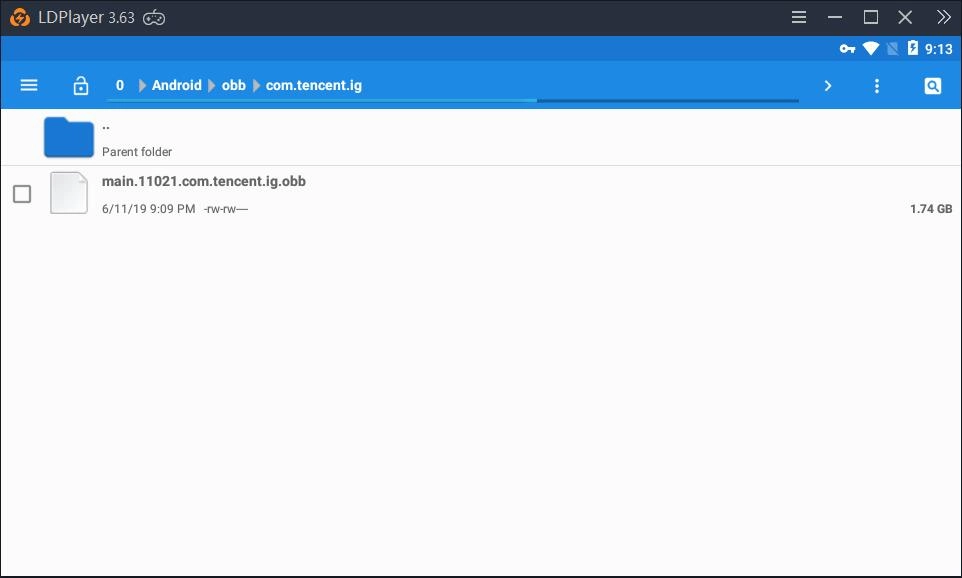
5. Go back to the home screen of LDPlayer and click the app icon to start it
Method 2 with Operations on Your PC
If you think method one is a little bit uneasy for you to follow, you can try this alternative method. To put it simple, you just need to combine your APK and OBB files into XAPK file. XAPK is another Android application package format and it can be installed in LDPlayer by simply dragging the file into the instance.
1. First you need to refer to this guide to learn how to form a XAPK file on your PC.
2. After you form a XAPK file, check this tutorial to install the XAPK file on LDPlayer.
Hopefully this tutorial can help you install the apk with obb file in LDPlayer without any issues. Thank you for choosing LDPlayer and we hope you enjoy using it. If you have any further questions, please contact us at support@ldplayer.net