
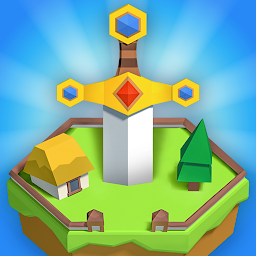


CryptoCrusades is a Strategy game developed by Merfolk Games, and LDPlayer is the best platform for playing CryptoCrusades on Windows PC, offering powerful features for an immersive experience.
When playing CryptoCrusades on your computer, you can enjoy long game sessions using the operation recording feature to record repetitive operations to complete the same tasks automatically. It allows you to level up faster and makes resource grinding much more efficient.
In addition, if you want to execute combo moves or the game requires repeated skill actions, the macro feature is your best helper. It enables you to complete kills with just one click!
If you want to manage multiple accounts, LDMultiplayer and Synchronizer will assist you. You can run multiple alternative accounts at the same time to assist the leveling of your main account. Download and play CryptoCrusades on PC with LDPlayer now!
Join players from around the globe and make your mark on the world of CryptoCrusades. Whether through conquest or trade, there are many ways to lead your Empire!Features:
Command an Empire that stretches across a hex-tile Earth from your Capital City.
Recruit Units to fight other Leaders and defend your territory.
Upgrade Buildings in your Capital City to strengthen your Empire.
Craft Cosmetics to change the appearance of your Empire’s Units and Buildings.
Trade resources and Cosmetics with other Leaders in a player-driven economy.
Complete quests and reap the rewards from developing your Empire.
Expand your Empire by founding Towns.
Raid, pillage, conquer, or raze the Settlements of your enemies!
Explore a game inspired by medieval history, filled with a charming, unique art style that combines low-poly models with retro 16-bit graphics.
If this sounds like the game for you, download CryptoCrusades and make your mark today!
Are you encountering problems with the game? Want to connect with other Leaders playing CryptoCrusades? Join our Discord server (https://discord.gg/8Q7HNkPH), where you can chat directly with our dev team as well as our wonderful community.
PLEASE NOTE:
CyptoCrusades is free to download and play, but it does offer some game items for real-world money. These items are in no way necessary for the full game experience. If you don’t want to use this feature, please disable in-app purchases in your device’s settings.







