Unearthed Stories
Unearth a universe of fantasy and science fiction interactive text-based stories
Overview
FAQ
Use LDPlayer to Play Unearthed Stories on PC
Unearthed Stories is a Simulation application developed by Prowess Games, but with the best Android emulator-LDPlayer, you can download and play Unearthed Stories on your computer.
Running Unearthed Stories on your computer allows you to browse clearly on a large screen, and controlling the application with a mouse and keyboard is much faster than using touchscreen, all while never having to worry about device battery issues.
With multi-instance and synchronization features, you can even run multiple applications and accounts on your PC.
And file sharing makes sharing images, videos, and files incredibly easy.
Download Unearthed Stories and run it on your PC. Enjoy the large screen and high-definition quality on your PC!
Come to unearth a universe of stories, worlds of fantasy, and realms of science fiction, through interactive, text-based stories, each with a unique flavour. Would you find magic or alchemy? Would you choose revenge or forgiveness? What path will you take?>> WHAT CAN YOU FIND IN OUR STORIES? <<
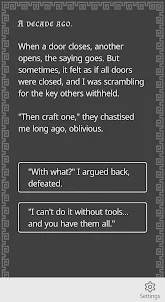
♣ Entirely text-based, with no sounds → unleash the power of your imagination.
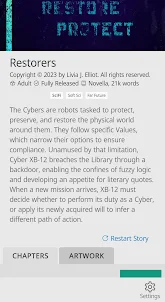
♣ Customise your reading experience → read in white, black, or sepia backgrounds, and tweak your font size, activate or deactivate other effects (like frames or colour rims).
♣ Take choices and find your path → some stories include individual and original art, and you can find it through your adventure.
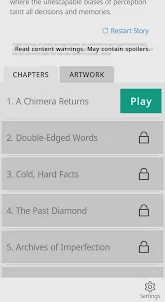
♣ Descriptive tags and warnings → each book is descriptively tagged with genre, subgenre and warnings, and those that need it, have a content warning box to read if you want it.
♣ Find your story → we are exclusively dedicated to fantasy and science fiction books, from YA to Adult+ readers.
♣ The library continues to grow → New content is written and delivered periodically. Our stories are complex, engaging, and will take your mind off this world.
>> RECOMMENDED STORIES <<
Some of our favourite stories include:
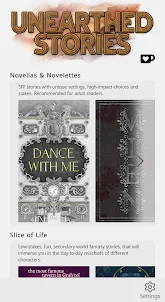
♦ Dance With Me. This *fantasy novella for adult readers* follows a ceramic-made ballerina enchanted with elven magic. One day she falls from the music box, her ceramic cracks, and her elven owners begin treating her differently. Should the ballet go on? Even when her stardust spills from her cracks? It is up to you to help her.
♦ Potions Shoppe. This is a *slice-of-life, low-stakes book for young adult readers*, which follows the day-to-day of a renowned potion-maker and their shoppe, where clients come and go. What would you do today? Craft a love potion? Break an ancient spell or unleash a genie?
♦ Mien. This is a *grimdark novel for adult readers*. It follows the mission of an alchemist named Mien, from a cohort known as Chimeras, as they assess the political struggles of the waning state of Strezia. Can Strezia be helped, or is it doomed by its corruption? Through Mien, you will decide.
Screenshots and Videos of Unearthed Stories PC
Why Play Unearthed Stories on PC with LDPlayer?
Multi-Instance & Sync
Remote Control
Custom Controls


Effortlessly clone multiple instances and initiate synchronization until you draw the desired hero before binding your account, enhancing efficiency in rerolls in Unearthed Stories.
High FPS
With support for high FPS, Unearthed Stories's game graphics are smoother, and actions are more seamless, enhancing the visual experience and immersion of playing Unearthed Stories.Video Recorder
Easily capture your performance and gameplay process in Unearthed Stories, aiding in learning and improving driving techniques, or sharing gaming experiences and achievements with other players.
How to Download&Play Unearthed Stories on PC?
- 1
Download and install LDPlayer on your computer
- 2
Locate the Play Store in LDPlayer's system apps, launch it, and sign in to your Google account
- 3
Enter "Unearthed Stories" into the search bar and search for it
- 4
Choose and install Unearthed Stories from the search results
- 5
Once the download and installation are complete, return to the LDPlayer home screen
- 6
Click on the game icon on the LDPlayer home screen to start enjoying the exciting game