Soul Strike X Keroro
Meet the Keroro Platoon, here to conquer the world of Soul Strike!
Soul Strike X Keroro is developed and provided by Com2uS Holdings. LDPlayer offers the download service only.

Overview

FAQ

Game Guides
Use LDPlayer to Play Soul Strike X Keroro on PC
Soul Strike X Keroro is a Role Playing game developed by Com2uS Holdings, and LDPlayer is the best platform for playing Soul Strike X Keroro on Windows PC, offering powerful features for an immersive experience.
When playing Soul Strike X Keroro on PC, as a new player looking to start with a fresh account, the multi-instance and sync features are extremely useful for rerolls. You can use them to run multiple instances and begin the synchronization process. Bind your account until you draw the desired heroes.
In addition, operation recorder is great for games that require you to level up and complete tasks! Run the sync and record your actions, then repeat the main instance's actions in real-time. By doing so, you can run 2 or more accounts simultaneously. You can always get the heroes you want before others by faster rerolls and more efficient summoning! Start downloading and playing Soul Strike X Keroro on your computer now!
Assemble the esteemed members of the Keroro Platoon—here to take over Soul Strike! Join the Crossover Roadmap Event and earn the Keroro Platoon allies just by playing!Easy Peasy Monster Squishy! Hack and slash like there's no tomorrow!
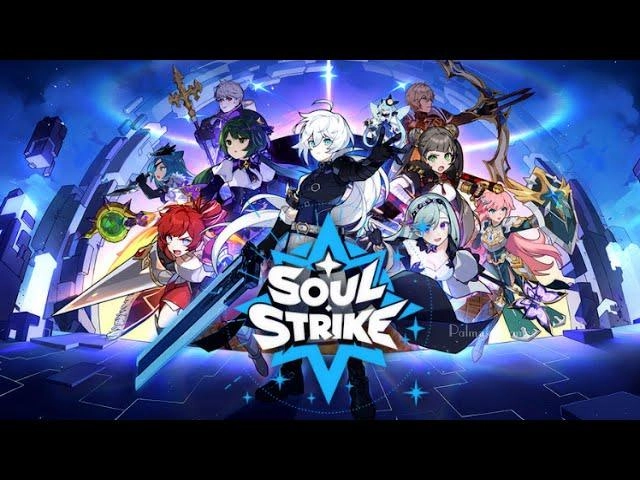
Soul Strike - Idle RPG, the perfect action idle game that you have been looking for is now live!
Slay and strike vampires, titans, zombies, slimes, and dragons to continue your legendary adventure!
Click and tap to battle your way to be the number 1 legend of this fantasy war!
Game Features
● Spam your skills on endless waves of enemies!
Enjoy exciting action-packed roguelike battles as you wipe out hundreds of monsters at once!
Clear and harvest thousands of stages by defeating monsters with fancy skills and actions!
● Customize your hero endlessly with 999 Parts!
Beefing up stats isn't the only way to make your beloved character stand out!
You can come up with a trillion combinations to make your character unique!
● Guaranteed offline growth boost with AFK idle rewards!
Enjoy super-fast growth that transcends the speed of time in this fun idle action game!
Indulge in the temptation of idle progression online as you watch your character become endlessly stronger!
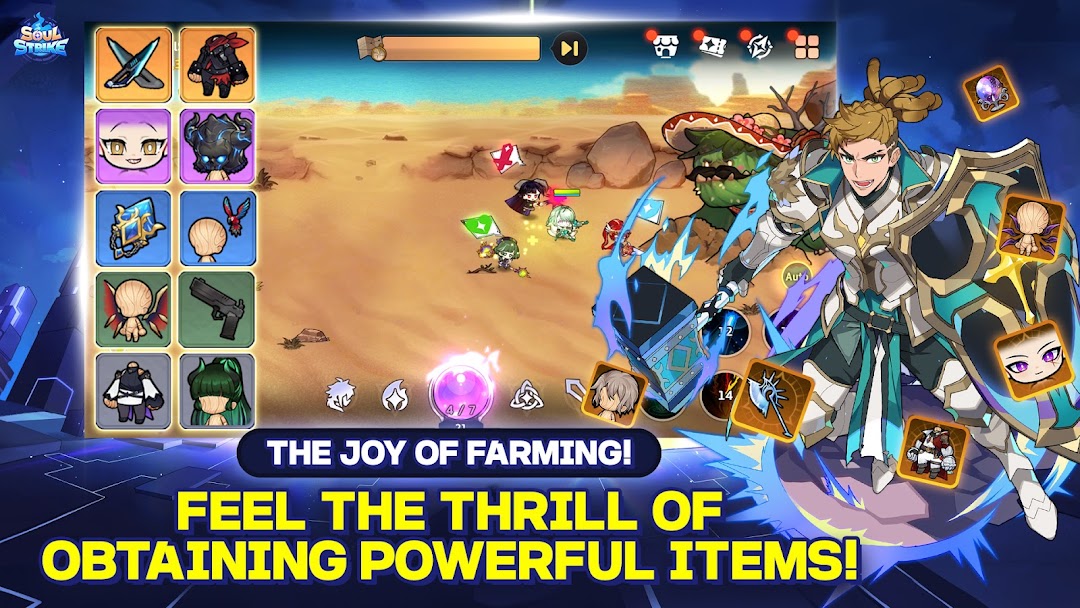
● Enjoy the fun of idle RPG-style item farming anytime, anywhere!
An immortal being's desire knows no bounds!
Satisfy your immortal greed by obtaining Parts through hack n slash hunting or crafting!
Keep slaying monsters until you find the legendary option you want on the piece of Parts you desire!
● Craft your unique Soul Parts at the special place, Shelter!
Craft infinitely at the Shelter to get the finest Parts!
You can also cook food and craft cool outfits as well!
Step into a free online idle RPG game and experience stress-free gameplay.
Discover why Soul Strike stands out as a top roguelike idle action RPG game in today's gaming landscape.
* Soul Strike Official Site
https://event.com2us.com/ci/soulstrike/brand
[Official Communities]
Twitter : https://twitter.com/SoulStrike_EN
Discord : https://discord.gg/HMcwvJaaj6
Meta : https://www.facebook.com/SoulStrikeEN
100CLASS
** This game is available in 한국어, English, 日本語, 中文简体, 中文繁體, ไทย, Tiếng Việt, Deutsch, Français
Smartphone App Permissions
▶ Permissions
The following permissions are requested to allow you access to the listed in-game features.
[Required Permissions]
None
[Optional Permissions]
None
* If your device is running on a version lower than Android 6.0, you will be unable to set optional permissions. We recommend upgrading to Android 6.0 or higher.
* Some apps may not ask for optional permissions. However, you can still manage your app permissions and deny access.
▶ How to Revoke Permissions
You can reset or revoke permissions using the following steps:
[Android 6.0 and up]
Open Settings > Apps > Select app > Permissions > Allow or deny access
[Android 5.1.1 and lower]
Update your operating system to revoke permissions or delete the app from your device.
Screenshots and Videos of Soul Strike X Keroro PC


Why Play Soul Strike X Keroro on PC with LDPlayer?
 Multi-Instance & Sync
 Remote Control
 Operation Recorder



Effortlessly clone multiple instances and initiate synchronization until you draw the desired hero before binding your account, enhancing efficiency in rerolls in Soul Strike X Keroro.

High FPS
With support for high FPS, Soul Strike X Keroro's game graphics are smoother, and actions are more seamless, enhancing the visual experience and immersion of playing Soul Strike X Keroro.
Keyboard & Mouse
In Soul Strike X Keroro, players frequently perform actions such as character movement, skill selection, and combat, where keyboard and mouse offer more convenient and responsive operation.
How to Download&Play Soul Strike X Keroro on PC?
 1
1Download and install LDPlayer on your computer
 2
2Locate the Play Store in LDPlayer's system apps, launch it, and sign in to your Google account
 3
3Enter "Soul Strike X Keroro" into the search bar and search for it
 4
4Choose and install Soul Strike X Keroro from the search results
 5
5Once the download and installation are complete, return to the LDPlayer home screen
 6
6Click on the game icon on the LDPlayer home screen to start enjoying the exciting game