


Video Merger, Joiner, Trimmer
Use LDPlayer to Play Video Merger, Joiner, Trimmer on PC
Video Merger, Joiner, Trimmer is a Video Players&Editors application developed by Inverse.AI, but with the best Android emulator-LDPlayer, you can download and play Video Merger, Joiner, Trimmer on your computer.
Running Video Merger, Joiner, Trimmer on your computer allows you to browse clearly on a large screen, and controlling the application with a mouse and keyboard is much faster than using touchscreen, all while never having to worry about device battery issues.
With multi-instance and synchronization features, you can even run multiple applications and accounts on your PC.
And file sharing makes sharing images, videos, and files incredibly easy.
Download Video Merger, Joiner, Trimmer and run it on your PC. Enjoy the large screen and high-definition quality on your PC!
Screenshots and Videos of Video Merger, Joiner, Trimmer on PC
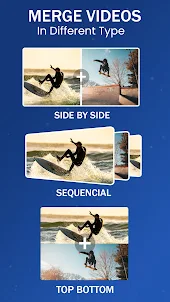
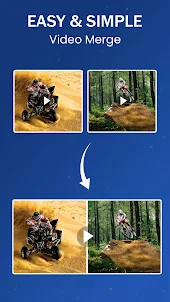
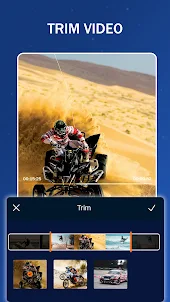
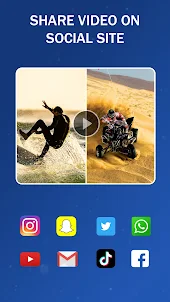
Why Play Video Merger, Joiner, Trimmer on PC with LDPlayer?
How to Download Video Merger, Joiner, Trimmer on PC?
Download and install LDPlayer on your computer
Locate the Play Store in LDPlayer's system apps, launch it, and sign in to your Google account
Enter "Video Merger, Joiner, Trimmer" into the search bar and search for it
Choose and install Video Merger, Joiner, Trimmer from the search results
Once the download and installation are complete, return to the LDPlayer home screen
Click on the game icon on the LDPlayer home screen to start enjoying the exciting game
If you've already downloaded the APK file from another source, simply open LDPlayer and drag the APK file directly into the emulator.
If you've downloaded an XAPK file from another source, please refer to the tutorial for installation instructions.
If you've obtained both an APK file and OBB data from another source, please refer to the tutorial for installation instructions.
I searched for an app to merge two videos side by side. If you're familiar with the show paternity court, then you know what I'm talking about with side by side style.. 2 videos playing vertically on one screen. This app doesn't do that. Instead, it just plays one video after the other separately but not at the same time or on the same screen.
The app does what it claims, however, the audio and the video don't match up. I purchased the full version of this app to enable the premium features. I was making a video for my husband's birthday and after a couple minutes the audio stops lining up with the video. I've tried multiple times to merge it, with Premium settings and it still does it. I've reached out to the developer, but have not yet recieved a response. I would be willing to adjust my review if there is a fix for this.
This is the 1st app I've used for merging videos and pictures. It's easy to navigate through, especially being someone w basic knowledge of this. It allows you to cut mwith ease. I think there may be better ones out there for people w more knowledge but ad a beginner I've appreciated this app a lot. You can use all the features if you're willing to play an ad which is also nice. No cost.