


Hiragana Pro
Use LDPlayer to Play Hiragana Pro on PC
Hiragana Pro is a Education application developed by Gerson Luca, but with the best Android emulator-LDPlayer, you can download and play Hiragana Pro on your computer.
Running Hiragana Pro on your computer allows you to browse clearly on a large screen, and controlling the application with a mouse and keyboard is much faster than using touchscreen, all while never having to worry about device battery issues.
With multi-instance and synchronization features, you can even run multiple applications and accounts on your PC.
And file sharing makes sharing images, videos, and files incredibly easy.
Download Hiragana Pro and run it on your PC. Enjoy the large screen and high-definition quality on your PC!
Screenshots and Videos of Hiragana Pro on PC
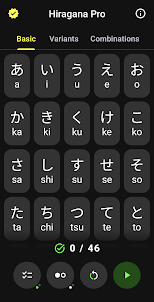
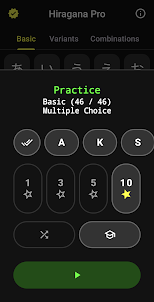
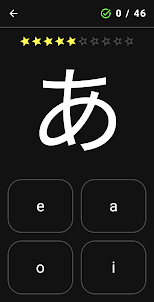
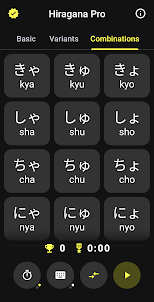
Why Play Hiragana Pro on PC with LDPlayer?
How to Download Hiragana Pro on PC?
Download and install LDPlayer on your computer
Locate the Play Store in LDPlayer's system apps, launch it, and sign in to your Google account
Enter "Hiragana Pro" into the search bar and search for it
Choose and install Hiragana Pro from the search results
Once the download and installation are complete, return to the LDPlayer home screen
Click on the game icon on the LDPlayer home screen to start enjoying the exciting game
If you've already downloaded the APK file from another source, simply open LDPlayer and drag the APK file directly into the emulator.
If you've downloaded an XAPK file from another source, please refer to the tutorial for installation instructions.
If you've obtained both an APK file and OBB data from another source, please refer to the tutorial for installation instructions.
Katakana Pro and Hiragana Pro are brilliant apps. I was pretty rusty but these brought me well up to speed. I feel like they'd be great for absolute beginners as well with the visual and verbal aspects as well as the repetition. Well worth the $1 upgrade I might add. My only wish is that there was a drawing option in addition to the multiple choice and keyboard, but maybe some day 😁
I've used so many other apps that assume you already know hiragana and I've spent so much time trying to just remember all of it with Quizlet. Not fun. This app seems to analyze how you answer and it picks good spots to throw in the characters you consistently miss so that you can learn from your failures. I came in knowing maybe 20% of hiragana and within half an hour I memorized all of it. Really nice job at matching the progression of difficulty to my progression of learning. It never felt difficult or frustrating, I would just miss some of the characters when I'd first see them, and the next time they'd come around, I'd usually remember them. Seriously, really good job with analyzing how I learn.
Edit: after the last update the app does not work at all. The developer changes the entire feel of the app every single time there's an update, adding/ removing kana, moving things, etc. The on screen keyboard works exceptionally poorly, I'm not sure why the developers would force us to use that instead of the keyboard on the phone that is actually responsive.