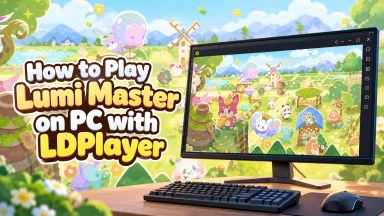
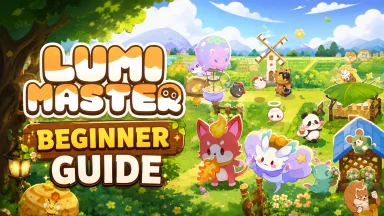
Step into a soothing, fairy-tale picture book! Lumi Master is a heartwarming casual monster-collecting and home management game that invites you on a stress-free adventure. Explore a hand-drawn universe painted in soft colors and lively lines alongside hundreds of unique Lumi companions. Hatch, raise, and evolve your creatures, customize your dream sanctuary, and enjoy relaxed strategic battles in an enchanting world designed for pure relaxation.
Core Gameplay & Features
-
Hand-Drawn World of Healing: Immerse yourself in a picture-book aesthetic featuring soft pastel visuals, charming animations, and cozy landscapes across rainforests, deserts, and volcanoes.
-
Effortless Lumi Collection: Wander freely across diverse biomes with simple tap mechanics. Discover and catch hundreds of adorable Lumi to fill your personalized Gallery.
-
Companion Growth & Evolution: Bond with your Lumi and guide their training. Watch your companions evolve into unique, powerful battle partners as they unlock new forms and skills.
-
Casual Strategic Combat: Engage in relaxed battles where elemental synergies and thoughtful skill matching matter more than complicated combos or overpowered stats.
-
Home Decoration & Automated Production: Design and furnish a fairytale paradise of your own. Assign your Lumi to manage automated resource production, ensuring steady progress even while away.
-
Cozy Social Features: Visit friends' homes, exchange decorations, and share the warmth of your cozy sanctuaries.
Players adore Lumi Master for its relaxing pacing, delightful hand-drawn art style, and the wholesome satisfaction of building a flourishing companion paradise.
Play Lumi Master on PC with LDPlayer for Best Experience
-
Delightful Big Screen Artwork: Enjoy the delicate, picture-book hand-drawn illustrations and adorable Lumi animations in crisp high definition on a large PC monitor.
-
Smooth Mouse & Keyboard Management: Decorating your home, arranging buildings, and managing monster collections feels natural and effortless with precise mouse controls.
-
Multi-Instance for Fast Collection: Want to test different starting strategies or find specific rare Lumi? Use LDPlayer’s Multi-Instance feature to run multiple accounts simultaneously and build your dream roster faster.
-
Seamless Background Production: Keep Lumi Master running smoothly in the background on your PC to gather resources and supervise home production without draining your mobile device's battery.
-
Stable & Uninterrupted Playtime: Relax into hours of casual gameplay with stable frame rates, fast load times, and zero mobile notifications or overheating issues.
Begin your heartwarming adventure, meet charming companions, and build your dream paradise—download Lumi Master on PC with LDPlayer today!