Home/

Games/

Educational/

Baby Panda's Play Land

Baby Panda's Play Land
4.0100+

Baby Panda's Play Land

150+ kids games for ages 3-8. Role play, cooking, creative play & learn—offline!

Play on PC with LDPlayer
recommend
BabyBus
How to Download&Play Baby Panda's Play Land on PC?
Last Updated: 2026-09-02
com.sinyee.babybus.cube.global
  • Overview

  • FAQ

Use LDPlayer to Play Baby Panda's Play Land on PC

Baby Panda's Play Land is a Educational application developed by BabyBus, but with the best Android emulator-LDPlayer, you can download and play Baby Panda's Play Land on your computer.

Running Baby Panda's Play Land on your computer allows you to browse clearly on a large screen, and controlling the application with a mouse and keyboard is much faster than using touchscreen, all while never having to worry about device battery issues.

With multi-instance and synchronization features, you can even run multiple applications and accounts on your PC.

And file sharing makes sharing images, videos, and files incredibly easy.

Download Baby Panda's Play Land and run it on your PC. Enjoy the large screen and high-definition quality on your PC!

Baby Panda's Play Land is an all-in-one early learning app for children aged 3-8, developed by BabyBus. It brings together 150+ offline mini-games spanning role play, cooking, creative arts, logic puzzles, and interactive science stories — all in a vibrant 3D world. Designed to spark curiosity and build real-world skills, this app lets kids explore, create, and learn through play, with no internet needed.

🌟 PARENTING GOALS, MET THROUGH PLAY

【Career Role Play & Real-World Skills】
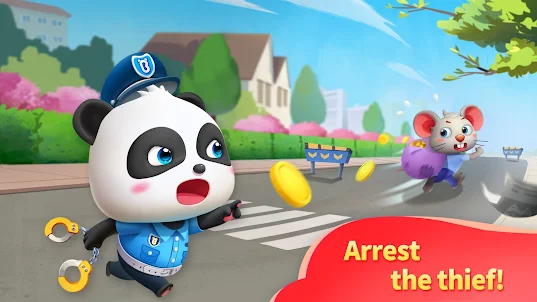
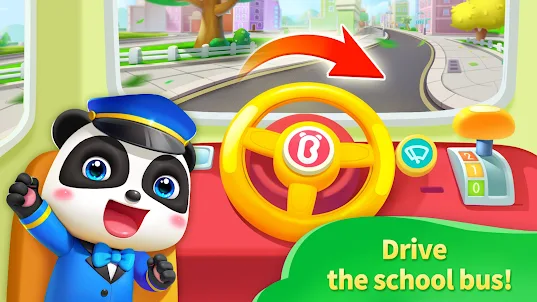
Curious about different jobs? Children step into the shoes of police officers, doctors, firefighters, chefs, and drivers. Through interactive scenarios, they learn about responsibility, teamwork, and how each profession helps the community. A fun, safe way to explore the adult world.

【Cooking, Creativity & Hands-On Discovery】
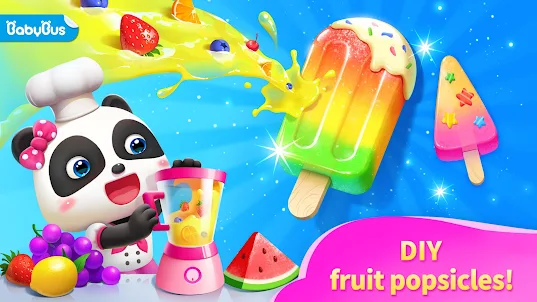
From chopping fruits and vegetables to baking cakes and making pizza, these cooking games build fine motor skills and hand–eye coordination. In the Creative Zone, children can design princess makeup, doodle freely, color pictures, and make collages — encouraging artistic expression and a sense of aesthetics.

【Interactive Science Stories & Animal Rescue】
What makes Baby Panda's Play Land truly unique: story-driven adventures that weave in real science. Help a stranded whale find its way back to the ocean, learn why clouds form and float, or generate electricity with an electric ray. Children absorb animal facts and basic physics naturally as they play hero.

【Logic, Puzzles & Brain Challenges】
Explore space stations, navigate mazes, solve puzzles, and hunt for treasure. These brain-boosting activities sharpen logical reasoning, problem-solving, and spatial thinking — all wrapped in playful adventures that keep young minds engaged.

【Building, Block Play & Baby Care】
Stack blocks with cute characters, care for baby pandas, and practice gentle nurturing skills. These calming activities build early math concepts, spatial awareness, and emotional intelligence.

🛡️ WHY PARENTS & EDUCATORS TRUST BABY PANDA'S PLAY LAND

🎮 150+ Mini-Games in One App — No need to download multiple apps. Role play, cooking, art, puzzles, and stories — all in one place.

🌍 Interactive Stories with Real Science — Whale rescue, cloud formation, ocean conservation. Knowledge that sticks through story.

🎨 3D Immersive World — Rich visuals and interactive scenes designed for young children.

📴 Offline Play — Ideal for travel, planes, and quiet time at home.

🔒 COPPA-Compliant & Kid-Safe — Ad friendly environment, simple interface built for independent toddler use.

👶 Ages 3-8 — Developmentally appropriate content that grows with your child.

📱 Optimized for Android Tablets & Phones — Smooth performance on mainstream devices.

Technical Requirements:
Optimized for Android 10+. Lightweight design with offline game scene download support.

Download Baby Panda's Play Land and give your child a world of discovery — one game at a time.
Open up

Screenshots and Videos of Baby Panda's Play Land PC

Experience a wider field of view, exquisite game graphics, and cooler combat skills and effects by downloading and playing Baby Panda's Play Land on PC with LDPlayer. Enjoy the ultimate gaming experience with LDPlayer.

Why Play Baby Panda's Play Land on PC with LDPlayer?

LDPlayer offers unique emulator features including multi-instance support, macros, operation recorder, and other functions not available on mobile devices.

Multi-Instance & Sync

Remote Control

Custom Controls

Multi-Instance & SyncRemote ControlCustom Controls

Effortlessly clone multiple instances and initiate synchronization until you draw the desired hero before binding your account, enhancing efficiency in rerolls in Baby Panda's Play Land.

  • High FPS

    With support for high FPS, Baby Panda's Play Land's game graphics are smoother, and actions are more seamless, enhancing the visual experience and immersion of playing Baby Panda's Play Land.
  • Video Recorder

    Easily capture your performance and gameplay process in Baby Panda's Play Land, aiding in learning and improving driving techniques, or sharing gaming experiences and achievements with other players.

How to Download&Play Baby Panda's Play Land on PC?

  • 1

    Download and install LDPlayer on your computer

  • 2

    Locate the Play Store in LDPlayer's system apps, launch it, and sign in to your Google account

  • 3

    Enter "Baby Panda's Play Land" into the search bar and search for it

  • 4

    Choose and install Baby Panda's Play Land from the search results

  • 5

    Once the download and installation are complete, return to the LDPlayer home screen

  • 6

    Click on the game icon on the LDPlayer home screen to start enjoying the exciting game