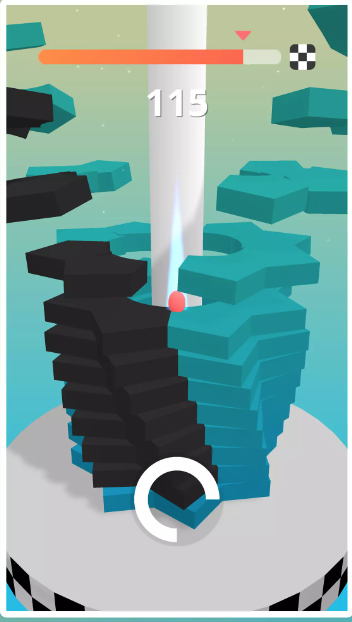
Stack Ball 3D is a Arcade application developed by Nebula games, but with the best Android emulator-LDPlayer, you can download and play Stack Ball 3D on your computer.
Running Stack Ball 3D on your computer allows you to browse clearly on a large screen, and controlling the application with a mouse and keyboard is much faster than using touchscreen, all while never having to worry about device battery issues.
With multi-instance and synchronization features, you can even run multiple applications and accounts on your PC.
And file sharing makes sharing images, videos, and files incredibly easy.
Download Stack Ball 3D and run it on your PC. Enjoy the large screen and high-definition quality on your PC!
Stack Ball 3D is an addictive and fast-paced arcade game where players smash, bump, and bounce their way through revolving stacks of colorful platforms to reach the goal. The game features a dynamic 3D environment with vibrant visuals, smooth animations, and engaging gameplay mechanics.Core Gameplay:
Players control a ball that automatically falls downward.
The objective is to guide the ball through breakable platforms by avoiding black, unbreakable zones that will end the game.
To destroy platforms, players press and hold to accelerate the ball, shattering layers of the stack.
Releasing the hold allows the ball to pause its descent and avoid obstacles.
Features:
Satisfying Destruction: Platforms break apart with vivid effects and sound feedback.
Progressive Difficulty: Each level introduces faster rotations, trickier patterns, and challenging obstacles.
Colorful Themes: Vibrant levels with various color schemes and platform designs.
Endless Mode: Keep smashing stacks as long as you can to achieve the highest score!
Whether you're looking for a casual game to pass the time or a competitive challenge to beat your own high scores, Stack Ball 3D delivers an exhilarating experience for players of all skill levels!