Home/

Apps/

Personalization/

Live Launcher Lite-3Dwallpaper

Live Launcher Lite-3Dwallpaper
4.2100+

Live Launcher Lite-3Dwallpaper

Live Launcher Lite makes your phone fresh and colorful

Play on PC with LDPlayer
recommend

Live Launcher Lite-3Dwallpaper is developed and provided by LiveLauncher. LDPlayer offers the download service only.

LiveLauncher
How to Download&Play Live Launcher Lite-3Dwallpaper on PC?
Last Updated: 2025-10-11
com.launcher.light.theme3d
Share:
  • Overview

  • FAQ

Run Live Launcher Lite-3Dwallpaper on PC with LDPlayer

Live Launcher Lite-3Dwallpaper is a Personalization application developed by LiveLauncher, but with the best Android emulator-LDPlayer, you can download and play Live Launcher Lite-3Dwallpaper on your computer.

Running Live Launcher Lite-3Dwallpaper on your computer allows you to browse clearly on a large screen, and controlling the application with a mouse and keyboard is much faster than using touchscreen, all while never having to worry about device battery issues.

With multi-instance and synchronization features, you can even run multiple applications and accounts on your PC.

And file sharing makes sharing images, videos, and files incredibly easy.

Download Live Launcher Lite-3Dwallpaper and run it on your PC. Enjoy the large screen and high-definition quality on your PC!

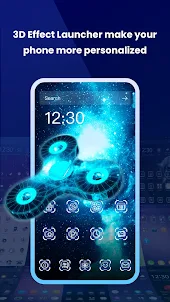
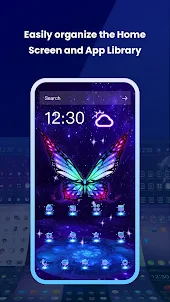
Nowadays, mobile launchers can showcase our mood and personality. Live Launcher Lite as a free launcher on Google Play, it offers much 3D themes, live wallpapers, free backgrounds for your Android phone.It is the ultimate choice for anyone looking to spice up their home screen.Live Launcher Lite can really influence our mood and it is also a great way to express our unique personality.

🏆Live Launcher Lite - 3D theme, Live wallpaper is the Android launcher that will make your phone unique!

A massive collection of 3D gravity themes available:
🧙Magical and cool launcher,
☀️Mystery of Space and Darkness launcher,
🐶Cute cartoons launcher,
💓Romantic pinks launcher,
😍Simple flats launcher,
💻Sleek business styles launcher

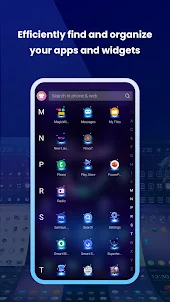
📱Live Launcher Lite offers a fast, efficient, and stylish way (sets of icons, fonts, wallpapers) to customize your phone screen and bring a fresh new look to your device. Live Launcher Lite makes it easy to create a home screen that's uniquely yours.

🏠There are some commonly used features on
the launcher, such as weather, news, themes, etc., which you can access on the home screen.

Say goodbye to boring phone screens and hello to Live Launcher Lite - 3D theme, Live wallpaper , the ultimate solution for all your customization needs! We promise to always deliver a smooth and superior experience, while continuously improving our launcher's intelligence, speed, and style. Give Live Launcher Lite a try and see the difference for yourself! 😚
Open up

Screenshots and Videos of Live Launcher Lite-3Dwallpaper PC

With LDPlayer, you can download and run Live Launcher Lite-3Dwallpaper on PC, simultaneously managing multiple apps and multiple accounts. Become a master of time management, balancing work and entertainment effortlessly.

How to Download and Run Live Launcher Lite-3Dwallpaper on PC

  • 1

    Download and install LDPlayer on your computer

  • 2

    Locate the Play Store in LDPlayer's system apps, launch it, and sign in to your Google account

  • 3

    Enter "Live Launcher Lite-3Dwallpaper" into the search bar and search for it

  • 4

    Choose and install Live Launcher Lite-3Dwallpaper from the search results

  • 5

    Once the download and installation are complete, return to the LDPlayer home screen

  • 6

    Click on the game icon on the LDPlayer home screen to start enjoying the exciting game

Search Recommendation

More apps from LiveLauncher

Download and Run Live Launcher Lite-3Dwallpaper on PC for Free