Home/

Apps/

Entertainment/

Letter to Santa Claus

Letter to Santa Claus
4.0100+

Letter to Santa Claus

Do you want to send your own letter to Santa Claus to receive gifts this year?

Play on PC with LDPlayer
recommend

Letter to Santa Claus is developed and provided by BawinDev. LDPlayer offers the download service only.

BawinDev
How to Download&Play Letter to Santa Claus on PC?
Last Updated: 2022-12-22
com.carta.letter.santa.claus.papa.noel.navidad.christmas.writeletter.card.presents
Share:
  • Overview

  • FAQ

Run Letter to Santa Claus on PC with LDPlayer

Letter to Santa Claus is a Entertainment application developed by BawinDev, but with the best Android emulator-LDPlayer, you can download and play Letter to Santa Claus on your computer.

Running Letter to Santa Claus on your computer allows you to browse clearly on a large screen, and controlling the application with a mouse and keyboard is much faster than using touchscreen, all while never having to worry about device battery issues.

With multi-instance and synchronization features, you can even run multiple applications and accounts on your PC.

And file sharing makes sharing images, videos, and files incredibly easy.

Download Letter to Santa Claus and run it on your PC. Enjoy the large screen and high-definition quality on your PC!

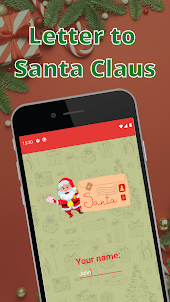
Welcome to Letter to Santa Claus, an application for all audiences where you can send your own letter to Santa Claus, so that he can bring you gifts this year.

What can you do with this Santa Claus letter application?

→ Have fun with the little ones

→ Teach them new technologies

→ Write your own letter

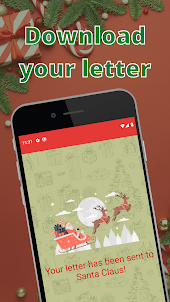
→ Send the written letter to him through his reindeer

→ Download the letter already written to Santa Claus in pdf format to be able to print it

Who is Santa Claus?

He is in charge of delivering gifts with his reindeer at Christmas. It is inspired by a Christian bishop named Nicholas of Myra, who lived in Turkey and has thousands of temples around the world inspired by him.

Nicolás was the son of a wealthy family and when he was young his parents died. At that time, he distributed his assets among the needy people and decided to become a priest. They admired him so much that he became the patron saint of Russia, Greece and other countries.

He tells the story that he would bring gifts through the window and place them in the fireplace.

The name Santa Claus comes from Sinterklaas, although in all Spanish-speaking countries he is known as Papa Noel. This comes from France, since there Christmas is called Noel, so they started calling Santa Claus after the father of Christmas, Papa Noel.

When is he coming?

In accordance with the story of Santa Claus, the arrival of Santa Claus is linked to the holiday of Christmas Day, that is, December 25. It is also related to the birth of Jesus Christ (December 25 itself).

We all know the story of Santa Claus for children: on the night of December 24 (Christmas Eve) to 25, Santa Claus enters all houses through the chimney and leaves the corresponding gifts. Santa Claus arrives from the North Pole accompanied by a group of elves, who are in charge of making the toys and the rest of the gifts requested by the little ones from Santa Claus

Once Santa Claus arrives at each house, he places the gifts under the Christmas tree so that the children can open them on the morning of December 25. The story goes that he only hands out presents to little ones who have been good all year.

Another important part of the Christmas tradition is decorating the home with Santa Claus or Papa Noel decorations.

How does our letter application work for you?

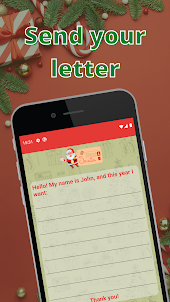
It's very easy: you just have to write your name, the gifts you want to ask for this year from Santa Claus and send it. The reindeer will ensure that your letter reaches him. You can also download your letter to Santa Claus to save or print it.

Hopefully you like our Letter to Santa Claus application and enjoy it.
Open up

Screenshots and Videos of Letter to Santa Claus PC

With LDPlayer, you can download and run Letter to Santa Claus on PC, simultaneously managing multiple apps and multiple accounts. Become a master of time management, balancing work and entertainment effortlessly.

How to Download and Run Letter to Santa Claus on PC

  • 1

    Download and install LDPlayer on your computer

  • 2

    Locate the Play Store in LDPlayer's system apps, launch it, and sign in to your Google account

  • 3

    Enter "Letter to Santa Claus" into the search bar and search for it

  • 4

    Choose and install Letter to Santa Claus from the search results

  • 5

    Once the download and installation are complete, return to the LDPlayer home screen

  • 6

    Click on the game icon on the LDPlayer home screen to start enjoying the exciting game