


Lemon8 - Lifestyle Community
Use LDPlayer to Play Lemon8 - Lifestyle Community on PC
Lemon8 - Lifestyle Community is a Lifestyle application developed by Heliophilia Pte. Ltd., but with the best Android emulator-LDPlayer, you can download and play Lemon8 - Lifestyle Community on your computer.
Running Lemon8 - Lifestyle Community on your computer allows you to browse clearly on a large screen, and controlling the application with a mouse and keyboard is much faster than using touchscreen, all while never having to worry about device battery issues.
With multi-instance and synchronization features, you can even run multiple applications and accounts on your PC.
And file sharing makes sharing images, videos, and files incredibly easy.
Download Lemon8 - Lifestyle Community and run it on your PC. Enjoy the large screen and high-definition quality on your PC!
Screenshots and Videos of Lemon8 - Lifestyle Community on PC

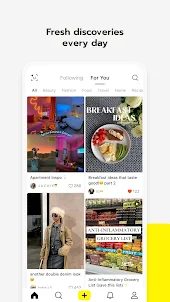

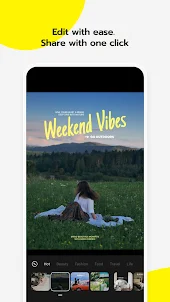
Why Play Lemon8 - Lifestyle Community on PC with LDPlayer?
How to Download Lemon8 - Lifestyle Community on PC?
Download and install LDPlayer on your computer
Locate the Play Store in LDPlayer's system apps, launch it, and sign in to your Google account
Enter "Lemon8 - Lifestyle Community" into the search bar and search for it
Choose and install Lemon8 - Lifestyle Community from the search results
Once the download and installation are complete, return to the LDPlayer home screen
Click on the game icon on the LDPlayer home screen to start enjoying the exciting game
If you've already downloaded the APK file from another source, simply open LDPlayer and drag the APK file directly into the emulator.
If you've downloaded an XAPK file from another source, please refer to the tutorial for installation instructions.
If you've obtained both an APK file and OBB data from another source, please refer to the tutorial for installation instructions.
This app is at a good start, but I'm honestly disappointed that you can only upload a minute of footage. If you could upload longer footage, then I believe it could do much better. Also, I really don't like that you have to find videos on the homepage before you can scroll videos. The app is just not set up for casual scrolling, and It feels like you can't post much beyond pictures or 60-second clips. Also, it would help if the algorithm would push out smaller users/new videos to more people.
Honestly surprised but it's a really cute and fun social media app. It's kind of basic and simple, there's not a ton of content (not a ton of people use the app) and the variety is limited, but that's just what it is with smaller apps, it can grow. The layout is really nice and sleek, I don't feel overwhelmed looking at everything. A massive plus is the lack of ads. A lot of websites and social media nowadays bombard you with ads and it's awful, MAJOR kudos for the lack of ads 👍🏼👍🏼
This app is amazing. I get to express myself through my posts and interact with my followers. But there is one thing I hate about it. Every time I try to make/post something that is 4+ slides long, lemon8 closes on me. It has become extremely annoying, and I don't know how to fix it. I know it isn't me bc if I post something that is only 3 slides long, it works perfectly fine.