


Font Manager for Huawei/Honor
Use LDPlayer to Play Font Manager for Huawei/Honor on PC
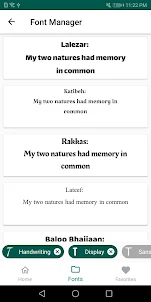
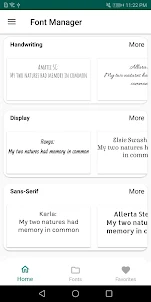
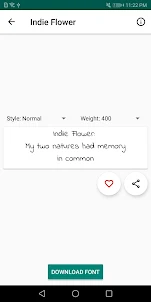
Font Manager for Huawei/Honor is a Personalization application developed by Deishelon Lab, but with the best Android emulator-LDPlayer, you can download and play Font Manager for Huawei/Honor on your computer.
Running Font Manager for Huawei/Honor on your computer allows you to browse clearly on a large screen, and controlling the application with a mouse and keyboard is much faster than using touchscreen, all while never having to worry about device battery issues.
With multi-instance and synchronization features, you can even run multiple applications and accounts on your PC.
And file sharing makes sharing images, videos, and files incredibly easy.
Download Font Manager for Huawei/Honor and run it on your PC. Enjoy the large screen and high-definition quality on your PC!
Screenshots and Videos of Font Manager for Huawei/Honor on PC
Why Play Font Manager for Huawei/Honor on PC with LDPlayer?
How to Download Font Manager for Huawei/Honor on PC?
Download and install LDPlayer on your computer
Locate the Play Store in LDPlayer's system apps, launch it, and sign in to your Google account
Enter "Font Manager for Huawei/Honor" into the search bar and search for it
Choose and install Font Manager for Huawei/Honor from the search results
Once the download and installation are complete, return to the LDPlayer home screen
Click on the game icon on the LDPlayer home screen to start enjoying the exciting game
If you've already downloaded the APK file from another source, simply open LDPlayer and drag the APK file directly into the emulator.
If you've downloaded an XAPK file from another source, please refer to the tutorial for installation instructions.
If you've obtained both an APK file and OBB data from another source, please refer to the tutorial for installation instructions.
Was working fine but no longer works. Every font is empty so you can't pick any. If you try to download whatever font it will allow then it doesn't and a little window pops up saying it won't download but gives a fix button. Clicking on that then comes up with a garbled screen with the word enable on the right hand side. Clicking on that does nothing. Uninstalled and restarted before downloading again with same result. Huawei P20 Pro running emui 9.
App was ok, generally. Fonts worked well. But then, when I wanted to type on my documents, I realized that the fonts were all the same. So 3 stars is all I can give. I tried really hard to remove the font, even set it back to default font, but nothing worked. Overall, the app can do what it says – you just can't get rid of it.
How this idiotic app can achieve 4.6 rating is beyond understanding. 1. Choosing and downloading, then applying, font as default CANNOT be done. The instructions refer to a raft of menu items which are simply not found, especially Text Styles. It's like the instructions refer to another app. 2. Anyway, the fonts cannot be downloaded. I tried several times. 3. It is, of course, full of nuisance adverts. Uninstalling immediately.