


Country Capitals and Currency
Use LDPlayer to Play Country Capitals and Currency on PC
Country Capitals and Currency is a Education application developed by Praveen Yuva, but with the best Android emulator-LDPlayer, you can download and play Country Capitals and Currency on your computer.
Running Country Capitals and Currency on your computer allows you to browse clearly on a large screen, and controlling the application with a mouse and keyboard is much faster than using touchscreen, all while never having to worry about device battery issues.
With multi-instance and synchronization features, you can even run multiple applications and accounts on your PC.
And file sharing makes sharing images, videos, and files incredibly easy.
Download Country Capitals and Currency and run it on your PC. Enjoy the large screen and high-definition quality on your PC!
Screenshots and Videos of Country Capitals and Currency on PC
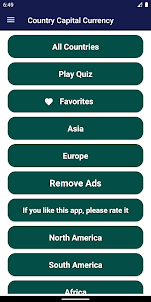
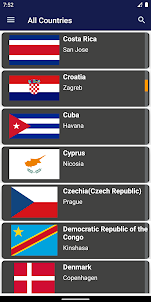
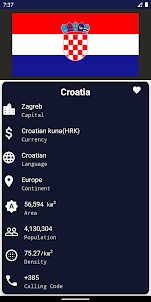
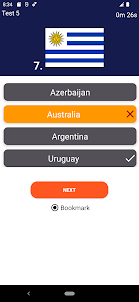
Why Play Country Capitals and Currency on PC with LDPlayer?
How to Download Country Capitals and Currency on PC?
Download and install LDPlayer on your computer
Locate the Play Store in LDPlayer's system apps, launch it, and sign in to your Google account
Enter "Country Capitals and Currency" into the search bar and search for it
Choose and install Country Capitals and Currency from the search results
Once the download and installation are complete, return to the LDPlayer home screen
Click on the game icon on the LDPlayer home screen to start enjoying the exciting game
If you've already downloaded the APK file from another source, simply open LDPlayer and drag the APK file directly into the emulator.
If you've downloaded an XAPK file from another source, please refer to the tutorial for installation instructions.
If you've obtained both an APK file and OBB data from another source, please refer to the tutorial for installation instructions.
The app itself is great. It does what it says on the box. User-friendly interface, great layout, short and to the point. The ads are killing me, though. Everytime you switch from one screen to the other, an unskippable 5-second ad pops up, with annoying music, even if settings are set to silent. I understand dev needs ads, but surely a banner ad can be placed instead of these intrusive, annoying and frequent interruptions? Loving the great app, but uninstalling purely because of all the ads.
Great app I enjoyed testing my knowledge of world capitals. Its easy to navigate and user friendly. Users have the ability to enhance their l knowlege by taking the various quizes. Moreover, I would suggest that quizes be offered based on a country's geographical position ( African countries quiz, European countries ect). Also, think about adding various levels of difficulties. I think this would make the app more challenging. Overall I would rate my experience as positive, giving it a 8.
I just installed it and infact my experience is great so organize and easy to use step by step thanks so much.more grace to yiu guyz in Jesus name amen