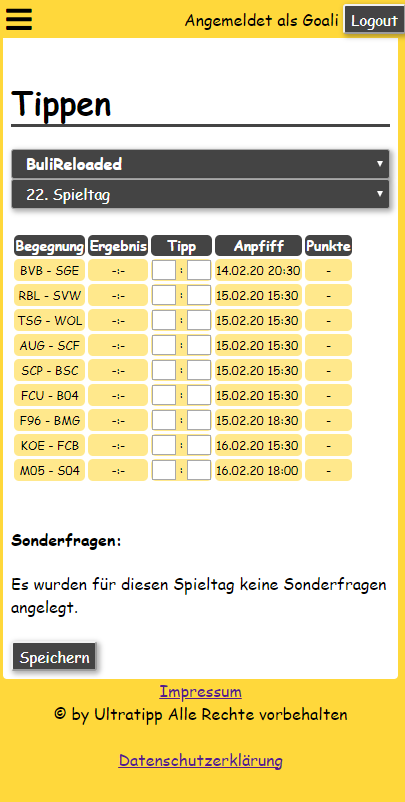
Ultratipp is a Sports game developed by Christian Weidling. LDPlayer is the best platform for playing Ultratipp on Windows PC, offering powerful features to enhance your immersive experience in Ultratipp.
When playing Ultratipp on your computer, the larger screen and more powerful graphics performance enable you to enjoy clearer and smoother game visuals, enhancing the visual experience of the game.
The operation of peripherals such as gamepads is emulated to better mimic the feel of real sports, providing more precise control and richer operation options.
Furthermore, if you wish to execute a series of continuous key combinations, the one-click macro feature will be the functionality you've been dreaming of, allowing you to effortlessly stay one step ahead with one-touch operation. Start downloading and playing Ultratipp on your computer now!
Why Ultra Tip?There are already enough prediction games !!! Yes, but none is like ultra tip. Because it doesn't get boring here. As a game manager, for example, create your own special questions about the betting community and award as many points as you want for these questions. This will make your betting community very special. "Does the floodlight fail somewhere?" ... "Will Osako meet again?" ... "Is there a speedster?" ... there are no limits to your imagination!
Of course, you can also play very classic and only type the results on the match days. Or maybe with a few bonus questions before the start of the season? Before the first game, bet who will win the championship, who will be relegated, who will be the top scorer and so on ...
Different competitions are available at Ultratipp. There are currently 1./2. Bundesliga and, in the corresponding years, the World Cup or European Championship. And that will not be the end of the line, further competitions are to follow!
Bloodsticks in the betting game
Please what?! Yes, here is another special feature of Ultratipp. Always pinch your competitors for the throne in the fight for points. Block him or her from winning the game day by using items that are randomly drawn to you every week. That makes the title fight even more exciting and fun. But the strategic use of the items should be carefully considered ...