


Use LDPlayer to Play Relaxing game to sleep puzzle on PC
Relaxing game to sleep puzzle is a Puzzle game developed by Cubo2D, and with the best Android emulator, LDPlayer, you can now enjoy Relaxing game to sleep puzzle on your computer.
Playing Relaxing game to sleep puzzle on PC allows you to harness the full power of your computer's CPU and memory resources, without worrying about lag or crashes. You're no longer constrained by battery life, mobile data, or interruptions—play for as long as you want.
LDPlayer, one of the Android emulators for Windows PC, is designed specifically for mobile gamers. Based on Android 9.0, it enhances your gaming experience on PC by providing faster performance and higher FPS.
Moreover, LDPlayer offers unique emulator features including multi-instance support, macros, synchronization, and other features not available on mobile devices. Start downloading and playing Relaxing game to sleep puzzle on your computer now!
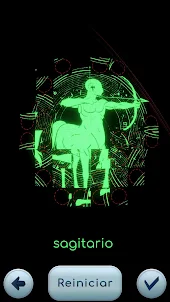
Screenshots and Videos of Relaxing game to sleep puzzle PC



Why Play Relaxing game to sleep puzzle on PC with LDPlayer?
How to Download&Play Relaxing game to sleep puzzle on PC?
Download and install LDPlayer on your computer
Locate the Play Store in LDPlayer's system apps, launch it, and sign in to your Google account
Enter "Relaxing game to sleep puzzle" into the search bar and search for it
Choose and install Relaxing game to sleep puzzle from the search results
Once the download and installation are complete, return to the LDPlayer home screen
Click on the game icon on the LDPlayer home screen to start enjoying the exciting game
If you've already downloaded the APK file from another source, simply open LDPlayer and drag the APK file directly into the emulator.
If you've downloaded an XAPK file from another source, please refer to the tutorial for installation instructions.
If you've obtained both an APK file and OBB data from another source, please refer to the tutorial for installation instructions.