Poker Offline
Poker Offline & Online. Play with friends or worldwide live players.
Overview
FAQ
Use LDPlayer to Play Poker Offline on PC
Poker Offline is a Casino application developed by Zmist Games, but with the best Android emulator-LDPlayer, you can download and play Poker Offline on your computer.
Running Poker Offline on your computer allows you to browse clearly on a large screen, and controlling the application with a mouse and keyboard is much faster than using touchscreen, all while never having to worry about device battery issues.
With multi-instance and synchronization features, you can even run multiple applications and accounts on your PC.
And file sharing makes sharing images, videos, and files incredibly easy.
Download Poker Offline and run it on your PC. Enjoy the large screen and high-definition quality on your PC!
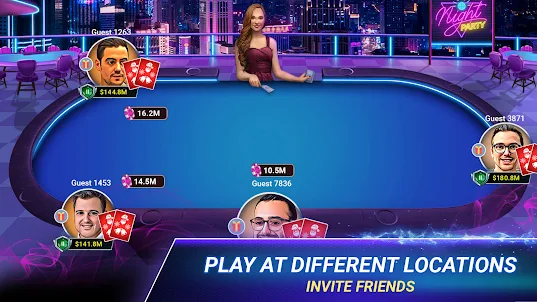
Poker Offline: Play poker with players from all over the world when you are online or Offline! An authentic Poker app where lots of interesting variations like Texas Holdem Poker, Sit-N-Go, Poker-Match-3, Blackjack, spin-wheel are available.Go on a world tour or compete in intense environments in our Sit N Go Tournaments, place bets, go All IN, Bluff, put your Texas Hold'em strategy! Go up the poker-ranking ladder by winning tournaments & Sit-N-Go games.
List of features:
● FREE CHIPS: Free Chips every 15 minutes and Daily Chips Bonus to boost your chips.
● Tournaments: Multi-level Sit&Go tournaments to win trophies and compete with the best poker players in the world.
● Offline Or Online Play with computer while offline without internet OR with friends/players from around the world when online.
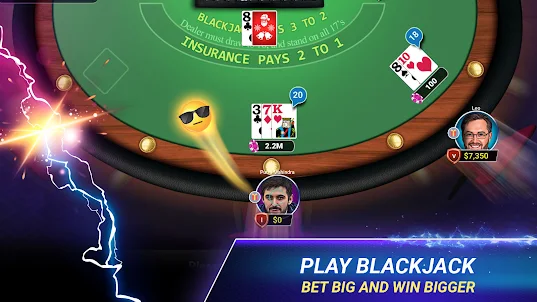
● Game Modes: NO LIMIT HOLD'EM, SIT&GO, Poker-Match-3, BLACKJACK, LUCKY WHEEL.
● Poker statistics: Track and improve your game with extensive poker statistics.
● BLACKJACK: Play blackjack in the same app.
● Rankings & Leagues🏅: Dominate the world of poker with your skills and become the top player.
WHEEL OF FORTUNE / Roulette: Rotate the wheel to win chips.
● START WITH more than 250,000 chips:🎁🎁🎁
● VIP membership: Enjoy VIP membership and especial perks.
● Facebook Connect: Connect with Facebook and play with friends.
Now you can select language of your choice. Available languages are:
- German (Deutsch)
- Portuguese (portugués)
- French (francés)
- Spanish (Español)
Disclaimer:
● This game is for adult audience (those 18 or older) for amusement purposes only.
● This game does not offer real money gambling, betting, or an opportunity to win real money, prizes, or anything of monetary value. All in-game currency, chips, or rewards are virtual only and have no cash value. They cannot be transferred, exchanged, redeemed, or withdrawn for money or monetary equivalent.
● Practice or success at social casino gaming does not imply future success at real money gambling and gaming.
Please read our terms & privacy policy for more information.
You can connect with us on our Facebook page:
https://www.facebook.com/Poker-1046185402123163/
For any issue, suggestion or comment please mailto: support@zeemist.com
Screenshots and Videos of Poker Offline PC
Why Play Poker Offline on PC with LDPlayer?
Multi-Instance & Sync
Remote Control
Custom Controls


Effortlessly clone multiple instances and initiate synchronization until you draw the desired hero before binding your account, enhancing efficiency in rerolls in Poker Offline.
High FPS
With support for high FPS, Poker Offline's game graphics are smoother, and actions are more seamless, enhancing the visual experience and immersion of playing Poker Offline.Video Recorder
Easily capture your performance and gameplay process in Poker Offline, aiding in learning and improving driving techniques, or sharing gaming experiences and achievements with other players.
How to Download&Play Poker Offline on PC?
- 1
Download and install LDPlayer on your computer
- 2
Locate the Play Store in LDPlayer's system apps, launch it, and sign in to your Google account
- 3
Enter "Poker Offline" into the search bar and search for it
- 4
Choose and install Poker Offline from the search results
- 5
Once the download and installation are complete, return to the LDPlayer home screen
- 6
Click on the game icon on the LDPlayer home screen to start enjoying the exciting game