


Little Panda: Princess Salon
Use LDPlayer to Play Little Panda: Princess Salon on PC
Little Panda: Princess Salon is a Educational game developed by BabyBus, and with the best Android emulator, LDPlayer, you can now enjoy Little Panda: Princess Salon on your computer.
Playing Little Panda: Princess Salon on PC allows you to harness the full power of your computer's CPU and memory resources, without worrying about lag or crashes. You're no longer constrained by battery life, mobile data, or interruptions—play for as long as you want.
LDPlayer, one of the Android emulators for Windows PC, is designed specifically for mobile gamers. Based on Android 9.0, it enhances your gaming experience on PC by providing faster performance and higher FPS.
Moreover, LDPlayer offers unique emulator features including multi-instance support, macros, synchronization, and other features not available on mobile devices. Start downloading and playing Little Panda: Princess Salon on your computer now!
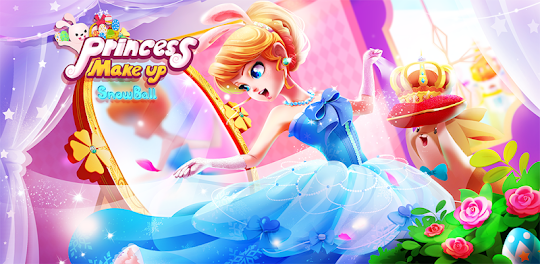
Little Panda: Princess Salon will make your makeup artist dream come true! In the salon, you can get creative and design makeup for the princess, dress up the prince and make them look stunning at the glamorous ball! Come to the salon and start your makeover journey now!FACIAL SPA
Give the prince a facial SPA at the salon! Wash his face and give him a clean shave. Put a shower cap on the prince's head and give him a relaxing milk bath! You also need to do a facial cleaning for the princess, and trim her eyebrows by the way.
DESIGN MAKEUP
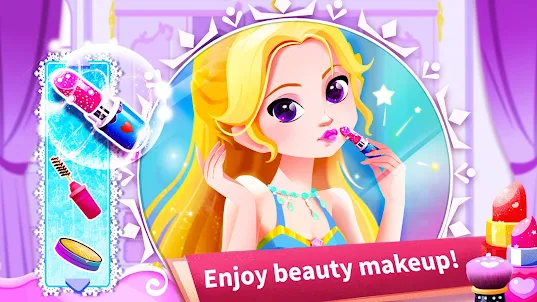
Let's put on makeup for the princess! There are many cosmetics in the salon, including eyebrow pencils, mascara, blush, shimmer lipsticks and so on. Choose your favorite cosmetics, and mix and match them to create a great ball look for the princess!
NAIL ART
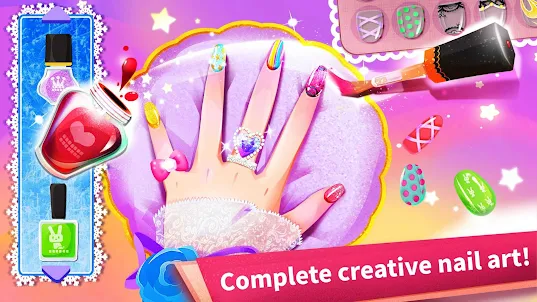
The princess wants a manicure in the salon! It's time to show your artistic creativity! Trim the princess's nails, choose from a variety of polish colors and patterns to match them, and design a sparkling manicure for the princess!
DRESS UP
There are plenty of fashionable outfits and accessories for the prince and the princess in the salon. Dress up the prince as you like! Choose an elegant dress for the princess. Match her makeup with a jeweled tiara and seashell necklace!
The princess and the prince are ready to go! Now, let's choose a ball for them! Forest ball or ice ball? In addition, you also have a chance to decorate the ball. Decorate the ball beautifully and give the prince and princess a suprise!
FEATURES:
- Choose from 3 beautiful princesses and 3 handsome princes;
- Use nearly 100 makeup items to create different looks;
- Over 100 fashion sets: puff dress, fishtail evening dress, pleated skirt and more;
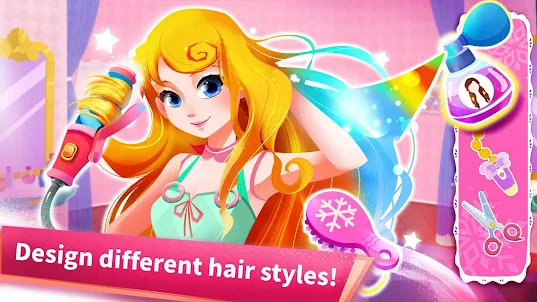
- Design cool hairstyles with over 50 amazing hair tools;
- Decorate the princess's nails with beautiful patterns and your favorite nail polish;
- In this game, you can dress up the princess and prince to your heart's content;
- Use flowers and carpets to decorate the ball and create a great atmosphere for the ball;
- Supports offline play.
About BabyBus
—————
At BabyBus, we dedicate ourselves to sparking kids' creativity, imagination and curiosity,and designing our products through the kids' perspective to help them explore the world on their own.
Now BabyBus offers a wide variety of products, videos and other educational content for over 600 million fans from ages 0-8 around the world! We have released over 200 children's apps, over 2500 episodes of nursery rhymes and animations, over 9000 stories of various themes spanning the Health, Language, Society, Science, Art and other fields.
—————
Contact us: ser@babybus.com
Visit us: http://www.babybus.com
Screenshots and Videos of Little Panda: Princess Salon PC

Why Play Little Panda: Princess Salon on PC with LDPlayer?
How to Download Little Panda: Princess Salon on PC?
Download and install LDPlayer on your computer
Locate the Play Store in LDPlayer's system apps, launch it, and sign in to your Google account
Enter "Little Panda: Princess Salon" into the search bar and search for it
Choose and install Little Panda: Princess Salon from the search results
Once the download and installation are complete, return to the LDPlayer home screen
Click on the game icon on the LDPlayer home screen to start enjoying the exciting game
If you've already downloaded the APK file from another source, simply open LDPlayer and drag the APK file directly into the emulator.
If you've downloaded an XAPK file from another source, please refer to the tutorial for installation instructions.
If you've obtained both an APK file and OBB data from another source, please refer to the tutorial for installation instructions.