


Use LDPlayer to Play Animal Guess on PC
Animal Guess is a Word game developed by Ac Punch, and with the best Android emulator, LDPlayer, you can now enjoy Animal Guess on your computer.
Playing Animal Guess on PC allows you to harness the full power of your computer's CPU and memory resources, without worrying about lag or crashes. You're no longer constrained by battery life, mobile data, or interruptions—play for as long as you want.
LDPlayer, one of the Android emulators for Windows PC, is designed specifically for mobile gamers. Based on Android 9.0, it enhances your gaming experience on PC by providing faster performance and higher FPS.
Moreover, LDPlayer offers unique emulator features including multi-instance support, macros, synchronization, and other features not available on mobile devices. Start downloading and playing Animal Guess on your computer now!
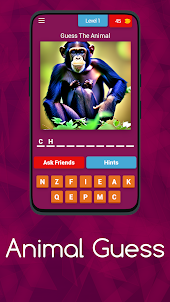
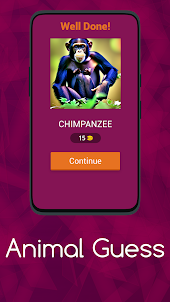
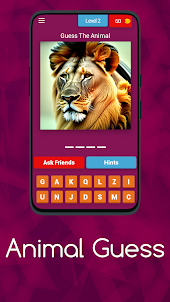
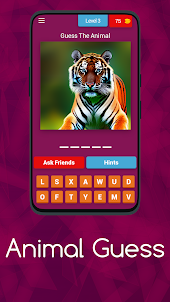
Delve into the animal kingdom and become a trivia master with "Animal Guess"! This unique, fun-filled, and informative trivia quiz game will truly test your knowledge and guessing skills. Meander through various modes and events that will enhance your brain-engagement, each offering numerous rewards!Are you ready to explore the most exciting trivia experience? With every correct guess, get closer to becoming the ultimate trivia champ in our "Classic Quiz" mode. Guess the animal from the description or the picture. Sounds easy? Challenge yourself first!
But the exotic world of "Animal Guess" does not stop here. Compete with your friends or other players around the globe in nail-biting "Online Duels". Showcase your guessing prowess and conquer the leaderboard! Global bragging rights await!
Longing for consistent brainwork? The "Daily Tasks" are here to your rescue. Win rewards for completing these tasks, thereby upgrading your position in the game. The fun does not stop here, we also offer special "Missions" to add extra kick to your trivia journey. Endeavor and guess away!
Our "Animal Guess" game will always keep you on your toes with unique, in-game events like "Tiktactoe" and "Crossword". Guess the animal correctly and make your move in this game of strategy. These events are not only fun but are perfect brain stimulants too!
Extend your game experience with our additional level packs. These packs bring different game topics to ensure you never run out of fun! Each level opens up to loveable animals from various ecosystems. So dive in and discover the trivia treasure!
Are you a quiz fanatic who enjoys guessing games? "Animal Guess" is the perfect trivia game for you! The game provides you with an immersive, intriguing, and engaging environment where you can showcase your knowledge about the magnificent animal kingdom. 'Quiz', 'Trivia', 'Guess', 'Animal', and similar keywords are the building blocks of our game that foster a learning experience blended with boundless enjoyment.
And guess what? The game is absolutely free! So with your fingers tapping away on your phone screens, why not make it both fun and educational? "Animal Guess" delivers a great play and learns experience while letting you have a blast!
Join the "Animal Guess" community today! Play, guess, learn, and outsmart others! Your trivia journey starts here.
Screenshots and Videos of Animal Guess PC
Why Play Animal Guess on PC with LDPlayer?
How to Download Animal Guess on PC?
Download and install LDPlayer on your computer
Locate the Play Store in LDPlayer's system apps, launch it, and sign in to your Google account
Enter "Animal Guess" into the search bar and search for it
Choose and install Animal Guess from the search results
Once the download and installation are complete, return to the LDPlayer home screen
Click on the game icon on the LDPlayer home screen to start enjoying the exciting game
If you've already downloaded the APK file from another source, simply open LDPlayer and drag the APK file directly into the emulator.
If you've downloaded an XAPK file from another source, please refer to the tutorial for installation instructions.
If you've obtained both an APK file and OBB data from another source, please refer to the tutorial for installation instructions.