


Transparent clock and weather
Use LDPlayer to Play Transparent clock and weather on PC
Transparent clock and weather is a Weather application developed by MACHAPP Software Ltd, but with the best Android emulator-LDPlayer, you can download and play Transparent clock and weather on your computer.
Running Transparent clock and weather on your computer allows you to browse clearly on a large screen, and controlling the application with a mouse and keyboard is much faster than using touchscreen, all while never having to worry about device battery issues.
With multi-instance and synchronization features, you can even run multiple applications and accounts on your PC.
And file sharing makes sharing images, videos, and files incredibly easy.
Download Transparent clock and weather and run it on your PC. Enjoy the large screen and high-definition quality on your PC!
Screenshots and Videos of Transparent clock and weather on PC

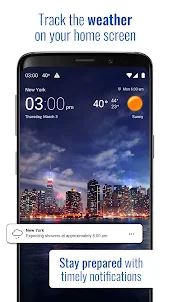
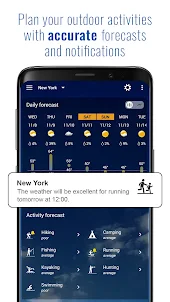
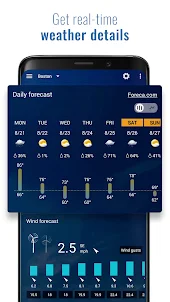
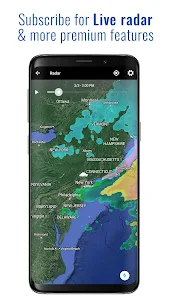
Why Play Transparent clock and weather on PC with LDPlayer?
How to Download Transparent clock and weather on PC?
Download and install LDPlayer on your computer
Locate the Play Store in LDPlayer's system apps, launch it, and sign in to your Google account
Enter "Transparent clock and weather" into the search bar and search for it
Choose and install Transparent clock and weather from the search results
Once the download and installation are complete, return to the LDPlayer home screen
Click on the game icon on the LDPlayer home screen to start enjoying the exciting game
If you've already downloaded the APK file from another source, simply open LDPlayer and drag the APK file directly into the emulator.
If you've downloaded an XAPK file from another source, please refer to the tutorial for installation instructions.
If you've obtained both an APK file and OBB data from another source, please refer to the tutorial for installation instructions.
Mostly great,except for one thing. Every time I try to manually update the weather on the widget, by tapping the current temperature, it says "Unable to update weather. Please make sure you have int..." UPDATE: I found out that if I have "use my location" selected in the settings (off by default), it won't allow you to manually update the weather. UPDATE 2: Well it doesn't work anymore. "use my location" checked or not, won't manually update.
My favorite weather app. Visual presentation and organization and display of information really works for me. The ability to easily scroll to other locations is a bonus. Easy to add and delete locations. The abundance of useful info whether it's humidity, dew point, moon cycle, length of day, I use all of it. But if subscription price increases I'm canceling and returning to the weather channel.
So far so good... Just started using it. Update, delay and ads are very annoying. Not interested in subscribe but would do a one time fee for the app... So far it's my fav but about to go to next favorite due to slowness and ads. UPDATE: Email response to crash issues was quick and helpful. App is working great again. Hope to see a one time fee for Premium soon.