


NewsON - Local News & Weather
Use LDPlayer to Play NewsON - Local News & Weather on PC
NewsON - Local News & Weather is a News&Magazines application developed by NewsON, but with the best Android emulator-LDPlayer, you can download and play NewsON - Local News & Weather on your computer.
Running NewsON - Local News & Weather on your computer allows you to browse clearly on a large screen, and controlling the application with a mouse and keyboard is much faster than using touchscreen, all while never having to worry about device battery issues.
With multi-instance and synchronization features, you can even run multiple applications and accounts on your PC.
And file sharing makes sharing images, videos, and files incredibly easy.
Download NewsON - Local News & Weather and run it on your PC. Enjoy the large screen and high-definition quality on your PC!
Screenshots and Videos of NewsON - Local News & Weather on PC
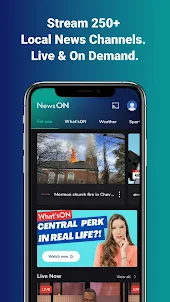
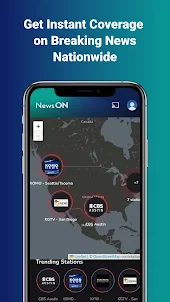
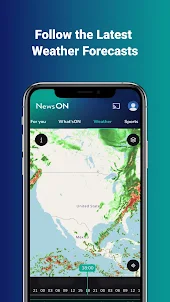
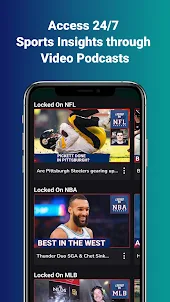
Why Play NewsON - Local News & Weather on PC with LDPlayer?
How to Download NewsON - Local News & Weather on PC?
Download and install LDPlayer on your computer
Locate the Play Store in LDPlayer's system apps, launch it, and sign in to your Google account
Enter "NewsON - Local News & Weather" into the search bar and search for it
Choose and install NewsON - Local News & Weather from the search results
Once the download and installation are complete, return to the LDPlayer home screen
Click on the game icon on the LDPlayer home screen to start enjoying the exciting game
If you've already downloaded the APK file from another source, simply open LDPlayer and drag the APK file directly into the emulator.
If you've downloaded an XAPK file from another source, please refer to the tutorial for installation instructions.
If you've obtained both an APK file and OBB data from another source, please refer to the tutorial for installation instructions.
New update seems better except for it crashes after the commercial plays. It either completely fails, does not continue with the newscast, or continues with no sound. You have to physically press play after the commercial no matter what. I'm on a Pixel 8 Pro so the phone is not the issue. Why can't it simply play a newscast straight through??
Well they've taken care of the old issues which is a nice thing. Bet for some reason it only goes for just a short time and then it goes to will be right back and then it goes to a blank screen and then I have to go to my app and disconnect from casting to my Chromecast and start all over and within 5 minutes back doing the same thing this app is absolutely useless and is a major joke when it comes to getting news information online!!!!!
I have this app on my firestick and this is the only app that I can watch my favorite local news (fox 17 in nashville, tn) for free. It has been a huge let down. The news will stream for about 10 seconds and then it freezes and comes back on a minute or so later. After doing that for about 5 times it quits altogether and goes back to the app home screen. I got rid of my cable because I no longer need tons of channels. The news anchors promote this app. I'm sure they have no idea how it works!