


National Park Service
Use LDPlayer to Play National Park Service on PC
National Park Service is a Travel&Local application developed by National Park Service, but with the best Android emulator-LDPlayer, you can download and play National Park Service on your computer.
Running National Park Service on your computer allows you to browse clearly on a large screen, and controlling the application with a mouse and keyboard is much faster than using touchscreen, all while never having to worry about device battery issues.
With multi-instance and synchronization features, you can even run multiple applications and accounts on your PC.
And file sharing makes sharing images, videos, and files incredibly easy.
Download National Park Service and run it on your PC. Enjoy the large screen and high-definition quality on your PC!
Screenshots and Videos of National Park Service on PC
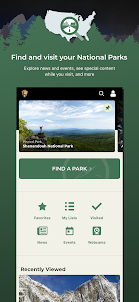
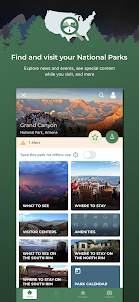
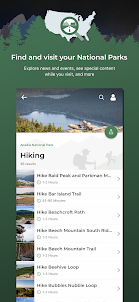
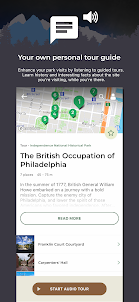
Why Play National Park Service on PC with LDPlayer?
How to Download National Park Service on PC?
Download and install LDPlayer on your computer
Locate the Play Store in LDPlayer's system apps, launch it, and sign in to your Google account
Enter "National Park Service" into the search bar and search for it
Choose and install National Park Service from the search results
Once the download and installation are complete, return to the LDPlayer home screen
Click on the game icon on the LDPlayer home screen to start enjoying the exciting game
If you've already downloaded the APK file from another source, simply open LDPlayer and drag the APK file directly into the emulator.
If you've downloaded an XAPK file from another source, please refer to the tutorial for installation instructions.
If you've obtained both an APK file and OBB data from another source, please refer to the tutorial for installation instructions.
I have no issue with the content or the purpose of the application. That's awesome. Connectivity with the app itself is a big issue though. It seems constantly have connectivity issues with the server to retrieve the data. Connection issues don't seem to be from my side as the other applications I have seem to work fine and with full reception. Certain times a day or certain days the server seems to struggle loading up specific location site info in the app.
fantastic as long as you have cell service. but it will not open without having a connection. like right now. in Yellowstone. unusable because it will not open without a connection. what use is downloading park info for use offline if it is unusable while offline in the park???? seriously??? please fix this! it is not device-specifuc. i tried on 2 different devices. this app is useless in 90% of Yellowstone
I downloaded the app and search for a park, when click on explore park, it just spins for a long time and then says can't connect. I can click cancel and click it for favorites, ut just that is it. I am on a reliable home wifi. This is Sunday night. Do they have servers down? I would want to download the park I am gooing to the night before my trip so I fear this app will not work