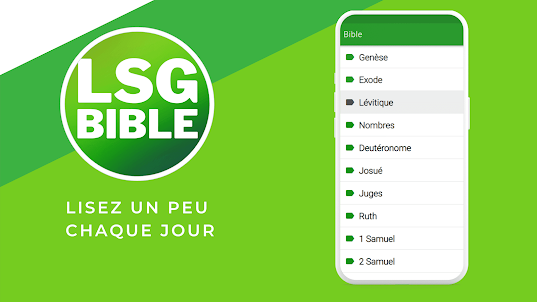
Bible Louis Segond française
French Louis Segond Bible, the perfect mobile app to explore the Word
Bible Louis Segond française is developed and provided by BIBLE Verses. LDPlayer offers the download service only.
Overview
FAQ
Run Bible Louis Segond française on PC with LDPlayer
Bible Louis Segond française is a Libraries&Demo application developed by BIBLE Verses, but with the best Android emulator-LDPlayer, you can download and play Bible Louis Segond française on your computer.
Running Bible Louis Segond française on your computer allows you to browse clearly on a large screen, and controlling the application with a mouse and keyboard is much faster than using touchscreen, all while never having to worry about device battery issues.
With multi-instance and synchronization features, you can even run multiple applications and accounts on your PC.
And file sharing makes sharing images, videos, and files incredibly easy.
Download Bible Louis Segond française and run it on your PC. Enjoy the large screen and high-definition quality on your PC!
Are you looking for an app that will help you read the Bible? Discover the free French Louis Segond Bible application. Download it now! The app is available for free on Google Play.The French Louis Segond Bible with audio is perfect for anyone who wants to deepen their knowledge of the word of God. With this app, you can enjoy the complete Louis Segond Bible in its classic French translation, with the convenience of easy access anytime, anywhere. The app works online and offline, without the need to be connected to the internet.
Our app also offers a handy audio feature so you can listen to Bible verses while performing other tasks. You can listen to the Bible while exercising, driving, cooking, or just relaxing.
Navigate easily between the books and chapters of Louis Segond's Bible thanks to an intuitive and user-friendly interface. You can also perform quick and precise searches to find specific passages using keywords or phrases.
With the Free French Louis Segond Bible, you can also personalize your experience by choosing from multiple reading options, including font size, color, and wallpaper. It is also possible to activate the night mode for a more comfortable reading.
We've also included features like verse highlighting and notes to help you track your progress and record your personal thoughts and comments.
Users can access the verse of the day and share all the Bible passages on Facebook or other social networks. All of these features are free and work offline.
Participate in the glorious purpose of God. Download the French Louis Segond Bible now and immerse yourself in the word of God like never before. Whether you are at home, at work or on a trip, our application will allow you to stay connected with the word of God for free wherever you are.
Here are the books of the Louis Segond Bible, divided into the Old and New Testaments:
Genesis, Exodus, Leviticus, Numbers, Deuteronomy, Joshua, Judges, Ruth, 1 Samuel, 2 Samuel, 1 Kings, 2 Kings, 1 Chronicles, 2 Chronicles, Esdras, Nehemiah, Esther, Job, Psalms, Proverbs, Ecclesiastes, Song of the Songs, Isaiah, Jeremiah, Lamentations, Ezekiel, Daniel, Hosea, Joel, Amos, Obadiah, Jonah, Micah, Nahum, Habakkuk, Zephaniah, Haggai, Zechariah, Malachi.
New Testament: Matthew, Mark, Luke, John, Acts, Romans, 1 Corinthians, 2 Corinthians, Galatians, Ephesians, Philippians, Colossians, 1 Thessalonians, 2 Thessalonians, 1 Timothy, 2 Timothy, Titus, Philemon, Hebrews, James, 1 Peter, 2 Peter, 1 John, 2 John, 3 John, Jude, Revelation
Screenshots and Videos of Bible Louis Segond française PC
How to Download and Run Bible Louis Segond française on PC
- 1
Download and install LDPlayer on your computer
- 2
Locate the Play Store in LDPlayer's system apps, launch it, and sign in to your Google account
- 3
Enter "Bible Louis Segond française" into the search bar and search for it
- 4
Choose and install Bible Louis Segond française from the search results
- 5
Once the download and installation are complete, return to the LDPlayer home screen
- 6
Click on the game icon on the LDPlayer home screen to start enjoying the exciting game