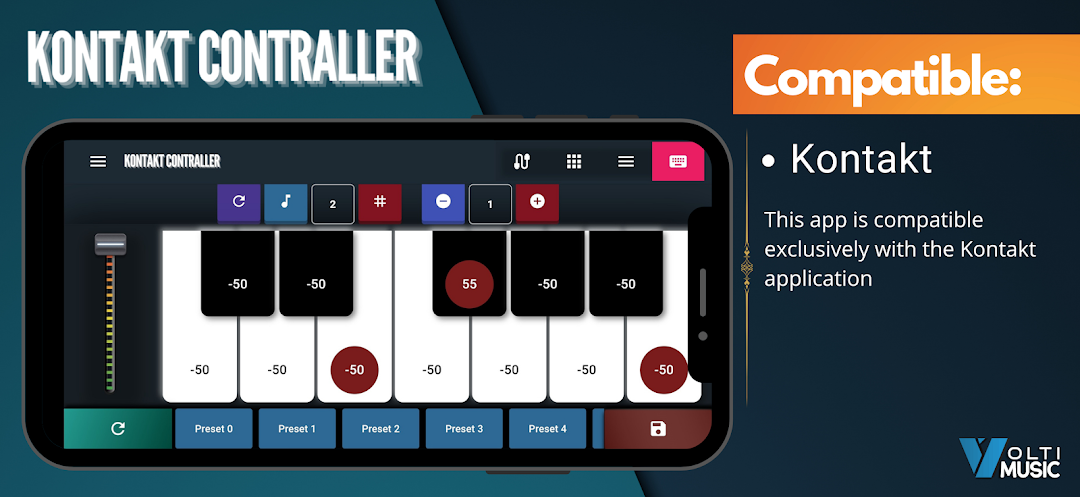
Kontakt Smart Controller is a Music&Audio application developed by VoltiMusic Inc., but with the best Android emulator-LDPlayer, you can download and play Kontakt Smart Controller on your computer.
Running Kontakt Smart Controller on your computer allows you to browse clearly on a large screen, and controlling the application with a mouse and keyboard is much faster than using touchscreen, all while never having to worry about device battery issues.
With multi-instance and synchronization features, you can even run multiple applications and accounts on your PC.
And file sharing makes sharing images, videos, and files incredibly easy.
Download Kontakt Smart Controller and run it on your PC. Enjoy the large screen and high-definition quality on your PC!
Kontakt Smart Controller allows you to control your bank sounds ,transpose, Octave and more for Kontakt (Native Instrument) via your mobile with intuitive graphic interface.Note : Please make sure you downloaded the kontakt script from the url below:
https://voltimusic.com/kontakt/Smart%20Scale%20Controller%20Kontakt.nkp
Features:
- Control Bank sounds (128 sounds per bank)
- Control Transpose
- Control Octave
- Control Pitch Bend (Riban)
- Control Scale (-50 to 50)
Compatibility :
- Android with Mac OS
- Android with Windows
How to install (Important):
Please refer to the video and site below:
- YouTube : https://youtu.be/V4h7yHmZlxA
- Site : https://voltimusic.com/kontakt.html
Connection :
- Compatible with Bluetooth and OTG