


Jiobit Smart Tag
Use LDPlayer to Play Jiobit Smart Tag on PC
Jiobit Smart Tag is a Parenting application developed by Jiobit, but with the best Android emulator-LDPlayer, you can download and play Jiobit Smart Tag on your computer.
Running Jiobit Smart Tag on your computer allows you to browse clearly on a large screen, and controlling the application with a mouse and keyboard is much faster than using touchscreen, all while never having to worry about device battery issues.
With multi-instance and synchronization features, you can even run multiple applications and accounts on your PC.
And file sharing makes sharing images, videos, and files incredibly easy.
Download Jiobit Smart Tag and run it on your PC. Enjoy the large screen and high-definition quality on your PC!
Screenshots and Videos of Jiobit Smart Tag on PC

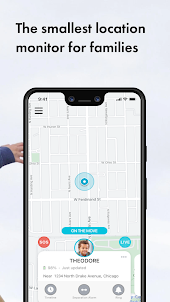
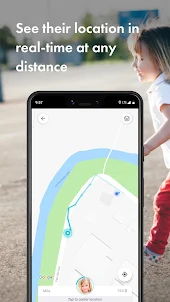
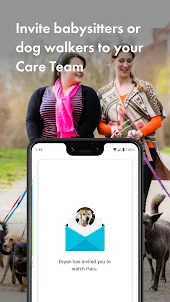
Why Play Jiobit Smart Tag on PC with LDPlayer?
How to Download Jiobit Smart Tag on PC?
Download and install LDPlayer on your computer
Locate the Play Store in LDPlayer's system apps, launch it, and sign in to your Google account
Enter "Jiobit Smart Tag" into the search bar and search for it
Choose and install Jiobit Smart Tag from the search results
Once the download and installation are complete, return to the LDPlayer home screen
Click on the game icon on the LDPlayer home screen to start enjoying the exciting game
If you've already downloaded the APK file from another source, simply open LDPlayer and drag the APK file directly into the emulator.
If you've downloaded an XAPK file from another source, please refer to the tutorial for installation instructions.
If you've obtained both an APK file and OBB data from another source, please refer to the tutorial for installation instructions.
Not personally had any problems with the general tracker or app functionality, so overall things are good. The app did recently make the map UI worse by forcing it to zoom all the way in whenever the tracker position updates - I used to be able to zoom out to the level I wanted and it would remain there. So when I have the app open to watch the location of the tracker it's not that useful now.
I have used for the past 9 months and it worked beautifully until it didn't. Working with customer support is a very slow process. I've been emailing them for a week now doing the same troubleshooting routine at least once a day because they keep telling me too -- just finally got escalated to technical support. In the meantime, my cats life is hanging in the balance. Sigh. Wish you could talk to a person on the phones. Hoping we get this resolved because it's a pretty nifty device!
Pretty good app and device. We had a unit for about a month, and it stopped working foe some reason. The customer service chat feature helped me out, swapped for a new unit, and sent me a label to return the malfunctioning one. That went pretty smooth. The second unit has been working well now. I upgraded to the protect account, to get the sos features. I have to had to used them, hope never to have to. But the whole experience has been good.