


Guitar Scales & Patterns Pro
Use LDPlayer to Play Guitar Scales & Patterns Pro on PC
Guitar Scales & Patterns Pro is a Music&Audio application developed by Vladimir Demirev, but with the best Android emulator-LDPlayer, you can download and play Guitar Scales & Patterns Pro on your computer.
Running Guitar Scales & Patterns Pro on your computer allows you to browse clearly on a large screen, and controlling the application with a mouse and keyboard is much faster than using touchscreen, all while never having to worry about device battery issues.
With multi-instance and synchronization features, you can even run multiple applications and accounts on your PC.
And file sharing makes sharing images, videos, and files incredibly easy.
Download Guitar Scales & Patterns Pro and run it on your PC. Enjoy the large screen and high-definition quality on your PC!
Screenshots and Videos of Guitar Scales & Patterns Pro on PC
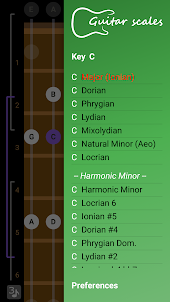

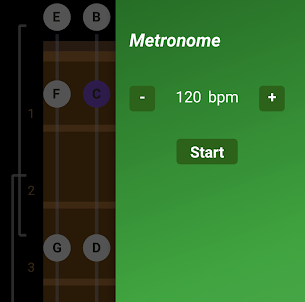
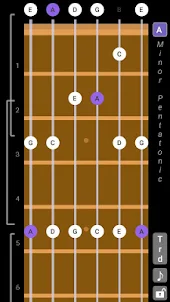
Why Play Guitar Scales & Patterns Pro on PC with LDPlayer?
How to Download Guitar Scales & Patterns Pro on PC?
Download and install LDPlayer on your computer
Locate the Play Store in LDPlayer's system apps, launch it, and sign in to your Google account
Enter "Guitar Scales & Patterns Pro" into the search bar and search for it
Choose and install Guitar Scales & Patterns Pro from the search results
Once the download and installation are complete, return to the LDPlayer home screen
Click on the game icon on the LDPlayer home screen to start enjoying the exciting game
If you've already downloaded the APK file from another source, simply open LDPlayer and drag the APK file directly into the emulator.
If you've downloaded an XAPK file from another source, please refer to the tutorial for installation instructions.
If you've obtained both an APK file and OBB data from another source, please refer to the tutorial for installation instructions.
This app is pretty great and handy for someone who is learning their fretboard or just as a general songwriting tool! A feature that would make it perfect is a setting to save tuning configurations. I play a 7-string with a pitch pedal so it's a bit of a pain to swap each individual string on the app, otherwise perfect so far!!
Updating review to 5 stars. After receiving refund, I heard back from developer that the crashing issue was fixed in next update. So just repurchased again this morning and updated it and now app runs well. I like how clean and simple UI is! Makes exploring scales easy! One feature request: would be great to be able to display other notes on the strings that are not part of current scale (maybe in non-highlighted format), and also allow you to play those notes as well.
Paid app is great and ticks all the right boxes, custom tunings and up to 8 strings. Only thing that could make it perfect is 1) option to change note letters to just fret numbers (probably just me) 2) would be really cool to be able to press the notes of a scale into the fretboard and have the app tell you what scale it is as I've been learning alot by ear and using apps like this to desipher what scale I'm actually using. 3)ability to zoom out to 12 or more frets would be great