


EyeEm - Sell Your Photos
Use LDPlayer to Play EyeEm - Sell Your Photos on PC
EyeEm - Sell Your Photos is a Photography application developed by EyeEm Mobile, but with the best Android emulator-LDPlayer, you can download and play EyeEm - Sell Your Photos on your computer.
Running EyeEm - Sell Your Photos on your computer allows you to browse clearly on a large screen, and controlling the application with a mouse and keyboard is much faster than using touchscreen, all while never having to worry about device battery issues.
With multi-instance and synchronization features, you can even run multiple applications and accounts on your PC.
And file sharing makes sharing images, videos, and files incredibly easy.
Download EyeEm - Sell Your Photos and run it on your PC. Enjoy the large screen and high-definition quality on your PC!
Screenshots and Videos of EyeEm - Sell Your Photos on PC
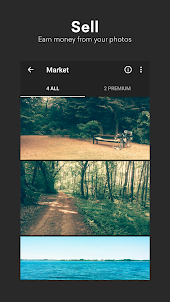

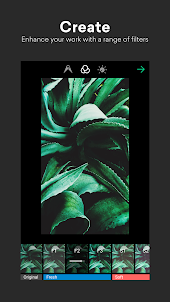
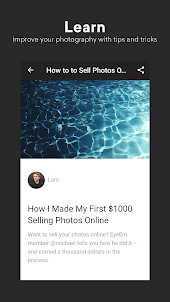
Why Play EyeEm - Sell Your Photos on PC with LDPlayer?
How to Download EyeEm - Sell Your Photos on PC?
Download and install LDPlayer on your computer
Locate the Play Store in LDPlayer's system apps, launch it, and sign in to your Google account
Enter "EyeEm - Sell Your Photos" into the search bar and search for it
Choose and install EyeEm - Sell Your Photos from the search results
Once the download and installation are complete, return to the LDPlayer home screen
Click on the game icon on the LDPlayer home screen to start enjoying the exciting game
If you've already downloaded the APK file from another source, simply open LDPlayer and drag the APK file directly into the emulator.
If you've downloaded an XAPK file from another source, please refer to the tutorial for installation instructions.
If you've obtained both an APK file and OBB data from another source, please refer to the tutorial for installation instructions.
Since I can't get to support through their app, this will do. I have uploaded over 50 photos, only to have every one disappear. Locations rarely show up, unable to change profile photo, Not impressed at all with this app! Does anybody know of a great app where i can put my photography onto various wall art mediums like glass and metal to have made for sale? Ty!
I tested and uploaded a single photo and things seemed fine. So then I spent time and energy uploading and tagging about 30 photos. Things seemed fine, but now I can't find the uploads at all. Very frustrating. Please indicate if this error is fixed and I can maybe try it again. From the looks of other reviews, I'm not alone in this. Foap is another app to try. Doesn't seem as slick as EyeEm, but at least it hasn't deleted my work, yet.
At first I loved the app but now my photos aren't showing up. I uploaded them did the location caption exc.... And then sends me back to my page the other day it at least counted the photos it showed up twenty photos. today 16 just tried another photo nothing. I didn't no if my photos would sell but this help me realize I love taking pictures and capturing moments. And if I can make extra cash while doing it awesome but most of my photos are still under review it's almost been a month..I