


EGYM Fitness app
Use LDPlayer to Play EGYM Fitness app on PC
EGYM Fitness app is a Health&Fitness application developed by EGYM, but with the best Android emulator-LDPlayer, you can download and play EGYM Fitness app on your computer.
Running EGYM Fitness app on your computer allows you to browse clearly on a large screen, and controlling the application with a mouse and keyboard is much faster than using touchscreen, all while never having to worry about device battery issues.
With multi-instance and synchronization features, you can even run multiple applications and accounts on your PC.
And file sharing makes sharing images, videos, and files incredibly easy.
Download EGYM Fitness app and run it on your PC. Enjoy the large screen and high-definition quality on your PC!
Screenshots and Videos of EGYM Fitness app on PC
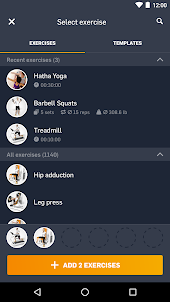
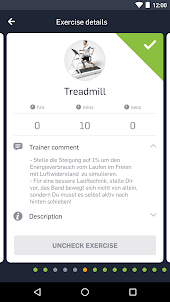
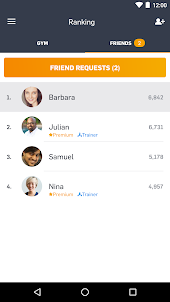
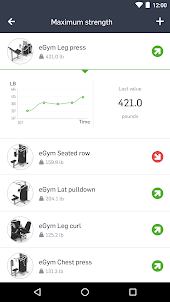
Why Play EGYM Fitness app on PC with LDPlayer?
How to Download EGYM Fitness app on PC?
Download and install LDPlayer on your computer
Locate the Play Store in LDPlayer's system apps, launch it, and sign in to your Google account
Enter "EGYM Fitness app" into the search bar and search for it
Choose and install EGYM Fitness app from the search results
Once the download and installation are complete, return to the LDPlayer home screen
Click on the game icon on the LDPlayer home screen to start enjoying the exciting game
If you've already downloaded the APK file from another source, simply open LDPlayer and drag the APK file directly into the emulator.
If you've downloaded an XAPK file from another source, please refer to the tutorial for installation instructions.
If you've obtained both an APK file and OBB data from another source, please refer to the tutorial for installation instructions.
Works, especially the trainer workout plans are great, but could use a few (simple) updates. Checking of a single set instead of all at once, asking if I want to store a change as default before overwriting my sets, a timer for time-based excercises. And maybe the ability to add a small note (or at least a flag) at the end of a workout/excercise if the weights could be increased the next time.
Looks nice but is rather something to play with than something to work with. Examples: the graphs look nice but i can't scroll through to get an exact value at a specific point. Other example: I can't even see in which mode I was training (i.e. negative, adaptive...) and I can't see the weight of each repetition. If I train adaptive with 80kg the up just tells me I made qpx 80kg but that's wrong, only the first repetition was 80kg. Also there is no connection to google fit.
I am using this app for more than an year. It is a good app to log your activities. The muscle imbalance feature is really good to watch upon .... Gives a pretty good idea on which muscle to work more ..... Most ofbthe exercises can be found in to log .... However if you are lazy to search every time the. You can use templates ( it's easy and fast)