


AI Photo Generator - ToonTap
Use LDPlayer to Play AI Photo Generator - ToonTap on PC
AI Photo Generator - ToonTap is a Photography application developed by Photo Editor & Collage Maker, but with the best Android emulator-LDPlayer, you can download and play AI Photo Generator - ToonTap on your computer.
Running AI Photo Generator - ToonTap on your computer allows you to browse clearly on a large screen, and controlling the application with a mouse and keyboard is much faster than using touchscreen, all while never having to worry about device battery issues.
With multi-instance and synchronization features, you can even run multiple applications and accounts on your PC.
And file sharing makes sharing images, videos, and files incredibly easy.
Download AI Photo Generator - ToonTap and run it on your PC. Enjoy the large screen and high-definition quality on your PC!
Screenshots and Videos of AI Photo Generator - ToonTap on PC
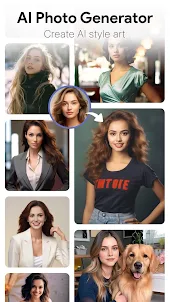
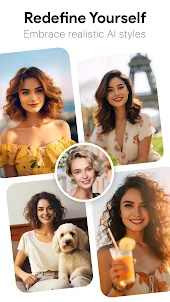
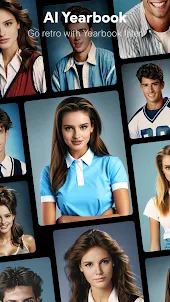
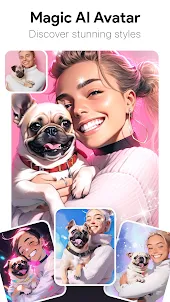
Why Play AI Photo Generator - ToonTap on PC with LDPlayer?
How to Download AI Photo Generator - ToonTap on PC?
Download and install LDPlayer on your computer
Locate the Play Store in LDPlayer's system apps, launch it, and sign in to your Google account
Enter "AI Photo Generator - ToonTap" into the search bar and search for it
Choose and install AI Photo Generator - ToonTap from the search results
Once the download and installation are complete, return to the LDPlayer home screen
Click on the game icon on the LDPlayer home screen to start enjoying the exciting game
If you've already downloaded the APK file from another source, simply open LDPlayer and drag the APK file directly into the emulator.
If you've downloaded an XAPK file from another source, please refer to the tutorial for installation instructions.
If you've obtained both an APK file and OBB data from another source, please refer to the tutorial for installation instructions.
I was primarily looking to use the "Disney" filter, but did not find it as bold and crisp as I had hoped. The "Disney 3D" effect was unfortunately even worse. Other filters seemed to work decently enough, but I really was hoping for the "Disney" effect for a specific use case. I also experienced an error of being charged during the trial, but I appreciate that the company took care of the error.
Very easy interface to use and to get started with. Fast, simple, useful and a lot of fun for a 69 year-old man (like me). I don't download & install very many apps these days, and many that I do, I'm uninstalling soon after. This definitely is one that I will be keeping and willing to pay for the yearly subscription. Really good work being done with this app!!!
I really wanted the Disney but that's pro. Takes several attempts to get results. Minimal ads. Lots of options. They mostly look very similar or wouldn't render at all. Not the best but also not the worst.