


ArtPlay - Cartoon Video editor
Use LDPlayer to Play ArtPlay - Cartoon Video editor on PC
ArtPlay - Cartoon Video editor is a Photography application developed by Hideaway Technology Limited, but with the best Android emulator-LDPlayer, you can download and play ArtPlay - Cartoon Video editor on your computer.
Running ArtPlay - Cartoon Video editor on your computer allows you to browse clearly on a large screen, and controlling the application with a mouse and keyboard is much faster than using touchscreen, all while never having to worry about device battery issues.
With multi-instance and synchronization features, you can even run multiple applications and accounts on your PC.
And file sharing makes sharing images, videos, and files incredibly easy.
Download ArtPlay - Cartoon Video editor and run it on your PC. Enjoy the large screen and high-definition quality on your PC!
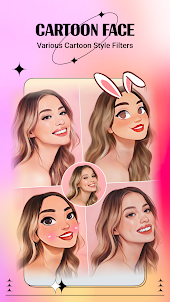
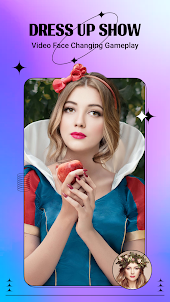
Screenshots and Videos of ArtPlay - Cartoon Video editor on PC
Why Play ArtPlay - Cartoon Video editor on PC with LDPlayer?
How to Download ArtPlay - Cartoon Video editor on PC?
Download and install LDPlayer on your computer
Locate the Play Store in LDPlayer's system apps, launch it, and sign in to your Google account
Enter "ArtPlay - Cartoon Video editor" into the search bar and search for it
Choose and install ArtPlay - Cartoon Video editor from the search results
Once the download and installation are complete, return to the LDPlayer home screen
Click on the game icon on the LDPlayer home screen to start enjoying the exciting game
If you've already downloaded the APK file from another source, simply open LDPlayer and drag the APK file directly into the emulator.
If you've downloaded an XAPK file from another source, please refer to the tutorial for installation instructions.
If you've obtained both an APK file and OBB data from another source, please refer to the tutorial for installation instructions.
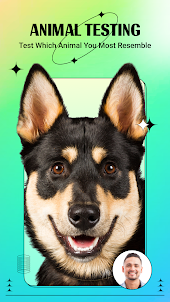
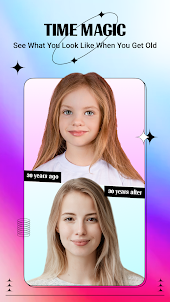
This is the worst app ever I woupd give it 0 stars if possible. It has a filter to make you look like a animal. I tried it on a lot of people and we all got the same animal the animal it shows in the video intact it was the same picture. Then there's one to see yourself older and younger. I have blond hair I always have it gives me black hair. Then for older it made me look like a witch. And there are way to many adds and to get rid of the adds they want money when it does not even work.
Whenever I tap anything it cuts to an ad and when I accidentally click something that can only be for VIP members, (which I'll talk more about later) and then I click the X, it also cuts to an ad, and that's just two of the many things wrong with this app. Nothing works very well. When I tried to do the age scanner, it chose the oldest one and I didn't look any different. I also couldn't pick anything else with the age scanner. Also, the subscription is insisted on and you can't domuchwithoutit.
Issue: An app that is "free" making itself unusable until you get a subscription. This app blatantly lies about being free to play. It is not and the nasty navigation to get to the free future is such a pain that it's not worth using this app at all. You have to put in your payment information for the free trial of pro where as free - that is a joke lined with "get our sub to use the app". If I could I would give this a 0