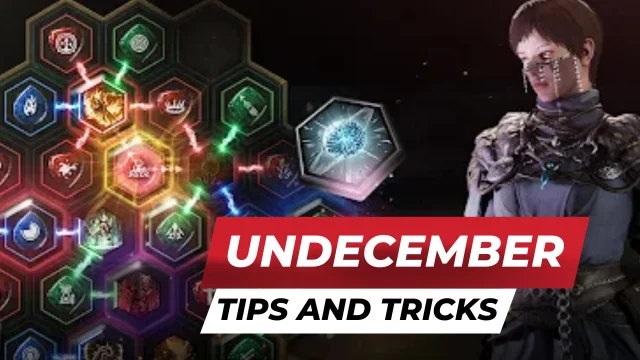
Undecember: The Farside is a Role Playing game developed by LINE Games, and LDPlayer is the best platform for playing Undecember: The Farside on Windows PC, offering powerful features for an immersive experience.
When playing Undecember: The Farside on PC, as a new player looking to start with a fresh account, the multi-instance and sync features are extremely useful for rerolls. You can use them to run multiple instances and begin the synchronization process. Bind your account until you draw the desired heroes.
In addition, operation recorder is great for games that require you to level up and complete tasks! Run the sync and record your actions, then repeat the main instance's actions in real-time. By doing so, you can run 2 or more accounts simultaneously. You can always get the heroes you want before others by faster rerolls and more efficient summoning! Start downloading and playing Undecember: The Farside on your computer now!
Various limited-time events will be available alongside the New Season Update!《Season Update Highlights》
◈ New season "The Farside" begins
◈ New season content, Agony Wave added
◈ New skills added: "Divine Punishment" and "Charged Shot"
◈ Channeling skill rework and new Channeling Link Runes
◈ New Essences added: Spica and Casthor
◈ Constellation of Time rework, integrated into Chaos Dungeon
◈ Convenience improvements, including Rune Cast Presets
◈ Various other content improvements
■ UNCHANGED – Unchanged Values
Immersive storyline and growth through hunting and farming
Fun and excitement, while pursuing the unchanged values of a RPG
■ UNEXPECTED – A Perfect RPG Beyond Expectations
Venture through countless maps with diverse themes
And experience the unexpected thrills of combat
■ UNLIMITED – Limitless Skill Combinations
Surpass the limit by creating thousands of
skill combinations from various Skill and Link Runes
■ UNDEFINED – Freedom of Style
Instead of choosing a class, enjoy building up
your own character based on your combat style
■ UNSTOPPABLE – Endless Contents
From Raids to Guild Battlegrounds!
Test your limits through multiple available contents
Check the latest UNDECEMBER news from the Official Community!
[Brand Site]
https://undecember.line.games/
[FLOOR]
https://ud.floor.line.games
[DIscord]
https://discord.com/invite/Q7syAnHfha
[YouTube]
https://www.youtube.com/channel/UCO1YHH625KZdI66PjAEHDWQ
ⓒ LINE Games Corporation & Needs Games Inc. All Rights Reserved.
■ Minimum Requirements
- OS Android 16 RAM 2GB
■ Optional Access
The following access is requested upon use.
You may still continue using the service without the specific feature even if access is declined.
- Photos/Media/Files: Allows attaching files saved in the device when posting at the Official Community.
- External Storage: Required to write game data in the external storage.
[How to Remove Access]
- Android 6.0 or above: Settings > Apps > Select Category > Permissions > Allow or Remove Access
- Lower than Android 6.0: Update the OS to Remove Access or Uninstall the App
■ Information on Paid Contents and Usage
※ Purchasing paid contents will incur additional charges.
- Provider : ⓒ LINE Games Corporation
- Terms of Service and Service Period : Refer to the information provided in-game
(If service period is not shown, the game service end date is to be regarded as the service period)
- Payment amount and method : Refer to the amounts and methods provided for each content in-game
(Billed amount may differ depending on exchange rate and fees when using foreign currency)
- Content provision method : Issued directly to the game account(character) that carried out the purchase
or issued to the Paid Shop Storage in-game
- Information on refunds : Refer to Article 5 of the Terms of Service
- Compensation for damages and handling of complaints : Refer to Articles 11 and 15 of the Terms of Service
- Inquiries : Submitted online through the in-game Support feature
[Developer Contact]
E-mail : game_service@linegames.support
[Business Registration Number]
120-87-89182
[Business Address]
2F, AP Tower, Teheran-ro 218, Gangnam-gu, Seoul, 06221
[Privacy Policy]
https://cs.line.games/policy/store/privacy?companyCd=LINE_GAMES&svcCd=STORE&langCd=en
[Terms of Service]
https://cs.line.games/policy/store/terms?companyCd=LINE_GAMES&svcCd=STORE&langCd=en