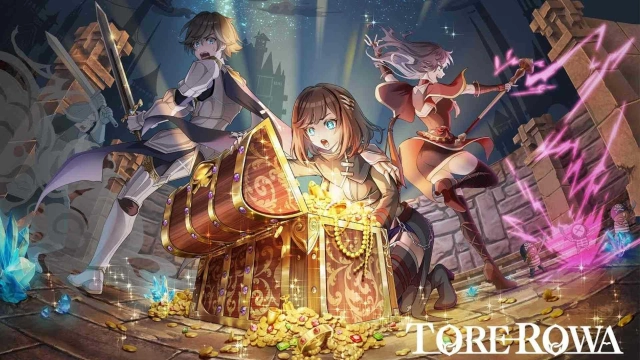
TOREROWA is a Action game developed by Asobimo, Inc., and LDPlayer is the best platform for playing TOREROWA on PC, offering powerful features to immerse you in the game.
When playing TOREROWA on computer, you can adjust frame rate settings for smooth gameplay and stunning visuals.
LDPlayer also provides pre-configured keyboard mapping for convenient control of the entire game. Continuous optimization of keyboard mapping enhances key sensitivity and skill accuracy. Additionally, LDPlayer offers special buttons like shoot, hide mouse, and continuous key press for an enhanced gaming experience.
If you prefer using a gamepad, the automatic gamepad detection allows you to customize controls with just a few clicks, enabling you to freely maneuver your hero. Start downloading and playing TOREROWA on your computer now!
■ Explore Dungeons with a 3-Player Party!Embark on dungeon adventures with a party of up to three members. You can easily team up with other players through matchmaking or join forces with friends. Collaborate with your party members to collect treasures and aim to escape through the portals that appear within the dungeons!
■ Battle Monsters While Searching for Treasure
Dungeons are filled with various treasure chests and numerous monsters guarding valuable loot. Defeating monsters grants experience points, allowing you to level up. Work together with your allies to defeat monsters and safely open treasure chests.
■ Encounter Other Parties Within the Dungeon
Up to five parties, including your own, can explore the dungeon simultaneously. As your exploration progresses, you may encounter other parties. You can choose to pass by each other peacefully, but defeating players from other parties allows you to seize the treasures they've collected. However, other parties possess strength comparable to your own, so you'll need to decide whether to fight or flee.
■ Enhance Equipment with Treasures Obtained from Exploration
Treasures acquired in the dungeon are appraised upon your return, and can be converted into equipment, materials, or gold. Since you can bring equipment into the dungeon, strengthen your gear in preparation for your next exploration!