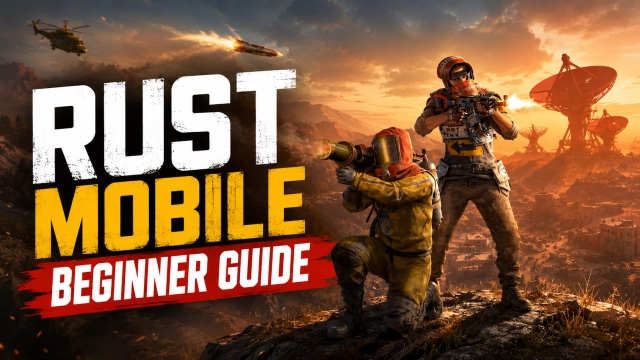
Rust Mobile is a Role Playing game developed by Level Infinite, and LDPlayer is the best platform for playing Rust Mobile on Windows PC, offering powerful features for an immersive experience.
When playing Rust Mobile on PC, as a new player looking to start with a fresh account, the multi-instance and sync features are extremely useful for rerolls. You can use them to run multiple instances and begin the synchronization process. Bind your account until you draw the desired heroes.
In addition, operation recorder is great for games that require you to level up and complete tasks! Run the sync and record your actions, then repeat the main instance's actions in real-time. By doing so, you can run 2 or more accounts simultaneously. You can always get the heroes you want before others by faster rerolls and more efficient summoning! Start downloading and playing Rust Mobile on your computer now!
The globally renowned PC survival game is coming to mobile!Officially licensed by Rust developer Facepunch Studios, Rust Mobile faithfully recreates the high-risk, high-reward, unpredictable open world of the original, while being optimized for an even better experience on mobile.
Intense PvP warfare, base raiding, crafting and survival... Whether you're at home, commuting, or on a quick break, you can jump straight into the world of Rust.
Rust Mobile retains everything players love about the PC version: open-world exploration, heart-pounding PvP combat, base building, and emergent social gameplay. Now, it's all coming to mobile. The game features a fully explorable sandbox world with dynamic weather, regional biomes, and a real-time day-night cycle. The core loop of Rust remains - loot, craft, raid, die and start over - so every choice you make matters.
Your survival journey on mobile starts now!
Join our community for more updates:
X: https://x.com/play_rustmobile
Discord: discord.gg/rustmobile
Facebook: https://www.facebook.com/playrustmobile/
Instagram: https://www.instagram.com/playrustmobile/
TikTok: https://www.tiktok.com/@play_rustmobile
Youtube: https://www.youtube.com/@play_rustmobile
Reddit: https://www.reddit.com/r/playrustmobile/