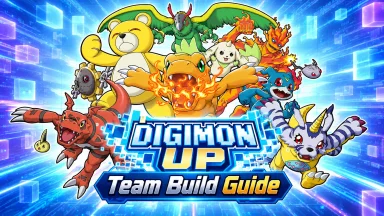
Welcome back to the Digital World! DIGIMON UP is the highly anticipated, brand-new official mobile game from Bandai Namco Entertainment that invites you to reunite with your favorite digital monsters. Step into a fresh adventure where you can hatch, train, and grow stronger alongside your Digimon once again. Whether you are a nostalgic fan of the classic anime or a newcomer ready to explore, DIGIMON UP delivers an authentic, monster-collecting RPG experience right to your screen. Get ready to Digivolve and face new challenges!
Core Gameplay & Features
-
Authentic Digimon Experience: Officially licensed by Bandai Namco and Toei Animation, bringing your favorite Digimon to life with true-to-franchise designs and lore.
-
Raise and Digivolve: The core of the adventure! Train your partner Digimon, increase their stats, and unlock their powerful Digivolutions from Rookie to Mega level.
-
Strategic Battles: Build your ultimate team of digital monsters. Utilize different types, attributes, and special skills to overcome tough enemies in exciting combat.
-
A New Digital Adventure: Dive into a brand-new app game designed to recapture the magic of growing stronger with your Digimon companions through engaging quests and challenges.
Play DIGIMON UP on PC with LDPlayer for Best Experience
-
Multi-Instance for the Perfect Partner: In any monster-collecting game, starting with your absolute favorite Digimon is crucial. Use LDPlayer’s Multi-Instance feature to run multiple accounts simultaneously, making the reroll process incredibly fast and efficient at launch.
-
Immersive Big Screen Digivolutions: Do not let a small phone screen diminish the epic moments. Watch your favorite Digimon execute their flashy signature moves and iconic Digivolution animations in crisp, full high-definition on a large PC monitor.
-
Battery-Free Material Grinding: Evolving your team to the Mega level requires dedicated training and material farming. Let the game run smoothly in the background on your PC without worrying about your phone's battery dying or the device overheating.
-
Stable and Smooth Performance: Enjoy lag-free gameplay and fast loading screens. LDPlayer ensures stable frame rates, allowing you to navigate the Digital World and manage your Digimon roster flawlessly.
-
Effortless Mouse Controls: Manage your team formations, navigate menus, and select combat skills quickly and comfortably using precise mouse clicks rather than touchscreen taps.