Games
Support
Blogs
Updates
LDGame
Affiliate
LDGame Community

Follow Us

LDPlayer Support

EmailEmailFacebookFacebookDiscordDiscordLDGame Customer ServiceLDGame Customer Service(For LDPlayer account & recharge problem)

Products

LDCloudLDCloudOSLinkOSLinkEasyFunEasyFun

About

About UsAbout UsBusiness InquiryBusiness Inquiry

2026 LDPlayer.net. All rights reserved.

JUST OKAY LIMITED

Office F, 12/F, YHC Tower, 1 Sheung Yuet Rd, Kowloon Bay, KLN, Hong Kong

XUANZHI INTERNATIONAL CO., LIMITED

Room 1911, Lee Garden One, 33 Hysan Avenue, Causeway Bay, Hong Kong

Games and applications on this site are collected from the internet. If there is any infringement, please contact the email: support@ldplayer.net
Software Licensing ProtocolSoftware Licensing ProtocolTerms of UseTerms of UsePrivacy PolicyPrivacy PolicyGDPR Privacy NoticeGDPR Privacy NoticeHelp TranslateHelp Translate

Blogs/

Game Guides/

News and Guides for Punishing: Gray Raven

How to Enable120 FPS for Punishing: Gray Raven on PC

2021-08-04

Are you wondering how to play Punishing: Gray Raven with 120 FPS on PC? Many fans of this exciting action RPG are decidedly looking forward to playing it on computer and trying to boost the FPS to 120. The following tutorial will show you how to play Punishing Gray Raven on PC and how to enable the 120 FPS mode.
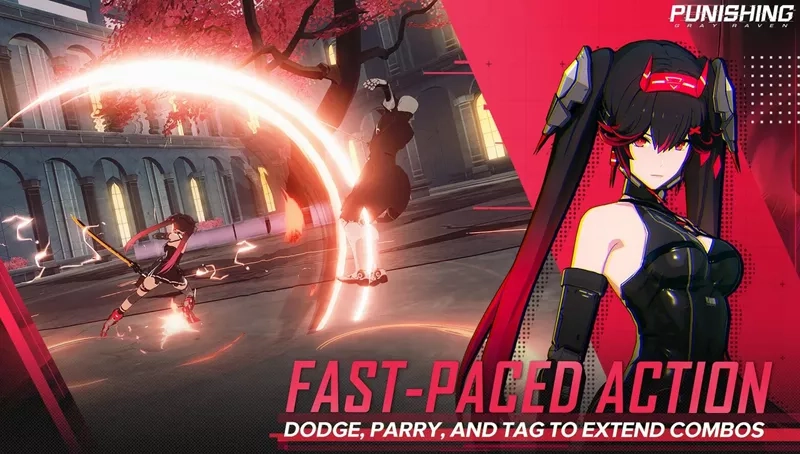
Play Punishing Gray Raven on PC


How to Download Punishing Gray Raven on PC 


The following steps will teach you how to download and play Punishing Gary Raven on a Windows computer or laptop. LDPlayer is the recommended PGR emulator here that gives you the best gaming control and the smoothest gameplay. You can check the below video at 0:47 part to get the detailed guide on how to enable 120 FPS.


Step 1: Download and install LDPlayer on your desktop from the official site.
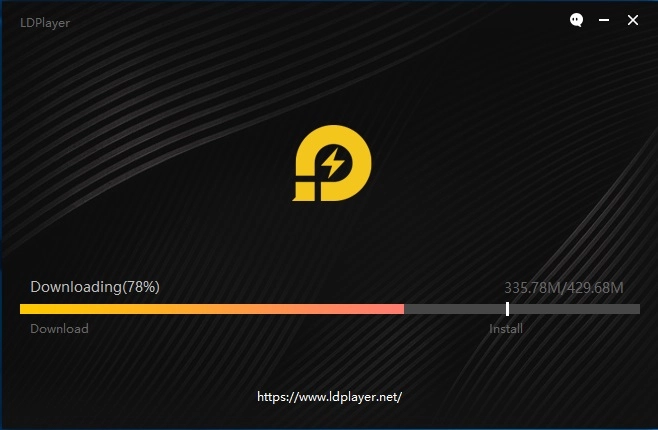
 

Download and Play Ragnarok X: Next Generation on PC


Step 2: Open LDPlayer and search Punishing Gray Raven on LD Store.
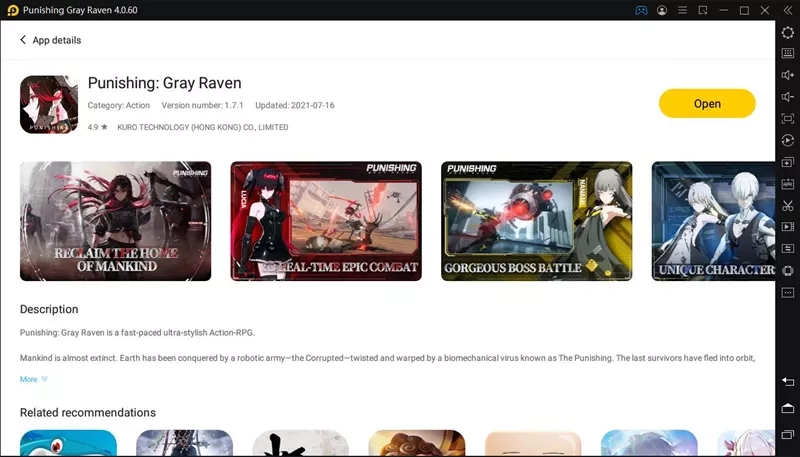
Search Punishing Gray Raven On LDPlayer


Step 3: Install Punishing Gray Raven on your LDPlayer
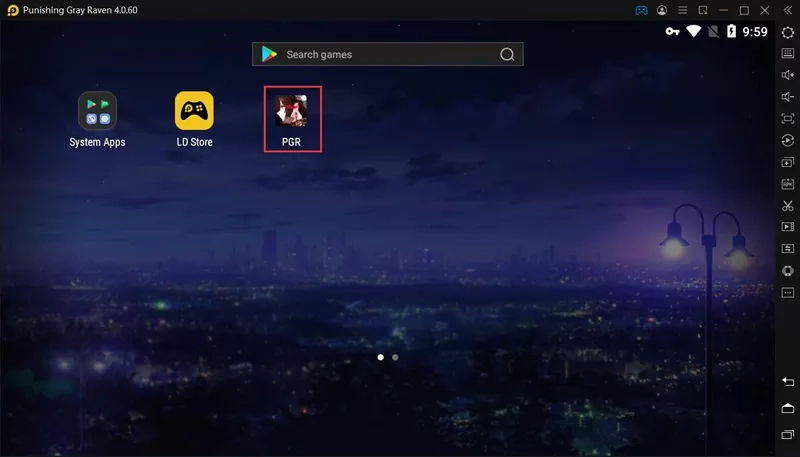
Install Punishing Gray Raven on PC with LDPlayer


Step 4: Now open the game and download the in-game resources. After a few minutes, you will be able to play Punishing Gray Raven on PC with LDPlayer
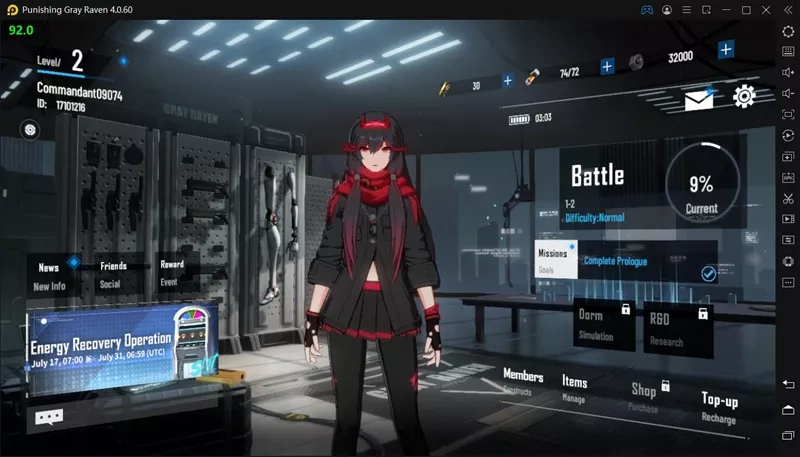
Play Punishing Gray Raven on PC with LDPlayer


How to Play Punishing Gray Raven at 120 FPS with LDPlayer


The following steps will teach you how to set up LDPlayer and Punishing Gary Raven to enable the best graphics and FPS.


Step 1: Open emulator settings and adjust the resolution to 1600x900, CPU cores to 4, and RAM to 3072M.
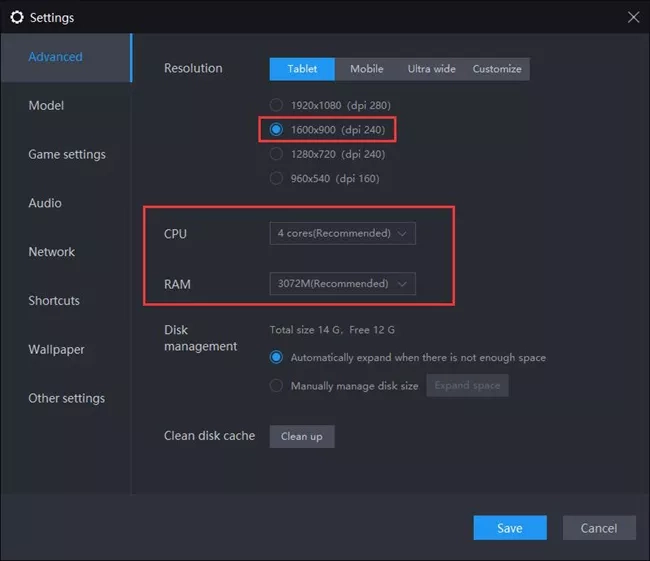
Play Punishing Gray Raven at 120 FPS with LDPlayer


Step 2: Go to Model setting and set up the 120 FPS phone model.
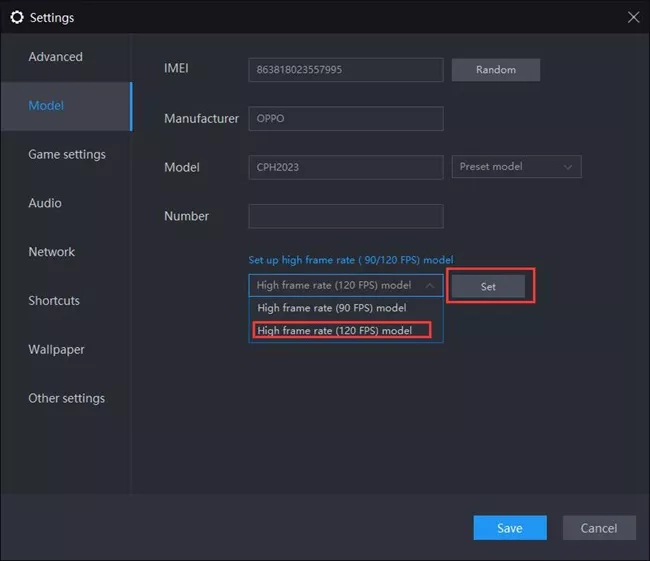
Play Punishing Gray Raven at 120 FPS with LDPlayer


Step 3: Go the Game settings and enable high frame rate mode.
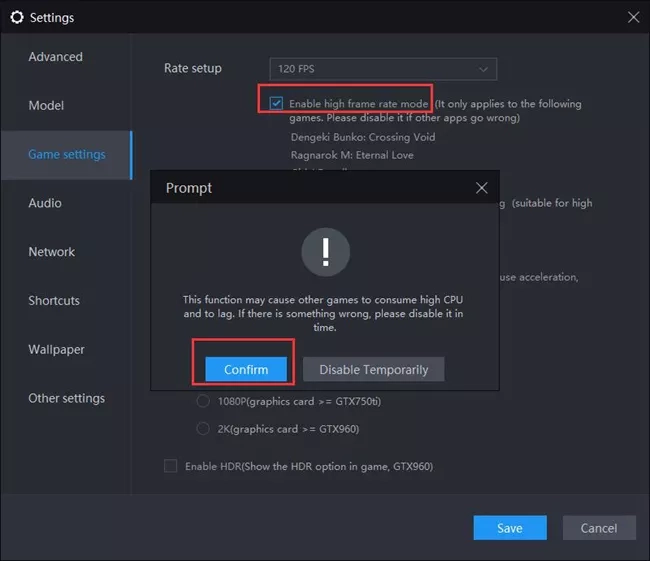
Play Punishing Gray Raven at 120 FPS with LDPlayer


Step 4: Launch Punishing Gary Raven and go to in-game settings.
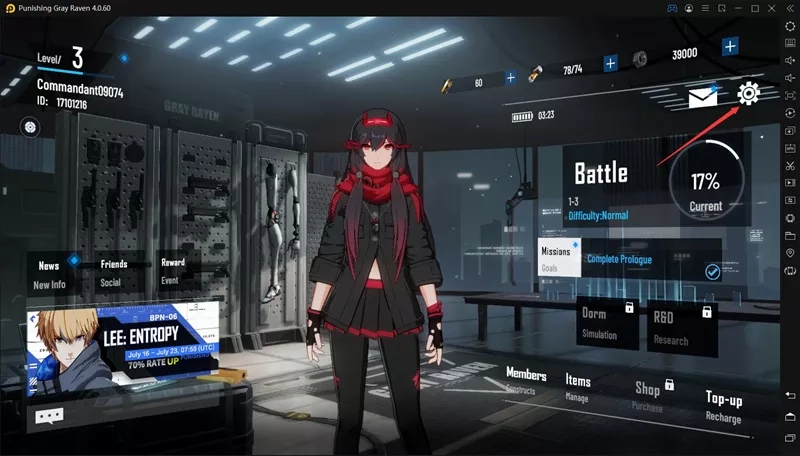
Play Punishing Gray Raven at 120 FPS with LDPlayer


Step 5: Select Custom Graphics settings and check Ultra for each one.
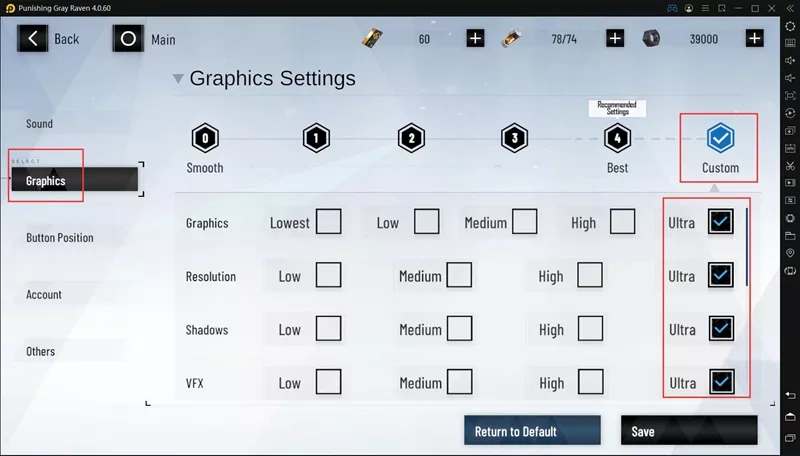
Play Punishing Gray Raven at 120 FPS with LDPlayer


Punishing: Gray Raven Gameplay show after setting 120 FPS
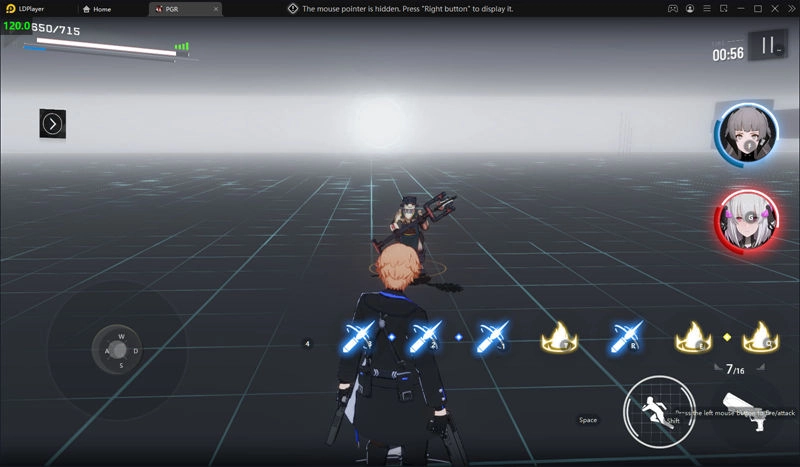
120 FPS Gameplay

The Legend of Neverland Guide for the Treasure Chest Location
|
Punishing Gray Raven Everything You Need to Know About Support Characters

Punishing: Gray Raven

You May Also Like
Top Game Guides
Punishing: Gray Raven 6th Anniversary Special Preview Livestream Guide: Banners, Rewards & More
Punishing: Gray Raven Veronica: Aegis - Basic Controls to Ultimate Combos Guide
Punishing Gray Raven - How To Obtain And Max S Rank Construct Lilith For Free
Punishing Gray Raven x Devil May Cry V Collaboration Event - Everything You Need To Know
Punishing Gray Raven - How To Build And Play Nanami: Startrail
Punishing Gray Raven - How To Build And Play Lucia: Pyroath