
토도한글 : 문해력이 싹트는 읽기독립
Before entering elementary school, give your child the perfect ‘reading independence’. With the consonant and syllable learning method, children aged 5-9 years old can meticulously grasp vocabulary and literacy.
토도한글 : 문해력이 싹트는 읽기독립 is developed and provided by Enuma. LDPlayer offers the download service only.

Overview

FAQ
Run 토도한글 : 문해력이 싹트는 읽기독립 on PC with LDPlayer
토도한글 : 문해력이 싹트는 읽기독립 is a Education application developed by Enuma, but with the best Android emulator-LDPlayer, you can download and play 토도한글 : 문해력이 싹트는 읽기독립 on your computer.
Running 토도한글 : 문해력이 싹트는 읽기독립 on your computer allows you to browse clearly on a large screen, and controlling the application with a mouse and keyboard is much faster than using touchscreen, all while never having to worry about device battery issues.
With multi-instance and synchronization features, you can even run multiple applications and accounts on your PC.
And file sharing makes sharing images, videos, and files incredibly easy.
Download 토도한글 : 문해력이 싹트는 읽기독립 and run it on your PC. Enjoy the large screen and high-definition quality on your PC!
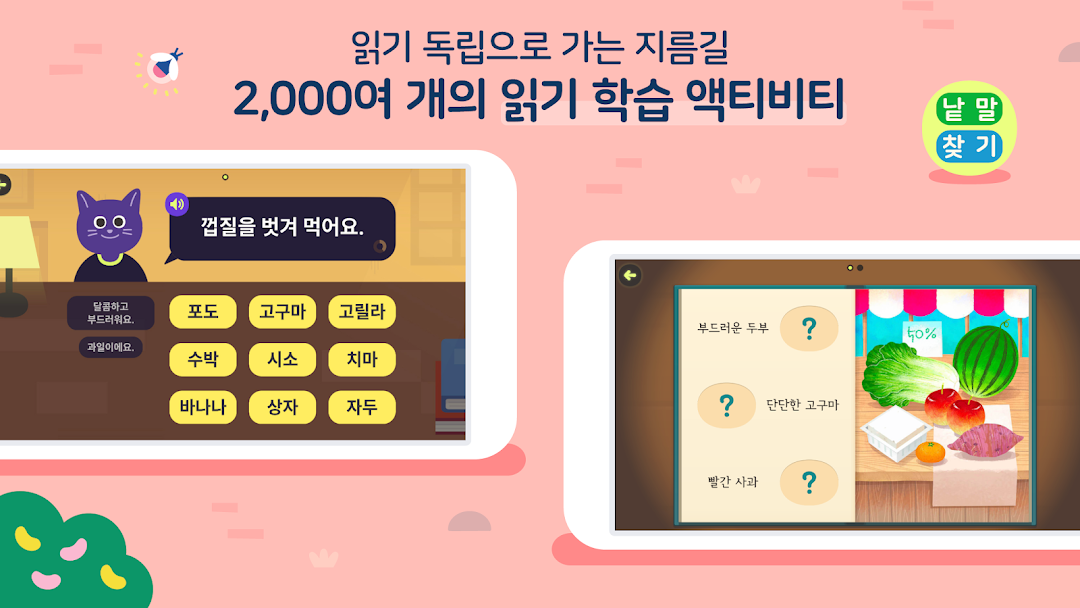
[A fun 15-minute Korean class every day, is it like a dream?]With over 2,900 activities you can't get tired of,
I'll hold on to the child's interest until he finishes learning Hangul.
[Don't collect heavy Hangul collections, end with one app]
There are over 200 books in the Todo Hangeul library.
If you want, you can read sentence by sentence or word by word.
[IT/education experts met as parents, for my child!]
Todo Hangeul is developed by Todo experts who have children.
Prove its effectiveness with learning contents created piece by piece.
Don't you want to feel the technology that came from the heart of parents?
[The secret to reading independence is in the 3-step learning method]
As the principle of creation of Hangeul, breaking the principle through consonant consonant learning
Master Korean reading through fun repetitive training with Todo's know-how!
By reading one book a day, you can improve your basic literacy and vocabulary.
[7-Day Free Trial]
Meet Todo Hangeul's learning content for free for 7 days!
You can feel yourself growing up step by step.
[‘KakaoTalk learning notification function’ with parents’ feelings]
When your child starts learning Todo English, we will send you a notification of the start of learning via KakaoTalk!
Please support your child's learning today with all your heart!
[Customer center for friendly learning counseling]
Todo Hangeul, if you are curious about how to write better?
Please ask the customer center, "I'm curious about how to write Todo Hangeul well!"
You can receive general use-related inquiries as well as friendly learning counseling!
1:1 chat counseling: Kakao Talk @Todo Hangul
Customer center representative number: 1833-4405
*Access Rights*
Optional access
Microphone: Required to run the Speak and Read game.
Storage space: Required to download pictures saved by the app to your device.
Even if you do not agree to the optional access rights, you can use the rest of the service except for the corresponding function.
Screenshots and Videos of 토도한글 : 문해력이 싹트는 읽기독립 PC




How to Download and Run 토도한글 : 문해력이 싹트는 읽기독립 on PC
 1
1Download and install LDPlayer on your computer
 2
2Locate the Play Store in LDPlayer's system apps, launch it, and sign in to your Google account
 3
3Enter "토도한글 : 문해력이 싹트는 읽기독립" into the search bar and search for it
 4
4Choose and install 토도한글 : 문해력이 싹트는 읽기독립 from the search results
 5
5Once the download and installation are complete, return to the LDPlayer home screen
 6
6Click on the game icon on the LDPlayer home screen to start enjoying the exciting game


