Within is a Adventure application developed by Akatsuki Taiwan Inc., but with the best Android emulator-LDPlayer, you can download and play Within on your computer.
Running Within on your computer allows you to browse clearly on a large screen, and controlling the application with a mouse and keyboard is much faster than using touchscreen, all while never having to worry about device battery issues.
With multi-instance and synchronization features, you can even run multiple applications and accounts on your PC.
And file sharing makes sharing images, videos, and files incredibly easy.
Download Within and run it on your PC. Enjoy the large screen and high-definition quality on your PC!
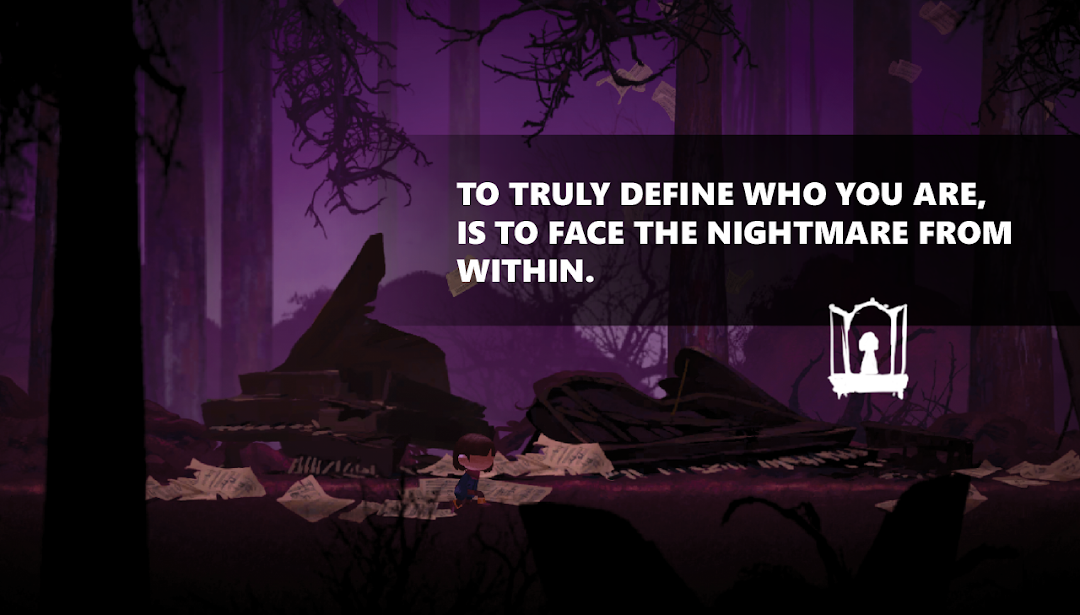
Emma has awoken to a mystical world that is familiar yet strange to her. While exploring this world, she comes to the realization that the adventure she’s embarked on somehow reflects the past experiences of her own.Explore the World
"Within" is a narrative-driven adventure mobile game for you to explore your inner self. We call for those who are fans of mobile games containing exploration and murky forlorn atmospheres to come follow Emma’s footsteps into this desolate fairytale world. Awaken your past secrets and retrieve the very definition of oneself.
Immersive Experience
"Within" can be regarded as a mobile game, a picture book, or even a short film.
Through the intuitive game controls, the arrangement of camerawork, sound effects, as well as the vivid and shadowy ambience , “Within” implies every hint in the scenery, conveying the entirety of the story and emotions behind its objects.
About Us
We are Silver Lining Studio. "Within" is our first and on-going development project. Please join our beta test and share your valuable opinion with us!
Official Website:https://thegamewithin.co
Facebook:https://www.facebook.com/silvrlin.within
Twitter:https://twitter.com/official_within
Support Email:official.within@gmail.com