Home/

Games/

Casual/

Wave Dash: Geometry Rush

Wave Dash: Geometry Rush
0.05+

Wave Dash: Geometry Rush

Ride the Neon Wave: Experience the Ultimate Geometry Rush!

Play on PC with LDPlayer
recommend

Video sfondi 1

How to Download&Play Wave Dash: Geometry Rush on PC?
Last Updated: 2026-08-27
com.wavedash.geometry.rush
  • Overview

  • FAQ

Use LDPlayer to Play Wave Dash: Geometry Rush on PC

Wave Dash: Geometry Rush is a Casual game developed by Video sfondi 1. LDPlayer is the best platform for playing Wave Dash: Geometry Rush on Windows PC, offering powerful features to enhance your immersive experience in Wave Dash: Geometry Rush.

When playing Wave Dash: Geometry Rush on your computer, if you find repetitive actions or tasks tedious and time-consuming, fret not! Macro can alleviate your concerns. Simply record your actions with a click of the screen recording feature and let macros take care of the rest. Macros automate your operations, allowing you to effortlessly conquer the game with minimal effort! Start downloading and playing Wave Dash: Geometry Rush on your computer now!

In Wave Dash: Geometry Rush, you control a soaring energy wave through a neon-lit labyrinth of deadly spikes and narrow gaps. It’s a rhythmic dance of precision and speed where every millisecond counts!
【Game Features】
🌀 Master the Wave (Pass Through): Tap to ascend, release to dive. Navigate through intricate maze patterns with fluid, wave-like movements.
⚠️ Ultimate Avoidance (Avoid Obstacles): Dodging jagged saws and shifting walls is the name of the game. One touch and it’s game over—stay sharp!
🧠 Skill-Based Challenge: Simple mechanics combined with hardcore difficulty. Perfect for players who love pushing their limits.
Open up

Screenshots and Videos of Wave Dash: Geometry Rush PC

Experience a wider field of view, exquisite game graphics, and cooler combat skills and effects by downloading and playing Wave Dash: Geometry Rush on PC with LDPlayer. Enjoy the ultimate gaming experience with LDPlayer.

Why Play Wave Dash: Geometry Rush on PC with LDPlayer?

LDPlayer offers unique emulator features including multi-instance support, macros, operation recorder, and other functions not available on mobile devices.

Operation Recorder

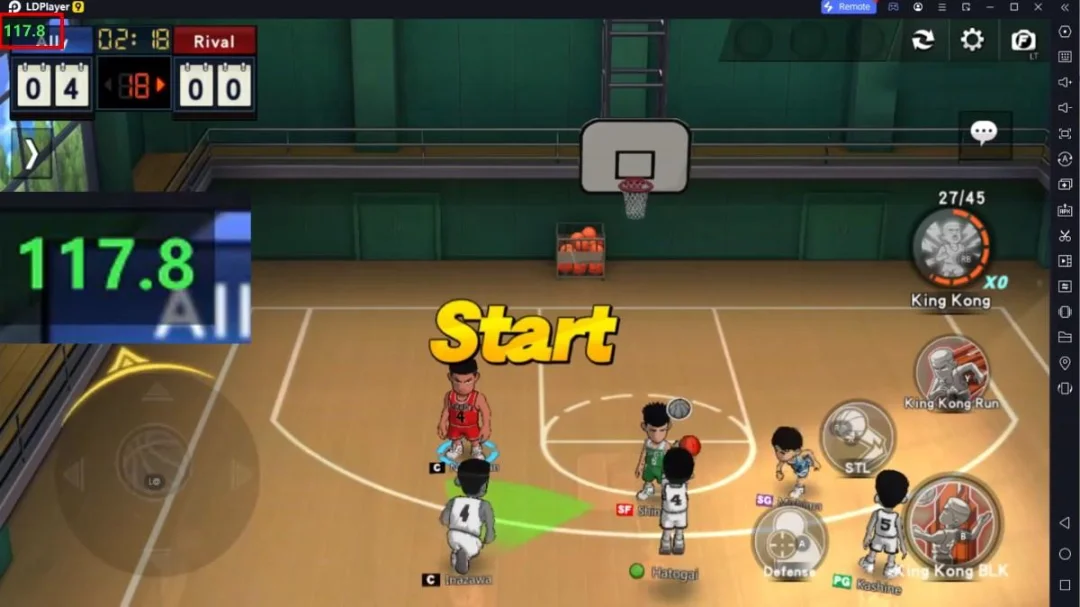
High FPS

Custom Controls

Operation RecorderHigh FPSCustom Controls

Record operations to easily execute repetitive upgrades and mission operations in Wave Dash: Geometry Rush with a single click. Additionally, it can be utilized for auto-battling bosses, thereby enhancing gaming efficiency.

  • One-Click Macros

    Combine a series of operations into one keystroke to help you quickly and automatically complete the grinding in Wave Dash: Geometry Rush, improving gaming efficiency and experience.
  • Extended Battery Life

    When running Wave Dash: Geometry Rush on your computer, you need not worry about low battery or device overheating issues. Enjoy playing for as long as you desire.

How to Download&Play Wave Dash: Geometry Rush on PC?

  • 1

    Download and install LDPlayer on your computer

  • 2

    Locate the Play Store in LDPlayer's system apps, launch it, and sign in to your Google account

  • 3

    Enter "Wave Dash: Geometry Rush" into the search bar and search for it

  • 4

    Choose and install Wave Dash: Geometry Rush from the search results

  • 5

    Once the download and installation are complete, return to the LDPlayer home screen

  • 6

    Click on the game icon on the LDPlayer home screen to start enjoying the exciting game