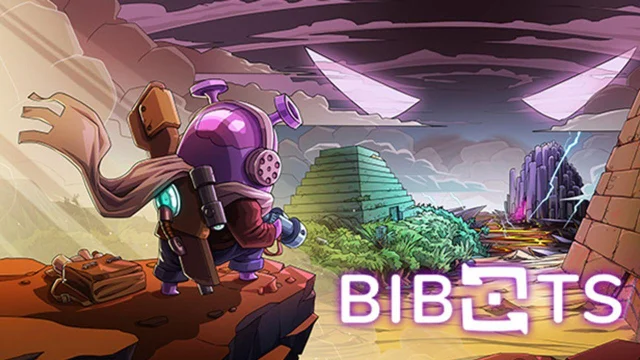
Bibots Overview
Bibots is an exciting action-adventure game where you play as Tayar, a crob explorer, and the unexpected savior of the world, Takaful. The game offers a unique blend of exploration, character customization, and intense battles against dangerous monsters. Tayar is accompanied by Bibots, ancient mechanical creatures with unique strengths and abilities, which he can transform into during his epic journey to counter the plans of an evil mastermind.
Bibots Features:
- Action-Adventure Gameplay: Embark on an exciting action-adventure with Tayar, exploring mysterious temples and facing dangerous monsters.
- Transform with Bibots: Utilize the unique strengths and abilities of different Bibots by transforming into ancient mechanical creatures.
- Procedurally Generated Regions: Explore regions with handcrafted battle rooms, treasures, merchants, and secrets that change with each playthrough.
- Customizable Playstyle: Equip Tayar with various weapons and chips to create your dream playstyle with countless possibilities and powerful synergies.
- Character Development: Accumulate experience to enhance Tayar's skills and shape his development path, unlocking new variants of Bibot attacks.
- Challenging Replayability: Challenge yourself to break records and improve strategies in each playthrough to save the world.
Play Bibots on PC:
- Action-Packed Adventure: Playing Bibots on PC offers a more immersive experience with enhanced visuals and precise controls, allowing you to fully enjoy the action-packed gameplay.
- Strategic Advantage: With the accuracy and responsiveness of a mouse and keyboard, you can strategize and execute moves more efficiently, especially during intense battles and character customization.
- Enhanced Exploration: The larger screen of a PC enables you to delve deeper into the colorful world of Bibots and explore mysterious temples with greater detail and immersion.
- Improved Customization: Managing weapons, chips, and playstyles becomes more convenient on PC, giving you the freedom to experiment and optimize your character's abilities.
- Record-Breaking Attempts: On PC, you can focus on breaking your records and improving strategies without worrying about battery life or limited screen space, providing an ideal platform for challenging replayability.