
mPING
3.05+

mPING

Crowd sourcing weather reports for NWS and NSSL/CIMMS research.

Play on PC with LDPlayer
recommend

mPING is developed and provided by University of Oklahoma. LDPlayer offers the download service only.

University of Oklahoma
How to Download&Play mPING on PC?
Last Updated: 2026-01-27
edu.ou.cimms.mping
Share:
  • Overview

  • FAQ

Run mPING on PC with LDPlayer

mPING is a Education application developed by University of Oklahoma, but with the best Android emulator-LDPlayer, you can download and play mPING on your computer.

Running mPING on your computer allows you to browse clearly on a large screen, and controlling the application with a mouse and keyboard is much faster than using touchscreen, all while never having to worry about device battery issues.

With multi-instance and synchronization features, you can even run multiple applications and accounts on your PC.

And file sharing makes sharing images, videos, and files incredibly easy.

Download mPING and run it on your PC. Enjoy the large screen and high-definition quality on your PC!

mPING UPDATED September 2, 2020! Download the update now!
************************************************************************
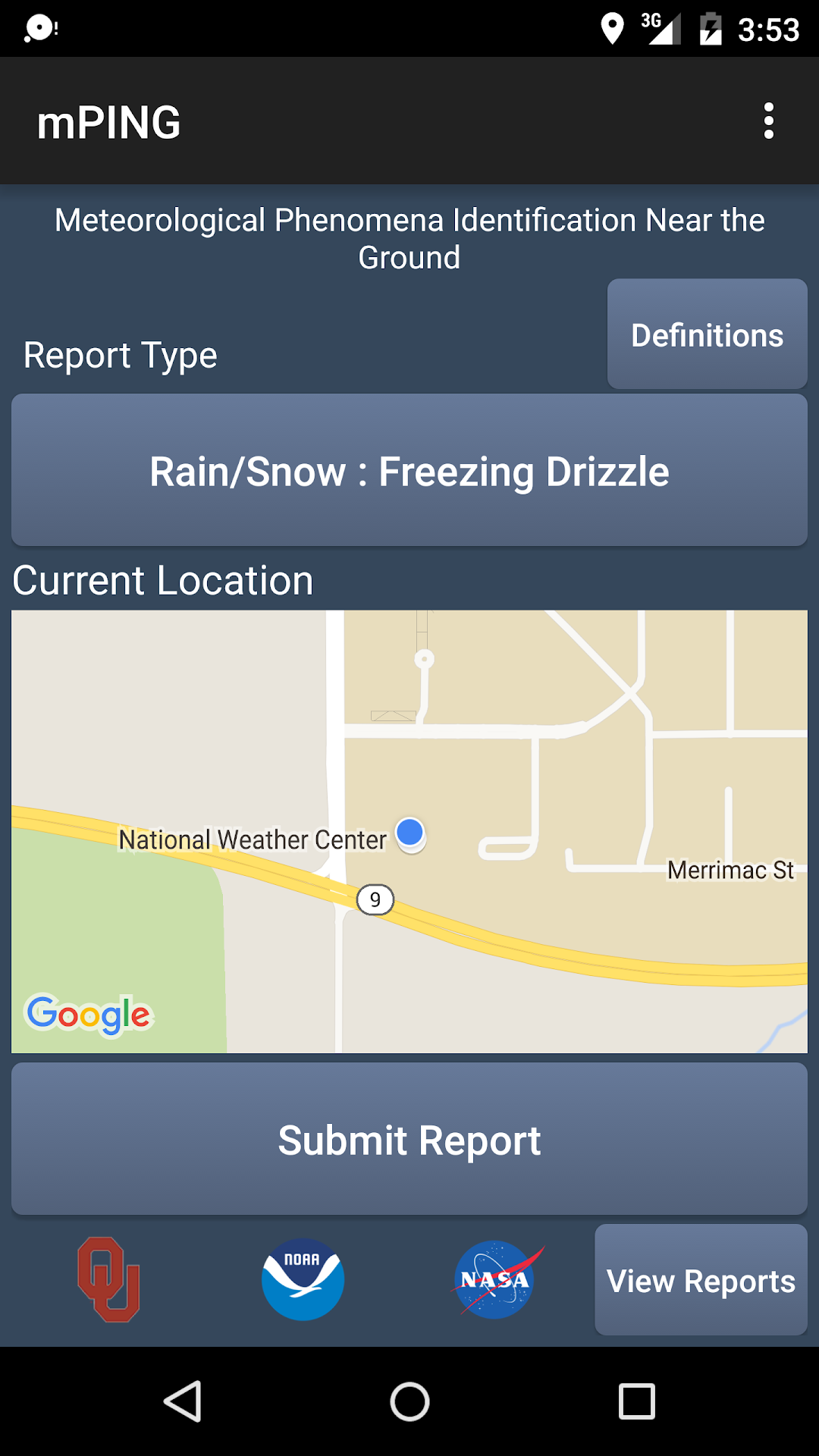
The Meteorological Phenomena Identification Near the Ground project (mPING) needs you, the Citizen Scientist, to watch and report on precipitation.

mPING is looking for volunteers of all ages and backgrounds to make observations - teachers, classes, families, everyone, and anyone! This app is your portal for providing observations to researchers at NSSL. Your reports will help them develop and refine algorithms that use the newly upgraded dual-polarization NEXRAD radars to detect and report on the type of precipitation that you see falling. To do a good job, we need tens of thousands of observations from all over the US. We can succeed only with your help.

mPING volunteer observers can spend as much time as they want, from a little to a lot, making observations. The basic idea is simple: NSSL will collect radar data from NEXRAD radars in your area along with sounding data from our models during storm events, and use your data to develop and validate new and better algorithms. We have two focus areas: winter precipitation types, such as rain, freezing rain, drizzle, freezing drizzle, snow, graupel, ice pellets, mixed rain and snow, mixed ice pellets and snow and even observations of “none” when the precipitation has stopped, even if only briefly.

Why? Because the radars cannot see close to the ground at far distances and because automated surface sensors are only at airports. But the people affected by winter weather are everywhere so we need you to tell us what is happening where you are.

But we need more than winter weather details: when there are thunderstorms, we need to know if hail falls and, if it does, how big it is. Measuring with a ruler is best but, whatever you do, stay safe.

All you need to do is use this app to select the precipitation type. Tell us what is hitting the ground. NSSL scientists will compare your report with what the radar has detected and what our models think the atmosphere is doing, and use it to develop new technologies and techniques to determine what kind of precipitation such as snow, ice, rain or hail and its size is falling where.
Open up

Screenshots and Videos of mPING PC

With LDPlayer, you can download and run mPING on PC, simultaneously managing multiple apps and multiple accounts. Become a master of time management, balancing work and entertainment effortlessly.
How to Download and Run mPING on PC

  • 1

    Download and install LDPlayer on your computer

  • 2

    Locate the Play Store in LDPlayer's system apps, launch it, and sign in to your Google account

  • 3

    Enter "mPING" into the search bar and search for it

  • 4

    Choose and install mPING from the search results

  • 5

    Once the download and installation are complete, return to the LDPlayer home screen

  • 6

    Click on the game icon on the LDPlayer home screen to start enjoying the exciting game