
Forward
The game comes with the objective of making the player explore the Ward world

Overview

FAQ
Use LDPlayer to Play Forward on PC
Forward is a Racing game developed by HutStudious Company. LDPlayer is the best platform for playing Forward on Windows PC, providing robust features to help you achieve an immersive experience in Forward.
When playing Forward on your computer, if you prefer using your own gamepad to control the game, LDPlayer's automatic gamepad detection can assist you in customizing controls with just a few simple clicks, allowing you to enjoy more realistic racing scenes and challenges.
With support for high frame rates, the game's diverse track designs and rich terrain and environmental changes become even more lifelike and detailed.
Additionally, the video recording feature makes it easy for you to capture all the exciting and amusing races and game content, making it convenient to share with friends or create videos. Start downloading and playing Forward on your computer now!
LOOK BEFORE YOU WALKWatch out for the city because someone isn't much of a fan of yours!
THIS IS YOUR FORWARD
You are in charge of Festival Forward. Customize everything, explore the world with the best. Make your Ward the ultimate celebration of cars, and freedom on the road. How to get there? This is with you.
EXPLORE THE WARD WORLD
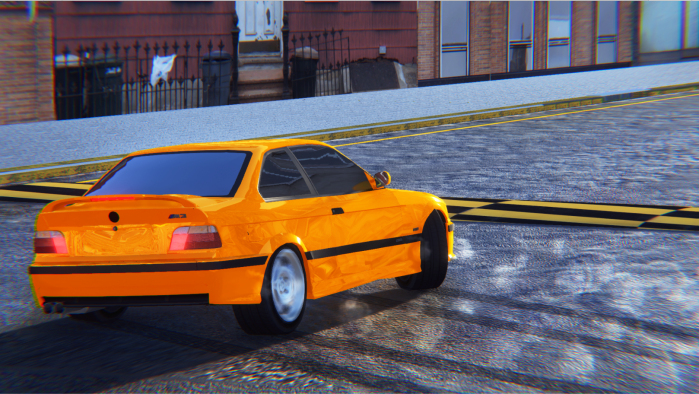
Each car has been recreated with Ward details, including cockpit vision, lights and features, and new types of tires that will give you a driving feel.
DISCOVER NEW FORMS OF PILOTAGE
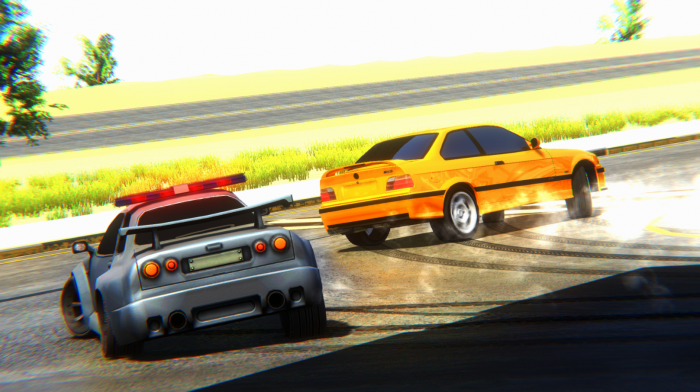
Jumping into Dangerous Spots, Drift Areas are just some of the exciting new challenges awaiting you. You'll also be the star in spectacular Exhibition Events!
CUSTOMIZE EVERYTHING
Project FARWARD is your tool to modify all aspects of racing events. Choose your Car, create custom paints and Smokes, add new bodies, even change your car's clutch.
Forward comes to reality with vehicle systems. Just about everything you need in an open world car game only! Explore Change Vehicles, Color, Smokes, Clutches, etc.
If you really need a good one then you know!
NOTE: If you have any problems with the game please contact us immediately at hutstudious@gmail.com and Thank you for downloading our Game!
Some things written here may still be to come in these vast updates to come...
From your Almost eternal friends Hut Studious!
If you need to see the policies, Parenting Guide or user rights please visit our Website: https://hutstudious.ga/
------------------------------
LOOK BEFORE YOU WALK
Watch out for the city because someone isn't much of a fan of yours!
THIS IS YOUR FORWARD
You are in charge of Festival Forward. Customize everything, explore the world with the best. Make your Ward the ultimate celebration of cars, and freedom on the road. How to get there? This is with you.
EXPLORE THE WARD WORLD
Each car has been recreated with Ward details, including cockpit vision, lights and features, and new types of tires that will give you a driving feel.
DISCOVER NEW FORMS OF PILOTAGE
Jumping into Dangerous Spots, Drift Areas are just some of the exciting new challenges awaiting you. You'll also be the star in spectacular Exhibition Events!
CUSTOMIZE EVERYTHING
Project FARWARD is your tool to modify all aspects of racing events. Choose your Car, create custom paints and smokes, add new bodies, even change your car's clutch.
Forward comes to reality with vehicle systems. Just about everything you need in an open world car game only! Explore Change Vehicles, Color, Smokes, Clutches, etc.
If you really need a good one then you know!
NOTE: If you have any problems with the game, please contact us immediately at hutstudious@gmail.com and Thank you for downloading our Game!
Some things written here may still be to come in these vast updates to come...
From your Almost eternal friends Hut Studious!
If you need to see the policies, Parenting Guide or user rights please visit our Website: https://hutstudious.ga/
Screenshots and Videos of Forward PC


Why Play Forward on PC with LDPlayer?
 High FPS
 Gravity Sensor
 Gamepad




Enjoy smoother game graphics and more fluid actions, enhancing the visual experience and immersion of the game.

Video Recorder
Easily capture your performance and gameplay process in Forward, aiding in learning and improving driving techniques, or sharing gaming experiences and achievements with other players.
Do Not Disturb
Avoid disturbances from phone calls while playing Forward, ensuring focus during competitions for a better gaming experience and performance.
How to Download&Play Forward on PC?
 1
1Download and install LDPlayer on your computer
 2
2Locate the Play Store in LDPlayer's system apps, launch it, and sign in to your Google account
 3
3Enter "Forward" into the search bar and search for it
 4
4Choose and install Forward from the search results
 5
5Once the download and installation are complete, return to the LDPlayer home screen
 6
6Click on the game icon on the LDPlayer home screen to start enjoying the exciting game


