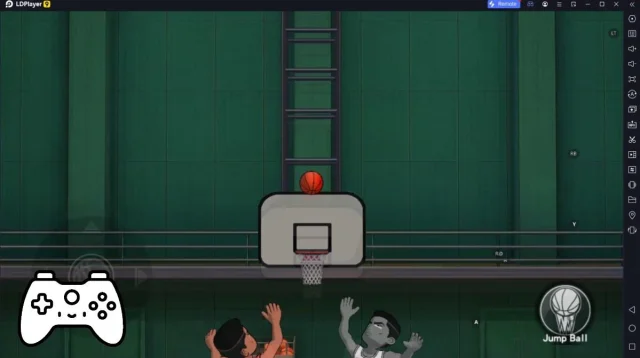
BMX Playground is a Sports game developed by Lemon Global. LDPlayer is the best platform for playing BMX Playground on Windows PC, offering powerful features to enhance your immersive experience in BMX Playground.
When playing BMX Playground on your computer, the larger screen and more powerful graphics performance enable you to enjoy clearer and smoother game visuals, enhancing the visual experience of the game.
The operation of peripherals such as gamepads is emulated to better mimic the feel of real sports, providing more precise control and richer operation options.
Furthermore, if you wish to execute a series of continuous key combinations, the one-click macro feature will be the functionality you've been dreaming of, allowing you to effortlessly stay one step ahead with one-touch operation. Start downloading and playing BMX Playground on your computer now!
Welcome to 𝗕𝗠𝗫 𝗣𝗹𝗮𝘆𝗴𝗿𝗼𝘂𝗻𝗱, a fast and skill-based riding game where you can jump, flip, and explore street parks, ramps, rails, and rough offroad trails.Take control of your bike and build your own freestyle flow as you move through open areas, test your balance, and learn smooth BMX tricks. Responsive controls make every jump and landing easy to understand while still giving you room to improve.
Whether you enjoy trick riding, challenging courses, or stunt driving games, each run gives you a new way to test your timing and control. Practice BMX street tricks, ride at your own pace, find new routes, and turn every area into your personal BMX Playground and BMX freestyle playground.
🏁 𝗪𝗵𝗮𝘁 𝗬𝗼𝘂’𝗹𝗹 𝗗𝗼
🚲 Ride through open parks and offroad trails
🔥 Perform flips, jumps, tricks, stunt moves, and BMX stunt tricks
🛞 Master balance, rhythm, timing, and control
🏆 Take on freestyle challenges across ramps and rails
🌄 Explore street zones, rough terrain, and riding tracks
🎮 Enjoy smooth controls designed for quick reactions
🔓 Unlock new bikes, riders, and tracks as you progress
🌐 Discover new routes and practice different trick combinations, BMX tricks and stunts
⚡ 𝗚𝗮𝗺𝗲 𝗙𝗲𝗮𝘁𝘂𝗿𝗲𝘀
* Responsive BMX riding physics
* Smooth controls for flips, tricks, BMX tricks, jumps, and landings
* Open street parks and offroad trails to explore
* Freestyle gameplay with ramps, rails, and airtime
* Skill-based stunt action focused on timing and balance
* Different bikes, riders, and tracks to unlock
* Challenging routes with varied obstacles
* Easy to start, with plenty of room to improve
Every run is about finding the right rhythm. Build speed before a ramp, control your bike in the air, and prepare for a clean landing. Good timing helps you connect one section of the course to the next while improving your riding skills and learning more BMX tricks.
As you become more confident, try combining jumps, rails, and flips into longer lines. Each route gives you different ways to experiment with movement, find smoother landings, and develop a riding style that feels natural. Push your control further with extreme BMX tricks and longer trick combinations.
You can also take your bike onto rougher paths where careful control matters more than speed. Adjust your approach, stay balanced, and learn how different surfaces affect your BMX riding. Move between rough trails and street areas to practice more BMX street tricks.
BMX Playground is designed for players who enjoy simple controls with room for skill. Practice shorter tricks first, then work toward longer combinations as your timing improves. Explore different sections, repeat difficult routes, and find your favorite way to move through the park while mastering BMX stunt tricks.
If you enjoy BMX games, bike challenges, freestyle riding, or stunt driving games, there is always another route to try and another landing to improve. Practice BMX tricks, build longer BMX tricks and stunts combinations, and discover new ways to ride through your BMX freestyle playground.
Choose your bike, enter BMX Playground, and see how smoothly you can connect every jump, turn, and stunt.
Can you master every ramp, rail, jump, and offroad path?
𝗥𝗶𝗱𝗲, 𝗳𝗹𝗶𝗽, 𝗹𝗮𝗻𝗱, 𝗮𝗻𝗱 𝗳𝗶𝗻𝗱 𝘆𝗼𝘂𝗿 𝗳𝗹𝗼𝘄 𝗶𝗻 𝗕𝗠𝗫 𝗣𝗹𝗮𝘆𝗴𝗿𝗼𝘂𝗻𝗱!
For support or suggestions, email us at publish@lemonglobal.io.