Home/

Games/

Board/

Annulus

Annulus
4.0100+

Annulus

Download apkrecommend

Annulus is developed and provided by Indrasoft HK.

Indrasoft HK
How to Download&Play Annulus on PC?
Last Updated: 2023-05-31
com.indrasoft.annulus
Download apk
Share:
  • Overview

  • FAQ

  • Game Guides

Use LDPlayer to Play Annulus on PC

Play Annulus on PC

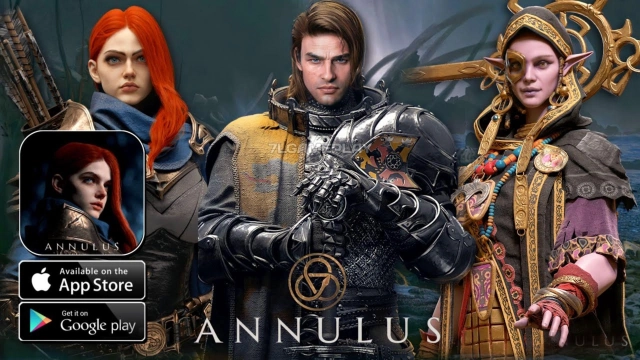
Annulus is a medieval game that is under pre-registration that comes as a mobile strategy game by Guangzhou Indrasoft Co., Ltd, and this wind chess mobile game will take you to the era of the medieval knight wars. The dark fantasy elements have inspired everything, and you, as the player, have to build a grand world with an epic view here. LDPlayer 9 is the best emulator to play Annulus on PC.

Build an Army and Battle

You will have the role of a mercenary regiment head here, and your ultimate goal will be to collect and use as many resources as possible. You have to build up a great army here in this game, so you must focus on enhancing the weapons as well as collecting more mercenaries, as that is how you will be able to create the best regiment. The game is all about glory as well as about survival.

Get ready to face numerous battles in this dark fantasy world, and there will be endless battles that you may have to face too. The mercenaries can be mutated as well. You must get ready for ever-changing situations on your battlefield too.

The Best Visual Experience for your Battles and Gameplay

Annulus is a game that has been built with the Unreal 4 engine to give you the best expressive gameplay from it, and if you really want to enjoy these stunning visuals to their best, you must go for another option rather than your mobile. That is LDPlayer 9, and you will have the best visuals within a wider screen with greatest ever optimizations.

Open up

Screenshots and Videos of Annulus PC

Experience a wider field of view, exquisite game graphics, and cooler combat skills and effects by downloading and playing Annulus on PC with LDPlayer. Enjoy the ultimate gaming experience with LDPlayer.

Why Play Annulus on PC with LDPlayer?

LDPlayer offers unique emulator features including multi-instance support, macros, operation recorder, and other functions not available on mobile devices.

Multi-Instance & Sync

Remote Control

Custom Controls

Multi-Instance & SyncRemote ControlCustom Controls

Effortlessly clone multiple instances and initiate synchronization until you draw the desired hero before binding your account, enhancing efficiency in rerolls in Annulus.

  • High FPS

    With support for high FPS, Annulus's game graphics are smoother, and actions are more seamless, enhancing the visual experience and immersion of playing Annulus.
  • Video Recorder

    Easily capture your performance and gameplay process in Annulus, aiding in learning and improving driving techniques, or sharing gaming experiences and achievements with other players.

How to Download&Play Annulus on PC?

  • 1

    Download and install LDPlayer on your computer

  • 2

    Locate the Play Store in LDPlayer's system apps, launch it, and sign in to your Google account

  • 3

    Enter "Annulus" into the search bar and search for it

  • 4

    Choose and install Annulus from the search results

  • 5

    Once the download and installation are complete, return to the LDPlayer home screen

  • 6

    Click on the game icon on the LDPlayer home screen to start enjoying the exciting game