Want to take your Warframe adventure everywhere through PC, console, or mobile without losing any progress? Warframe Cross Save is the way to do it! This epic feature helps you link all your accounts from different platforms and keep the same progress. If you’re ready to connect, this guide is your perfect helper, showing how to link your accounts, what transfers, and smart tips to make your Tenno journey smooth on every device.
Contents
What is Warframe Cross Save?
Warframe Cross Platform Save, or Cross Platform Progression, is your golden ticket to play from one account that works anywhere, no matter what platform you are on. Imagine playing Warframe on your PC, then switching to your phone for a quick mission while you are away and still keeping the same progress, weapons, and skins. That’s what Warframe Cross Save brings you.
This epic feature allows you to link your account across PC, PlayStation, Xbox, Nintendo Switch, iOS, and Android. You can continue your gameplay from where you stopped earlier, with all your ongoing quests, unlocked modes, and Mastery Rank, without losing anything.
You just have to choose your main Primary account and connect all the other platforms through Cross Platform Save, and then it’s ready, letting you play with the same account on any platform easily. So, let’s see how to set up Warframe Cross Save and explore other details further by going through this article.
Must Do’s for Warframe Cross Save
Before linking your accounts with Warframe Cross Save, you need to prepare properly. Here’s a checklist to make sure your progress stays safe.
Create a Warframe Account First: The first step is to create a PC account for Warframe. Just visit the Warframe website and create a new account.
Choose the Main Account as Primary: When linking all your platforms, the game will ask you to choose a main account to keep your progress. So, pick the platform that has the progress you want to save.
Warning: Linking your accounts in Warframe is permanent and cannot be undone. Choose the correct Primary account and link other platforms to keep the same progress everywhere. All progress on Secondary accounts will be lost after linking, so make sure to pick the right account carefully to keep the progress you want.
One Account Per Platform: With Cross Platform Save, you can link accounts from different platforms (Mobile, PC, Console) to continue the same progress everywhere. So,you will only have one account for the Windows, PlayStation, Nintendo, Google or Apple account.
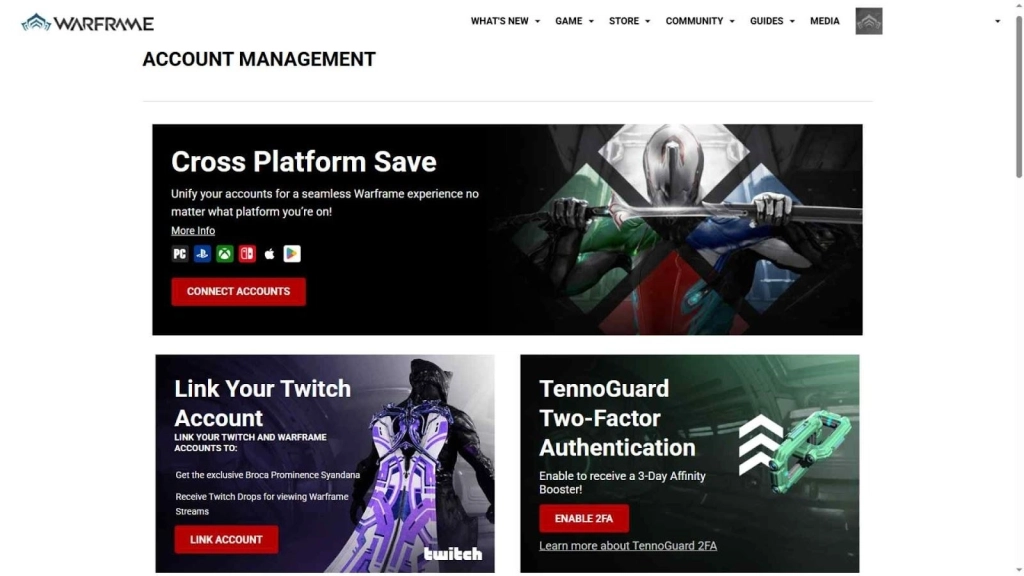
Enable TennoGuard 2FA: You must turn on Two-Factor Authentication (2FA) on your main PC account. This protects your account and is required for safe trading after enabling Cross Save.
-
Go to: Warframe website → Account Management → TennoGuard Two-Factor Authentication and enable it.
Mobile Device Requirements: To play Warframe on mobile:
-
Android: version 12 or higher
-
RAM: at least 4GB
-
Device: ARM64 supported
-
Storage: around 14GB free for full install
Tip: iOS devices work normally if they support the game.
Stable Internet Connection: You need a good internet connection when linking accounts and syncing progress across platforms.
What Transfers with Warframe Cross Save
With the Warframe Cross Save you can still maintain all the below features from all the platforms:\
|
Feature |
Details |
|
Progress |
You can maintain the same progress through all the platforms like Quests, Syndicate ranks, Focus, Intrinsics, Helminth unlocks and currently active Kuva Liches or Sisters of Parvos progress continues. |
|
Items |
All weapons, Warframes, and gear from your Primary account will transfer. Some real-money purchases from linked accounts (like Prime Access, Bundles, or Heirlooms) may also be added, but without Platinum or boosters. |
|
Platinum |
Platinum from linked accounts will not transfer. Personal Platinum also cannot be traded or gifted on Nintendo Switch. |
How to Link Mobile to PC/Console Warframe Account
Here’s a step-by-step guide to set up Warframe Cross Save and link all your accounts (Mobile, PC, Console) so your progress works on every platform:
1. Visit the Warframe Official Site
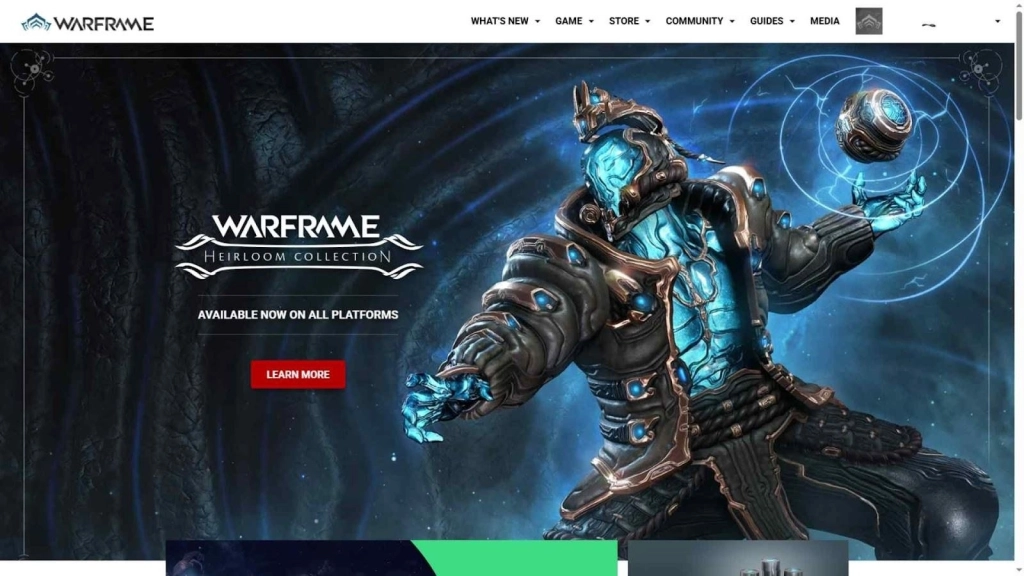
First, go to the Warframe website to log in and start linking your accounts.
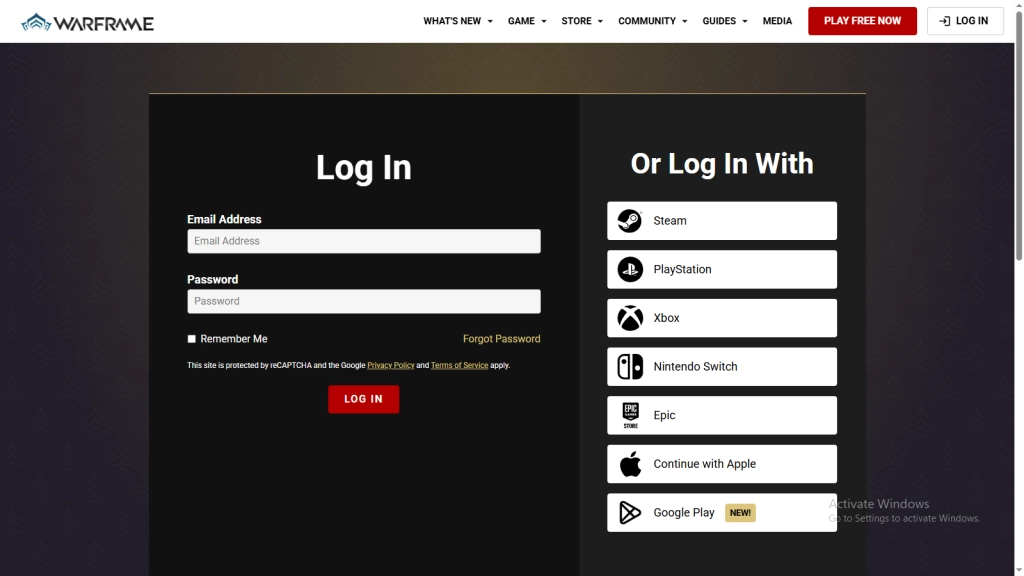
2. Log In with Your Warframe Account
The next step is to log in to your main Warframe PC account by tapping the Login feature on the official site.
-
To Log In: Simply enter your Email Address and Password to access your Warframe PC account.
If you have not yet created a Warframe PC account, you need to sign up for a new account.
-
To Sign Up: Provide the required details to create your Warframe PC account. This includes a valid Email Address (to keep your account safe), a Password, and an Alias for your account.
03. Go to the Cross Platform Save Page
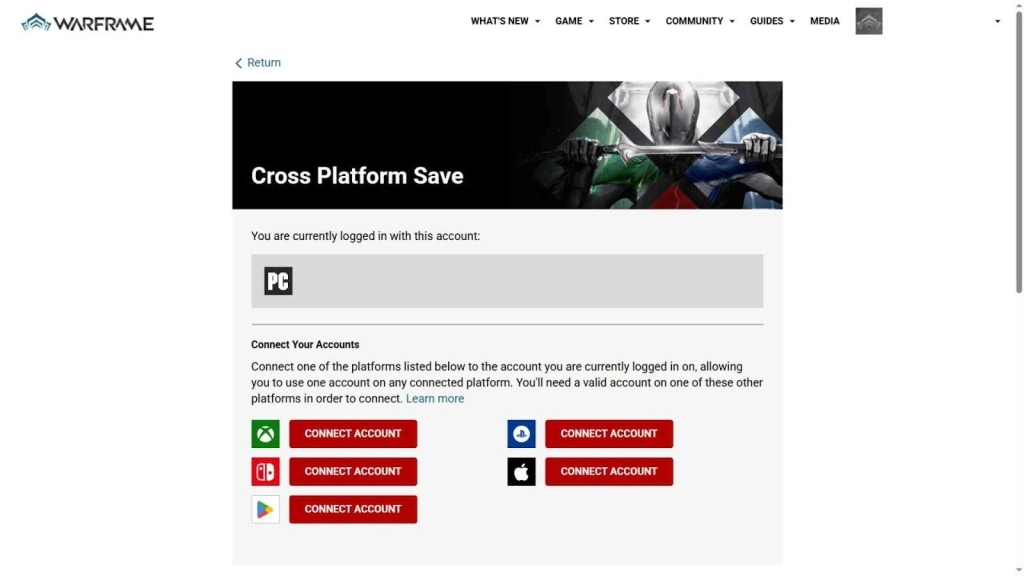
After logging in to your main Warframe PC account, go to the Warframe Cross Platform Save page.
You can visit the Cross Platform Save page by:
-
Clicking your Avatar icon in the top-right corner → Account Management → Cross Platform Save page
or
-
Clicking your Avatar icon → Cross Platform Save → Link Your Account to go directly to the page.
04. Connect Your Accounts (Mobile / PC / Console)
Now you are ready to connect all your platforms so your progression works on every device.
Link Mobile:
-
Select Mobile (iOS or Android)
-
Log in with your mobile login (Apple ID / Google)
-
Confirm eligibility and link
-
You’ll see a popup: “Success! Your account is now Cross Platform.”
Link Console (Optional):
-
Go back to Account Management and select PlayStation / Xbox / Switch
-
Log in with your console credentials (PSN / Xbox Live / Nintendo Account)
-
Confirm linking
-
Repeat for other consoles (one account per platform max)
Now you are ready to enjoy the same gameplay progress across all platforms. Open Warframe on each platform, and you’ll see your progress synced everywhere.
Warning: Make sure to connect the account with the best progress. All other Secondary account progress will be lost after linking.
One-key Macro: Easily execute combos to boost your combat efficiency.
Keyboard Mapping: Enjoy PC-like control experience with a keyboard and mouse, customize control with high sensitivity and precise skill casting to carry your team.
High FPS: Enjoy a smooth, no-lag gaming experience with high FPS and wide screen
Video Recorder: Record highlights and turn them into shareable videos
People Also Ask
Which platforms currently support Warframe Cross Save?
Cross Save works on PC, PlayStation 4 & 5, Xbox One & Series X/S, Nintendo Switch, iOS, and Android (when released).
How many accounts can I connect?
You can link one account per platform. Your Cross Save account can then be accessed on any supported platform.
Will premium purchases transfer to my Cross Save account?
Your Primary account keeps all progress and premium items. Some purchases from Secondary accounts (like TennoGen, Prime Access, Heirlooms, and Bundles) transfer, but Platinum, Boosters, and Credits do not transfer.
Can I trade across platforms?
Yes, trading works across platforms with Cross Platform Play enabled. Personal Platinum cannot be traded, and Nintendo Switch has extra restrictions.
Do I need 2FA to trade?
Yes, PC and Cross Save players must enable TennoGuard 2FA to trade in-game items with other players.
Can PC accounts trade with non-PC players?
Yes, as long as both players have Cross Platform Play enabled, and the non-PC player has a Cross Save account.
Conclusion
With this Warframe Cross Save guide, you can keep your gameplay adventure seamless across PC, consoles, and mobile. Complete the requirements, follow the steps, and connect the right accounts. Then, you can enjoy your Warframe journey anywhere, anytime, and don’t forget to use Warframe codes to unlock extra rewards and make your progress even more exciting.