Home/

Apps/

Music&Audio/

Room Acoustics Meter

Room Acoustics Meter
3.8100+

Room Acoustics Meter

Set up a listening room. Measure frequency, phase, impulse response, waterfall.

Download apkrecommend

Room Acoustics Meter is developed and provided by Dr. Johann Gaus. LDPlayer offers the download service only.

Dr. Johann Gaus
How to Download&Play Room Acoustics Meter on PC?
Last Updated: 2025-11-15
com.hifi_apps.ra_meter
  • Overview

  • FAQ

Run Room Acoustics Meter on PC with LDPlayer

Room Acoustics Meter is a Music&Audio application developed by Dr. Johann Gaus, but with the best Android emulator-LDPlayer, you can download and play Room Acoustics Meter on your computer.

Running Room Acoustics Meter on your computer allows you to browse clearly on a large screen, and controlling the application with a mouse and keyboard is much faster than using touchscreen, all while never having to worry about device battery issues.

With multi-instance and synchronization features, you can even run multiple applications and accounts on your PC.

And file sharing makes sharing images, videos, and files incredibly easy.

Download Room Acoustics Meter and run it on your PC. Enjoy the large screen and high-definition quality on your PC!

This app helps to set up a listening room.
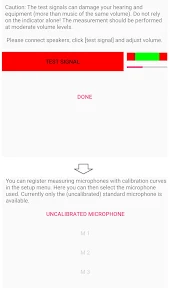
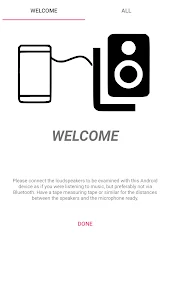
Connect your Android device to your sound system and start the measurement.
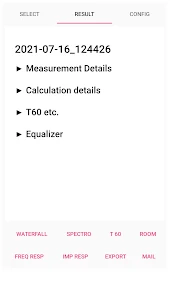
Result are curves for frequency response, phase, impulse response.
Likewise waterfall diagrams and sound pressure maps can be generated.

Features

- Measurement via logsweep
- Serial function for fast measurement at many microphone positions
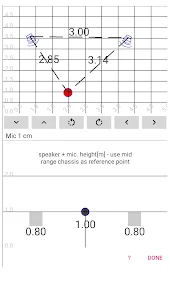
- Automatic determination of the microphone position based on the sound propagation times
- Automatic generation of file names - fast saving of single measurements by OK-click
- Frequency response: sum frequency response and windowed
- Fade-in of calculated reflections (comb filter) for comparison with the measurement data
- Phase: raw data, rolled up and group delay
- Impulse response - linear: raw data, smoothed data, step response, energy-time curve
- Impulse response - logarithmic: raw data, smoothed data, maximum values, Energy-Time-Curve, Schroeder Curve
- Impulse response filter for windowed frequency responses or waterfall plots
- Display of tangents of the Schroeder curve for EDT, T15, T20, T30 or freely definable rules
- Display of frequency response and impulse response customizable: zoom, curves can be shifted against each other, different orders...
- T60 as a function of frequency and comparison with DIN 18041, IEC 60268 13, EBU Tech 3276 (2nd)
- Waterfall display (time evolution of frequency response) via wavelet or FFT analysis
- Spectrogram representation
- Frequency-dependent sound pressure map
- Calibration possibilities for the built-in microphone by comparison measurements, if a measurement microphone is available.
- Use of measurement microphones (import of calibration curve).
- Export of results: in HTML format
- Export of measurement data: Impulse response accessible as .wav file and measured values in CSV and .FRD format.
- Export of frequency response and phase in .FRD format (allows import and further processing with many audio measurement programs)
- English and German
Open up

Screenshots and Videos of Room Acoustics Meter PC

With LDPlayer, you can download and run Room Acoustics Meter on PC, simultaneously managing multiple apps and multiple accounts. Become a master of time management, balancing work and entertainment effortlessly.

How to Download and Run Room Acoustics Meter on PC

  • 1

    Download and install LDPlayer on your computer

  • 2

    Locate the Play Store in LDPlayer's system apps, launch it, and sign in to your Google account

  • 3

    Enter "Room Acoustics Meter" into the search bar and search for it

  • 4

    Choose and install Room Acoustics Meter from the search results

  • 5

    Once the download and installation are complete, return to the LDPlayer home screen

  • 6

    Click on the game icon on the LDPlayer home screen to start enjoying the exciting game

Search Recommendation
Download and Run Room Acoustics Meter on PC for Free