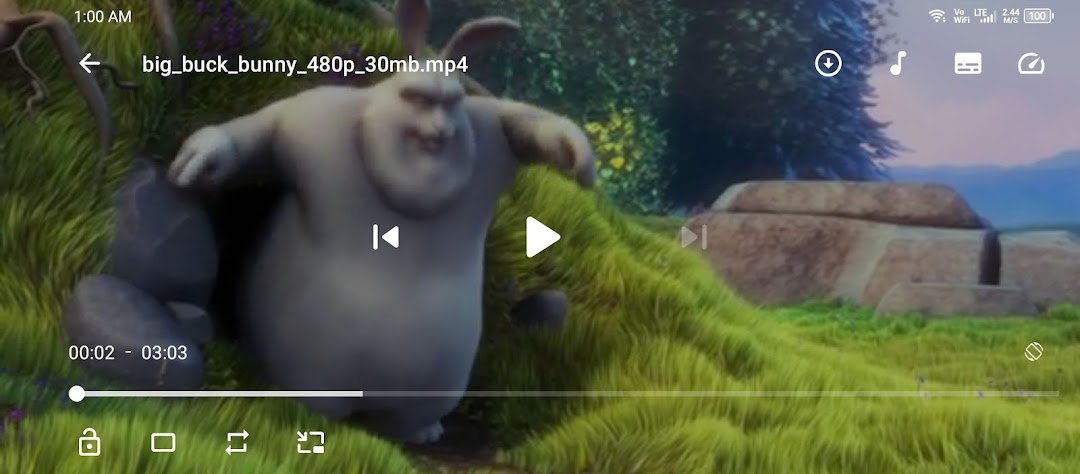
KR Player is a Video Players&Editors application developed by Eystudio, but with the best Android emulator-LDPlayer, you can download and play KR Player on your computer.
Running KR Player on your computer allows you to browse clearly on a large screen, and controlling the application with a mouse and keyboard is much faster than using touchscreen, all while never having to worry about device battery issues.
With multi-instance and synchronization features, you can even run multiple applications and accounts on your PC.
And file sharing makes sharing images, videos, and files incredibly easy.
Download KR Player and run it on your PC. Enjoy the large screen and high-definition quality on your PC!
Experience Next-Level Video Playback with KR Player!Dive into a world of exceptional video experiences with KR Player, your ultimate companion for all things video. Tailored for Android users, KR Player blends simplicity with advanced technology, delivering a flawless viewing journey for both local and streamed content. With a sleek, intuitive interface and robust features, KR Player is your go-to solution for all your video needs.
Discover the Highlights:
🚀 Advanced Design: KR Player features a modern, streamlined design that enhances every aspect of your viewing experience. Our cutting-edge Material You design ensures a visually stunning and user-friendly interface.
📂 Seamless Local Playback: Effortlessly manage and enjoy your local video collection with our easy-to-use playback controls and organized library.
🌍 Effortless Online Streaming: Access a vast range of online videos with ease. KR Player's seamless streaming capabilities bring your favorite content directly to your device.
📥 Convenient Downloads: Watch your favorite videos anytime, anywhere. KR Player allows you to download videos for offline viewing, ensuring you’re never without your entertainment.
🎛️ User-Friendly Navigation: Navigate through your video library effortlessly with KR Player’s intuitive interface, designed for smooth and efficient access to your media.
⚡ Top-Notch Performance: Enjoy lightning-fast video playback and downloads with KR Player, optimized for superior performance and reliability.
Elevate your viewing experience with KR Player – where cutting-edge technology meets user-centric design. Download KR Player today and immerse yourself in a world of seamless video playback and convenient offline access. Enjoy every moment with KR Player, your all-in-one video powerhouse! 📺✨