
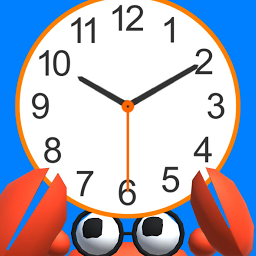


PlayClock3D is a Simulation application developed by apricot, but with the best Android emulator-LDPlayer, you can download and play PlayClock3D on your computer.
Running PlayClock3D on your computer allows you to browse clearly on a large screen, and controlling the application with a mouse and keyboard is much faster than using touchscreen, all while never having to worry about device battery issues.
With multi-instance and synchronization features, you can even run multiple applications and accounts on your PC.
And file sharing makes sharing images, videos, and files incredibly easy.
Download PlayClock3D and run it on your PC. Enjoy the large screen and high-definition quality on your PC!
It is an app of the clock that you can turn all the clock hands, watch the time and listen to it.The sun and the sky change smoothly according to the time.
Main function:
- You can operate Mr.Megani to move to your favorite place.
- You can turn all the clock hands.
- By tapping on a crab to display and listen to the time.
- By tapping the national flag to switch the display and voice in Japanese / English of time.
- You can change the weather.(It takes a few seconds for the weather to change.)
- You can launch the fireworks!
- You can drive a car! (If you can not find the car, you can reset the position on the setting screen.)
- You can see the aurora!
*recommended: high-performance phone capable of displaying 3D graphics.







