


Ant Simulation 3D Full is a Simulation application developed by hksdev, but with the best Android emulator-LDPlayer, you can download and play Ant Simulation 3D Full on your computer.
Running Ant Simulation 3D Full on your computer allows you to browse clearly on a large screen, and controlling the application with a mouse and keyboard is much faster than using touchscreen, all while never having to worry about device battery issues.
With multi-instance and synchronization features, you can even run multiple applications and accounts on your PC.
And file sharing makes sharing images, videos, and files incredibly easy.
Download Ant Simulation 3D Full and run it on your PC. Enjoy the large screen and high-definition quality on your PC!
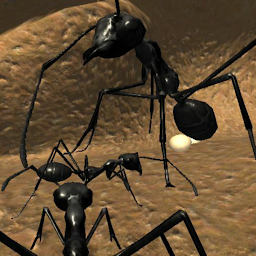
Establish an ant colony! This survival and open world game will set you into a realistic simulation of the insect world. Discover a huge and detailed map populated by different kinds of other insects and watch the swarm behaviour of a complex ant colony with different castes (worker, scouts, soldiers, males, larvae).Build a deep underground ant nest by digging new chambers and tunnels! Create chambers with a different kind of purpose (food storage, larvae chamber or queen chamber). Once your colony has enough worker ants you can accelerate the digging phase.
Search for food resources in order to feed the ant queen ant and the larvae to let them pupate and transform into a new ant. Once you found a food source you can create pheromone trails to attract other ants or just command the ants directly to follow you.
But beware of large spiders and praying mantises that are ill-disposed to your colony.
Enforce attacks to overwhelm larger insects with the power of the swarm!
-----------Ant Simulation 3D Full | Function Overview------------
- 3d simulator and open world game
- very realistic ant behaviour (ant trails, pheromone communication and different castes)
-> Ant AI (watch their swarm behavior, see how they create pheromone trails)
- explore a detailed and large insect map
-> forest environment, different plants, realistic textures, stones, mushrooms and trees
- other insects: spiders, praying mantis, worms, flies, scorpions and an enemy ant colony
- create complex pheromones trails
- communicate with other ants and tell them to feed the queen or larvae, to follow you, to guard the nest or to help digging a new nest chamber
- attack and fight enemy insects
->overwhelm insects with the power of the swarm, get support from a group of soldier ants
- find food sources and collect food pieces like fruit, sugar or protein of the dead insects to feed the larvae, the queen and other ants,
- explore underground caves and build a large huge underground nest
->enlarge the ant hill, dig new chambers and tunnels, get support in the building process by other worker ants
- play as ant queen and lay eggs
- third person camera, easy touch control
- 3 different camera perspectives
- nest and pheromone map view
- colony statistics
-> change the caste ratio and the ants exploration range
- no ads
- sandbox mode
-> create new chambers with out digging phase, add immediately new ants, larvae or queen
- start with different colony sizes (12, 25, 50 or 100 ants)
- 4 ants species (Camponotus, Needle Ant, Mymrecia, Cataclphyis)







