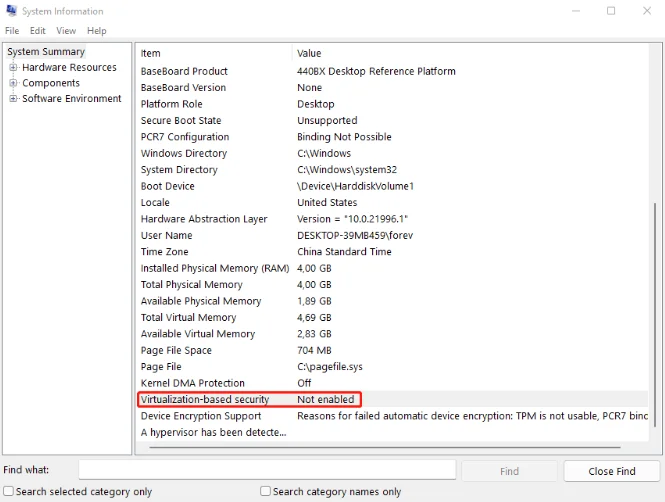
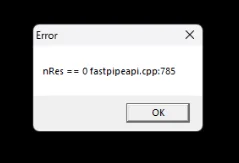
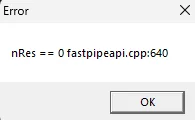
When trying to open LDPlayer of a specific game in LDPlayer, some player might encounter the error "nRes == 0 fastpipeapi.cpp:785/640". This error appears when Hyper-V is not disabled completely due to the fact that VBS (Virtualization-Based Security) is still enabled. This guide contains detailed steps on how to disable VBS to fix this error.
Contents
How to Check VBS Status in Window
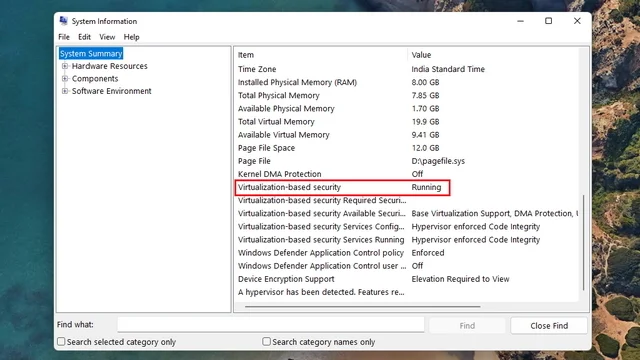
Type ‘System Information’ or ‘msinfo32’ in the Windows search box, and press Enter. The "System Information" window will pop up automatically. Scroll down the list to find "Virtualization-Based Security" and check its status under "Value".
If it's "Running", it needs to be turned off to avoid the 785 error.
Important Notes
1. The script in this guide is an official script provided by Microsoft.
2. When using the script in this guide to disable virtual machine service (Hyper-V), other Windows functions which require Hyper-V will be turned off too, including:
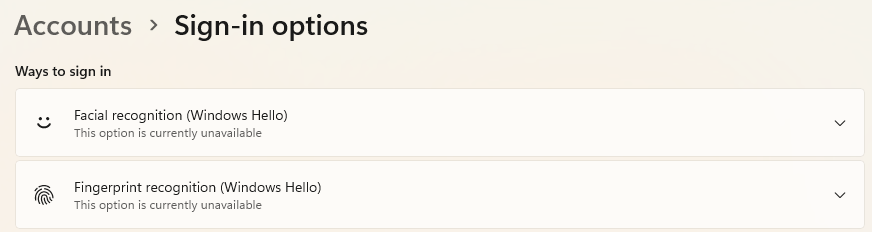
- Disable Windows Hello (Disable facial recognition and fingerprint recognition. Could also disable PIN in some case.)
- Disable Windows sandbox
- Disable WSL2 (Windows Subsystem for Linux)
- Disable Hypervisor Platform
Before running the script, please make sure that you acknowledge and accept these changes.
And make sure to proceed ONLY IF there is a valid way to verify your current Microsoft account.
How to Disable VBS Completely to Fix The 785 Error
Step 1: Download the script dgreadiness_v3.6 for Device Guard and Credential Guard hardware readiness tool provided by Microsoft and unzip it: https://www.microsoft.com/en-us/download/details.aspx?id=53337
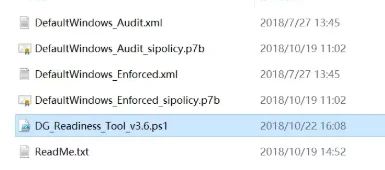
Step 2: Open Windows Powershell as Administrator > Enter set-ExecutionPolicy RemoteSigned and press Enter > Enter Y and press Enter.
Step 3: Copy the path for the script dgreadiness_v3.6 you just unzipped.

Step 4: Open Windows Powershell as Administrator > Enter cd [insert the script path you just copied] (For example: cd C:\Users\Administrator\Desktop\dgreadiness_v3.6) and press Enter > Enter dir and press Enter. Check if the current directory displayed is the script’s directory.
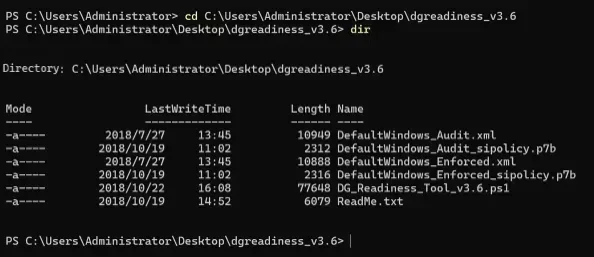
Step 5: Enter .\DG_Readiness_Tool_v3.6.ps1 -Disable (Do not miss the “.” at the beginning) and press Enter. Wait for the execution to complete to reboot your PC. Press F3 twice during the reboot to disable Credential Guard and Device Guard.
(Important note: If in this step, you get an error saying "Cannot find path 'C:\WINDOWS\System32\CodeIntegrity\SIPolicy.p7b' because it does not exist/", please download this missing file by clicking here.)

Step 6: When the reboot finished, Credential Guard and Device Guard should be disabled and the status of VBS will be "Not enabled". The 785 error will be gone when you restart the emulator or the game.